SETUP GUIDEHow to set it up8 sections. Choose a role to highlight what matters to you.
Everyone
1What it is and why
What it is
A report that shows which workers have a particular skill, with skills grouped by skill type for a chosen period.
What you do here
Use this page to identify which workers possess a given skill during a date range.
Example
For example, to staff a 3-month IT migration project HR runs the report for the skill type Technical from 2026-01-01 to 2026-12-31 with Include contractors on, and finds 5 workers and 2 contractors with SQL skills rated this year.
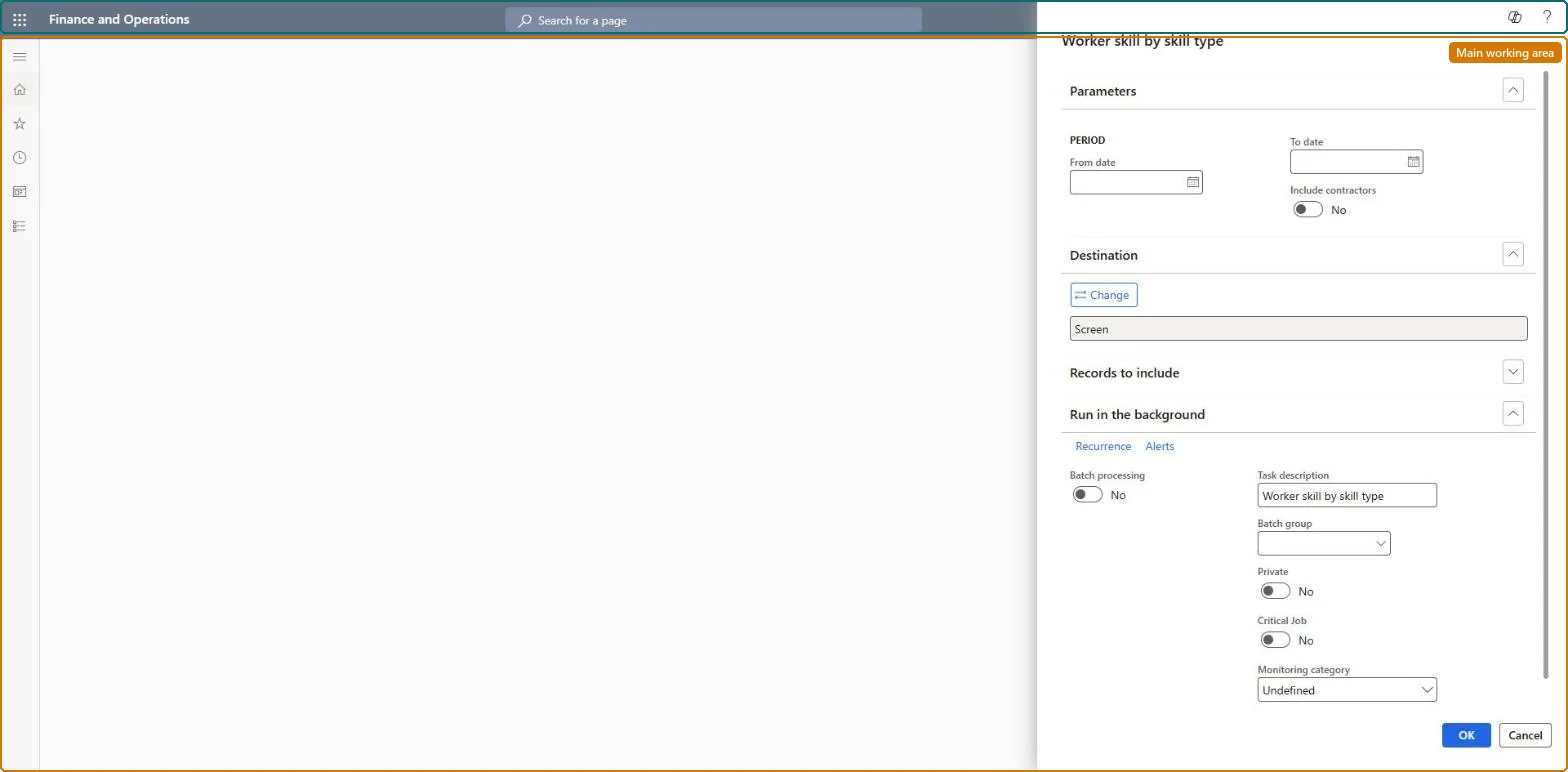
The page in Dynamics 365. page title tab to open what to set or check
About the examples: Examples and screenshots in this guide use BEAT, a demo company in a Dynamics 365 test environment. Use your own company's codes and values instead of copying them.
When to run it
When to run it
When you need to know who has a given skill in a period, for example to staff a project.
How often
On demand, when a skill is needed.
What the output shows
Workers listed under each skill, grouped by skill type, for the period. A worker who is missing usually has a level date outside the period.
The first date of the period for which you want worker skill information.Microsoft Learn
2026-01-01
To date
The last date of the period for which you want worker skill information.Microsoft Learn
2026-12-31
Common errors and fixes
Message
What to do
A recently rated skill is missing or shows the old level
Skills are read by their Level date. Set the analysis date on or after the Level date of the new rating, or correct the Level date on the worker's Skills page. Microsoft Learn
A skill prints under the wrong skill type
The report groups by the skill type set on the skill. Change it on the Skills page. Microsoft Learn
Run it for one skill type with a From date and To date covering the ratings you trust, with Include contractors on when contractors can be staffed.Workers' skills carry a Level date, so the period limits the list to ratings recent enough to rely on.
HR and training staff run it when they plan development, training and succession for current workers. No Feature management feature is needed for this page.
Shared data: the skills, certificates and education recorded for people (the Skill competency, Certificate competency and Education competency entities) and the skills setup are shared in Data management, so the analysis reads the same data from any legal entity. Checked in Dynamics 365
Can it be undone
Nothing to undo: The report only reads skills.
If you change it later
Skills are dated by their Level date, so the From date and To date decide which ratings are counted; a rating entered later with an earlier Level date appears on the next run. Microsoft Learn
Technical architect
6Technical
Menu item
HRMSkillBySkillTypeChecked in Dynamics 365
Form
SysOperationTemplateFormChecked in Dynamics 365
Roles to set it up and use it
To use itHuman resource assistant HcmHumanResourceAssistantRecruiter HcmRecruiterGive people one of these roles. On this system, 2 roles can run this page.Checked in Dynamics 365
Load order: The Worker skill by skill type report has no data entity in Data management, so it can't be loaded from a file or a configuration template. It reads the skills, certificates and education recorded for people; load those with the Employee development template (Skill competency, Certificate competency, Education competency) and run it in each environment.Microsoft Learn
Checked in a working Dynamics 365 system, version 10.0.49: the menu item, form, table and security, the page.
To cite this step: HR-RCOM-160, Find who holds a skill in a period. Beyond ERP Atlas Hub, 2026-11-11. https://www.beyonderp.cloud/atlas/step/HR-RCOM-160