SETUP GUIDEHow to set it up7 sections. Choose a role to highlight what matters to you.
Everyone
1What it is and why
What it is
A report for US legal entities that generates Form 1095-B, one of the forms of Affordable Care Act (ACA) reporting for the Employer Mandate, to distribute to employees.
What you do here
Use it to produce 1095-B forms for employees and dependents covered by employer-sponsored, self-insured health plans marked ACA reportable.
Example
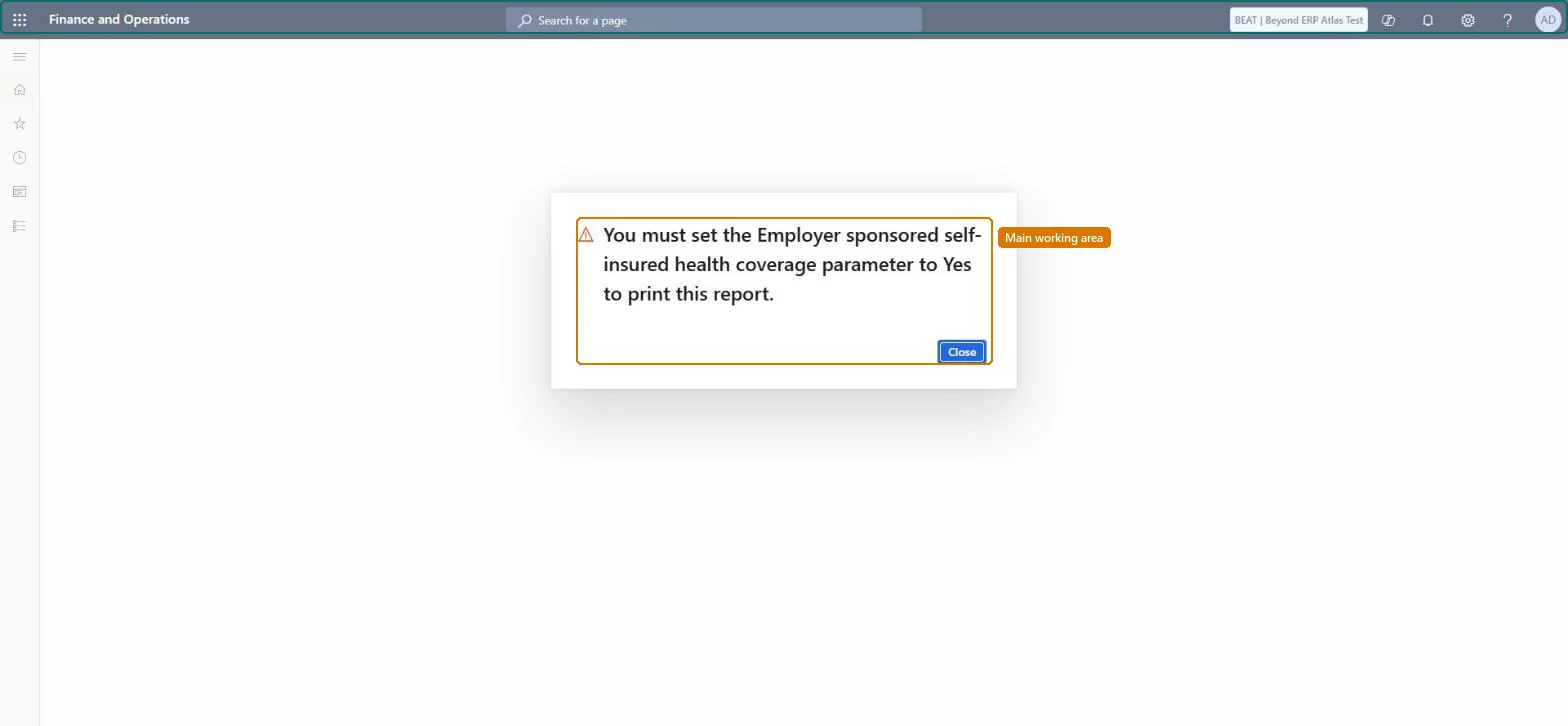
For example, BEAT, a US employer with a self-insured medical plan marked ACA reportable, opens ACA 1095-B form for tax year 2026; the first time, a message asks for the Employer sponsored self-insured health coverage parameter to be set to Yes, and after that the forms are generated for its 140 covered employees and their dependents.
The page in Dynamics 365. page title tab to open what to set or check
About the examples: Examples and screenshots in this guide use BEAT, a demo company in a Dynamics 365 test environment. Use your own company's codes and values instead of copying them.
When to run it
When to run it
After the end of the tax year, when employees covered by a self-insured health plan must receive Form 1095-B.
How often
Once a year per tax year, plus a new run for corrections.
What the output shows
Form 1095-B for each covered employee, listing covered dependents for the months entered. An employee or dependent missing usually means the plan isn't marked ACA reportable or no covered dates were entered.
Give covered employees their Form 1095-B when the employer offers self-insured health coverage.
Steps from Microsoft
Go to Human resources > Benefits > Inquiries and reports > ACA 1095-B form.
Sign in to a legal entity in the United States: ACA reporting is enabled only there.
Make sure the benefit plans to report have ACA reportable selected, and that dependents' covered dates are entered on Dependent coverage date manager from the worker's Maintain benefits page.
If a message says that the Employer sponsored self-insured health coverage parameter must be set to Yes, close it: the form is for an employer with self-insured coverage, so set the parameter only when that is the case.
Open the form again, set the tax year and the other options, generate the forms and compare the covered months with each employee's enrollment.
You must set the Employer sponsored self-insured health coverage parameter to Yes...
The form is only produced for an employer that offers self-insured health coverage. Close the message; if the employer does offer it, set the parameter the message names to Yes and open the form again. Checked in Dynamics 365
A dependent is missing from an employee's form
Only plans marked ACA reportable are reported, and dependents only for their covered dates. Select ACA reportable on the plan and enter the dates on Dependent coverage date manager. Microsoft Learn
The ACA forms don't reflect changes made in the legacy Benefits pages
After the switch to Benefits management, ACA reporting runs only from the Benefits management workspace. Set up the employee data for the whole enrollment year there and generate the forms from that workspace. Microsoft Learn
Test checklist
Sign in to a US legal entity and open the form.
If the self-insured coverage message appears, check the parameter it names is set to Yes only for a self-insured employer.
Generate the forms for the tax year.
Check one employee's form lists the dependents for exactly the months entered on Dependent coverage date manager.
Run it once per tax year in each US legal entity that offers self-insured health coverage, after the ACA reportable plans and dependent coverage dates are complete.Self-insured coverage must be reported for each covered employee and dependent for the months they were covered, and only plans marked ACA reportable are read.
Benefits management (Off: once it is on, ACA reporting runs only from the Benefits management workspace)
Licence or add-in
ACA reporting is US only: it is enabled only for legal entities in the United States. It runs from either this legacy Benefits workspace or the Benefits management workspace, not both: once you switch to Benefits management, ACA reporting is available only from the Benefits management workspace. Compensation and benefits managers, HR managers and payroll managers in US legal entities use it.
ACA reporting is US only: it is enabled only for legal entities in the United States, so the form is generated in a US legal entity. Microsoft Learn
Can it be undone
Nothing to undo: Generating the form changes no data; corrected forms are generated again.
Feature or country
US
If you change it later
Generating the form changes no data. It reads the coverage of benefit plans marked ACA reportable and the dependents' covered dates, so fix those and generate again. Microsoft Learn
Developer
6Developer
Data migration
Load order: The ACA 1095-B form has no data entity in Data management, so it can't be loaded from a file or a configuration template. It prints from the benefit enrollments and dependent coverage dates; load those, then generate the forms in each US legal entity.Microsoft Learn
Checked in a working Dynamics 365 system, version 10.0.49: the menu item, form, table and security, the page.
To cite this step: HR-RBEN-070, Issue Form 1095-B for self-insured coverage. Beyond ERP Atlas Hub, 2026-11-11. https://www.beyonderp.cloud/atlas/step/HR-RBEN-070