Setup step on the Financial reporting setup page · General ledger
Set up Financial reporting setup
Used to set the order of financial dimensions for building and viewing reports, and to choose whether Vendors and Customers are available as attributes.
- Used by
- Security administrator
- Business process
- Prepare financial statements
- Menu item
FinancialReportingSetup- Main table
DimensionHierarchy- Data entity
DimensionHierarchyBaseEntity- Setup steps
- 1 on this page
Everyone
1What it is and why
| What it is | The page that lists all financial dimensions and controls which dimensions and attributes Financial reporting uses. |
|---|---|
| What you do here | Used to set the order of financial dimensions for building and viewing reports, and to choose whether Vendors and Customers are available as attributes. |
| Example | — |
Functional consultant · Solution architect
2Where it fits
| Business process | Close financial periods › Prepare financial statements |
|---|---|
| Menu path | General ledger › Ledger setup › Financial reporting setup |
| Set up first | Financial dimensions Microsoft Learn ↗ |
| Used next by | Financial reports Microsoft Learn ↗ |
| Related pages | Financial dimension configuration for integrating applications Microsoft Learn ↗ |
| In this process | ← Set up Main account categories |
End user · Functional consultant
3How to do it
Step by step, with screenshots
Set up Financial reporting setup1 screen
Used to set the order of financial dimensions for building and viewing reports, and to choose whether Vendors and Customers are available as attributes.
Screen 1
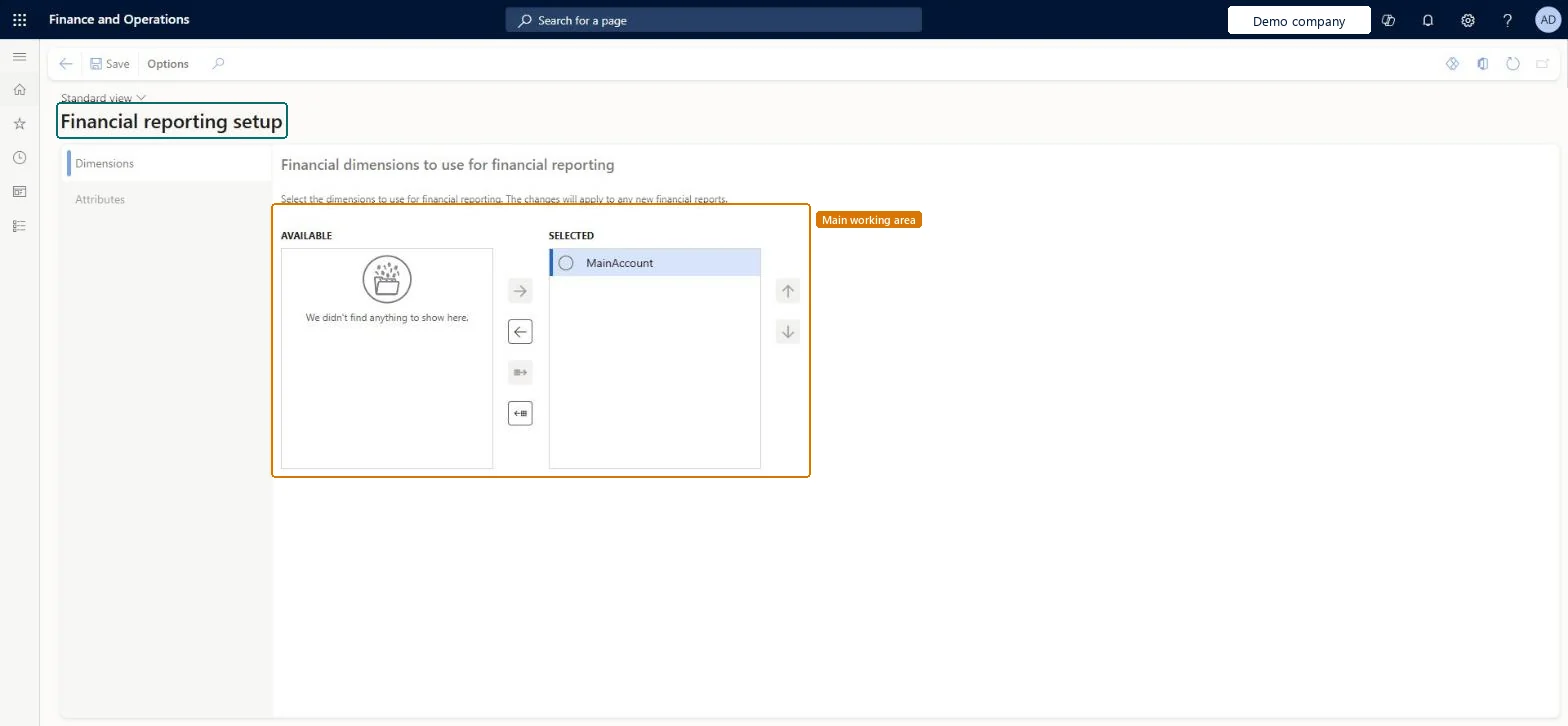
Choose the financial reporting dimensions
Go to General ledger > Ledger setup > Financial reporting setup, Dimensions tab
- Open the Dimensions tab
- Move MainAccount from AVAILABLE to SELECTED
- Select Save
1SELECTED MainAccount 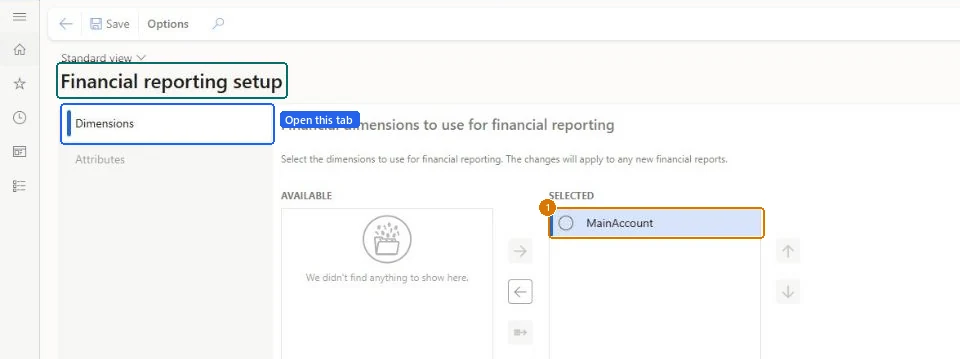
Show the full screen
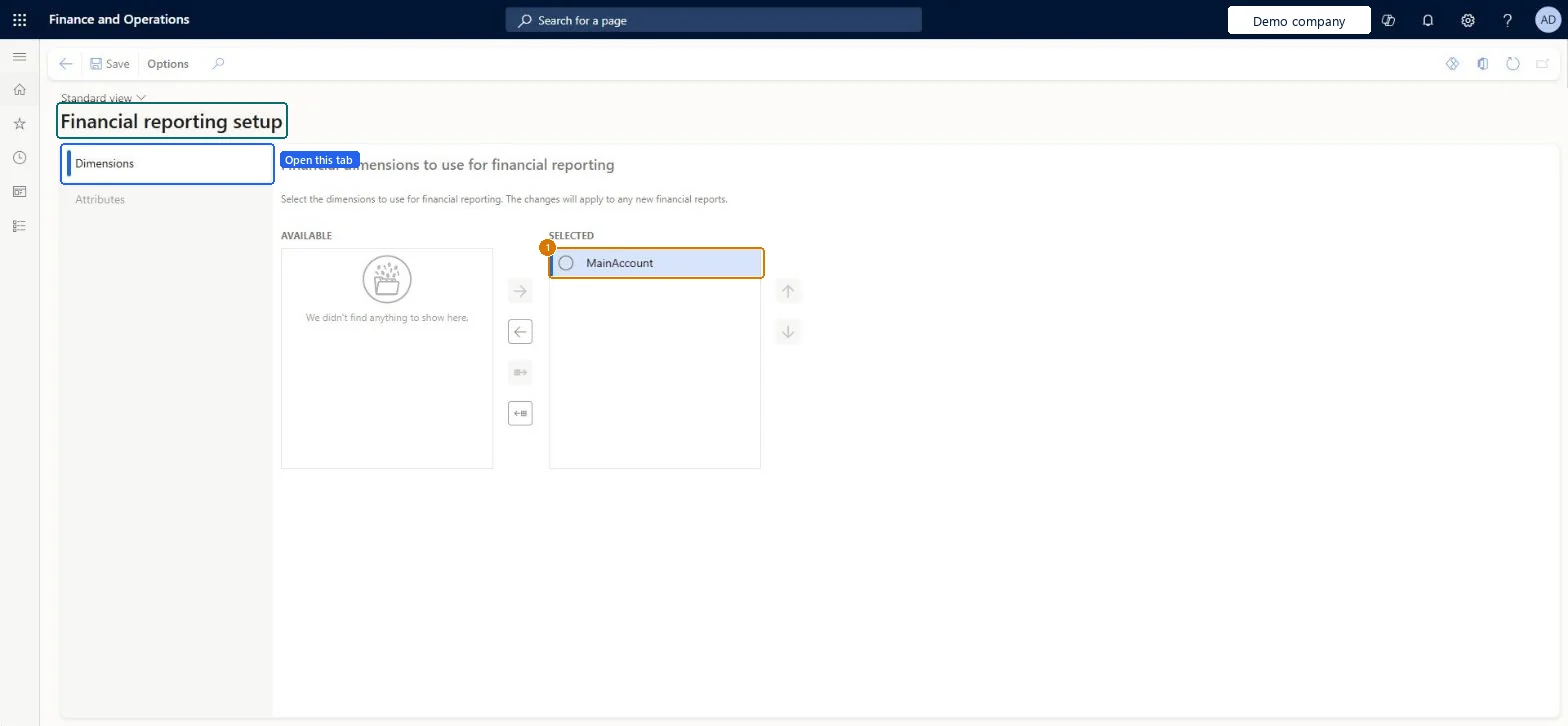
page title tab to open what to set or check
Microsoft's steps
—
Field guide
| Field | What it means | Worked example | Table column |
|---|---|---|---|
| Dimensions | The tab where you set the order in which financial dimensions appear when building and viewing financial reports.Microsoft Learn ↗ | — | — |
| Attributes | The tab where you choose whether Vendors and Customers can be used to filter and design reports; this adds time to the integration.Microsoft Learn ↗ | — | — |
| Selected | The column of dimensions included in financial reporting; MainAccount must be listed for reports to work.Microsoft Learn ↗ | — | — |
Functional consultant
4Setup decisions
| Setup step | Recommended value and why | Decision · common mistake · test |
|---|---|---|
| Set up Financial reporting setup | — | — |
Solution architect
5Design impact
| Shared or per company | Shared: the same records are used by every legal entity. Microsoft data model ↗ |
|---|---|
| Can it be undone | — |
| Feature or country | — |
| If you change it later | Changes show in financial reports only after the Data Mart is reset. Microsoft Learn ↗ |
Technical architect
6Technical
| Menu item | FinancialReportingSetup Checked in Dynamics 365 |
|---|---|
| Form | FinancialReportingSetup Checked in Dynamics 365 |
| Table | DimensionHierarchyShown as “Dimension set” in Record infoChecked in Dynamics 365 |
| Data entities | DimensionHierarchyBaseEntityThe DimensionHierarchyBaseEntity is the base entity for all entities based on the DimensionHierarchy table. Microsoft data model ↗DimensionIntegrationFormatEntityFinancial dimension format Microsoft data model ↗FinancialDimensionSetEntityFinancial dimension sets Microsoft data model ↗ |
| Who can open it | PrivilegesMaintain financial reporting security FinancialReportsSecuritySystemMaintainDutiesMaintain financial reporting security FinancialReportsSecurityMaintain1 security rolesSecurity administratorSysSecSecurityAdministrator |
| Actions on the page | — |
Developer
7Developer
| Open it directly | https://<your-environment>/?mi=FinancialReportingSetup |
|---|---|
| Integrate with | DimensionHierarchyBaseEntity data entity Microsoft data model ↗ |
| Table definition | DimensionHierarchy columns and relations Microsoft data model ↗ |
Everyone
8Sources and checks
- learn.microsoft.com/dynamics365/fin-ops-core/dev-itpro/financial/financial-dimension-configuration-integration
- learn.microsoft.com/common-data-model/schema/core/operationscommon/tables/finance/financialdimensions/group/dimensionhierarchy
- learn.microsoft.com/dynamics365/fin-ops-core/dev-itpro/financial/financial-dimension-configuration-integration
- learn.microsoft.com/dynamics365/finance/general-ledger/financial-reporting-getting-started
- learn.microsoft.com/dynamics365/finance/general-ledger/modifying-deleting-financial-dimensions
- Checked in a working Dynamics 365 system, version 10.0.49: the menu item, form, table and security, the page, the demo records and the values in the screenshots.
GL-SETUP-050 — Set up Financial reporting setup. Beyond ERP Atlas Hub, snapshot 2026-10-16, partly verified. https://www.beyonderp.cloud/atlas/step/GL-SETUP-050