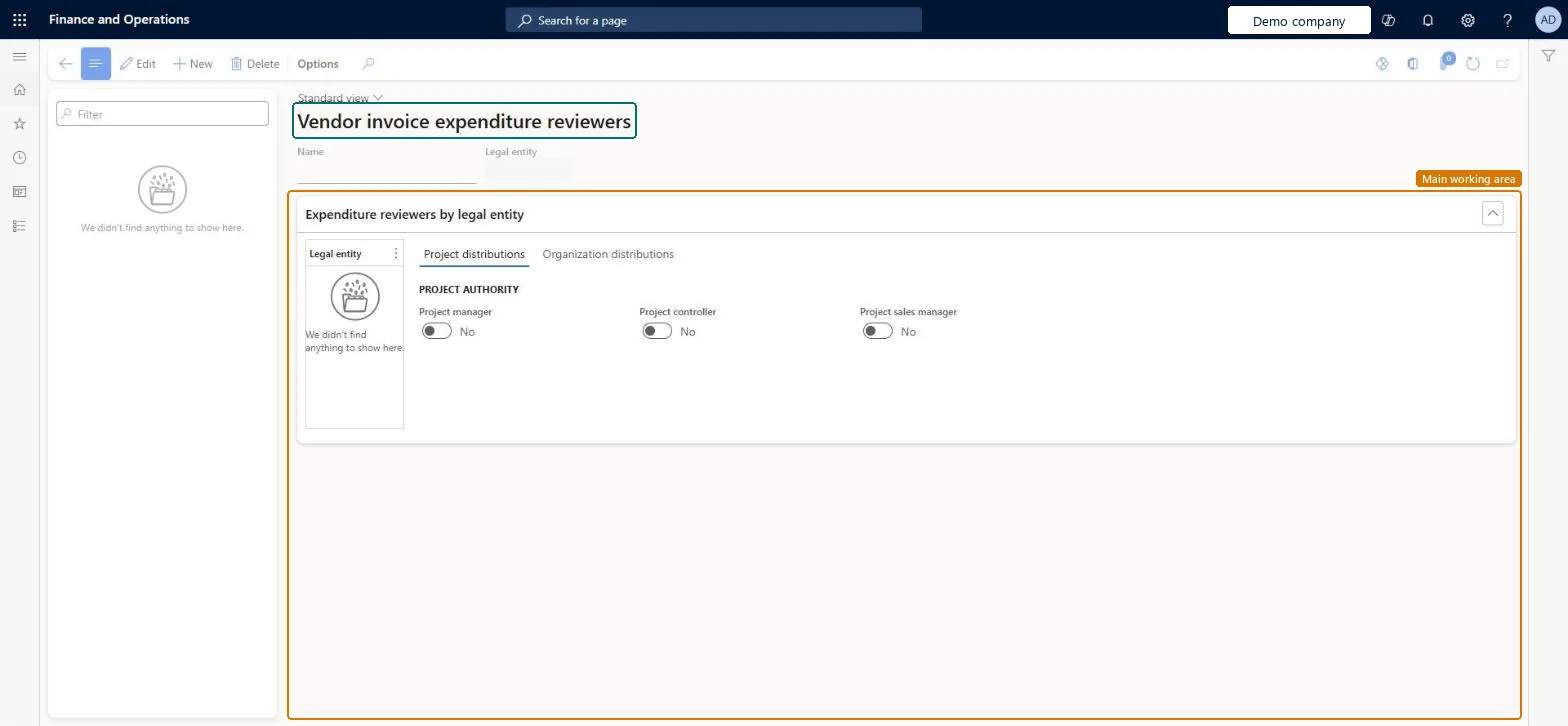
Setup step on the Vendor invoice expenditure reviewers page · Accounts payable
Set up Vendor invoice expenditure reviewers
Defines reviewer configurations that route vendor invoice workflow tasks and approvals to users derived from project roles or financial dimension owners.
Accounts payable manager, Vendor account manager, Accounting supervisor and 1 more role
Business process
Define invoicing policies in Dynamics 365 Finance
Menu item
VendInvoiceWorkflowParticipantExpenToken
Setup steps
1 on this page
Show what matters for
SETUP GUIDEHow to set it up8 sections. Choose a role to highlight what matters to you.
Everyone
1What it is and why
What it is
A setup page for expenditure reviewer configurations used in vendor invoice workflows.
What you do here
Use this page to route vendor invoices for review dynamically, based on the user assigned to a project role or the owner of the financial dimension the expenditure is charged to.
Example
Instead of a conditional decision per cost center, you set the owner of each cost center dimension and use an expenditure reviewer, so only the Owner field needs updating when ownership changes.
The page in Dynamics 365. page title tab to open what to set or check
About the examples: Examples and screenshots in this guide use BEAT, a demo company in a Dynamics 365 test environment. Use your own company's codes and values instead of copying them.
Setup steps on this page
Set up Vendor invoice expenditure reviewers
Defines reviewer configurations that route vendor invoice workflow tasks and approvals to users derived from project roles or financial dimension owners.
How to use it
Go to Accounts payable > Policy setup > Vendor invoice expenditure reviewers.
Select New to add a configuration.
Enter the Name.
In the Expenditure reviewers by legal entity section, select a Legal entity.
On the Project distributions tab, turn on Project manager, Project controller or Project sales manager as needed.
Select the Organization distributions tab to set up the organization reviewers.
Source: Checked in Dynamics 365
Fields on the page
Field
What it means
Project distributions
Picks the reviewer from project roles, such as the project manager, or from project financial dimensions.Microsoft Learn
Organization distributions
Picks the reviewer from the owner of a financial dimension on the document.Microsoft Learn
Test checklist
Create a reviewer named Cost center with the Cost center dimension on Organization distributions for the legal entity.
Set an Owner on each cost center value under Financial dimension values.
In the vendor invoice workflow, assign the approval to Expenditure participants and select the reviewer.
Submit an invoice charged to a cost center and check the approval goes to that cost center's owner.
Organization distributions on the financial dimension that owns the spend (for example Cost center), with an Owner set on every dimension valueThe workflow routes to the owner of the dimension on the invoice, so when responsibility changes you only update the Owner field instead of rebuilding conditional steps.
Leaving the Owner field blank on some dimension values: the workflow has no user to route the invoice to for those values.
Solution architect
5Design impact
Can it be undone
Reversible: Reviewer configurations and dimension owners can be changed at any time; routing uses them when the workflow step is reached.
If you change it later
When the person responsible for a cost center changes, you only update the owner of that financial dimension; the workflow then routes to the new owner. Microsoft Learn
Technical architect
6Technical
Menu item
VendInvoiceWorkflowParticipantExpenTokenChecked in Dynamics 365
Form
WorkflowParticipantExpenTokenChecked in Dynamics 365
Who can open it
PrivilegesMaintain vendor invoice workflow for reviewers VendInvoiceWFProviderExpendMaintainDutiesEnable invoice and payment process VendInvoiceInvoicePaymentProcessEnableEnable vendor process VendVendorProcessEnable4 security rolesAccounting supervisor LedgerAccountingSupervisorPurchasing manager TradePurchasingManagerAccounts payable manager VendInvoiceAccountsPayableManagerVendor account manager VendVendorAccountManagerChecked in Dynamics 365
Roles to set it up and use it
To set it up or change itAccounts payable manager VendInvoiceAccountsPayableManagerAccounting supervisor LedgerAccountingSupervisorPurchasing manager TradePurchasingManagerVendor account manager VendVendorAccountManagerGive people one of these roles. On this system, 4 roles can open this page.Checked in Dynamics 365
Checked in a working Dynamics 365 system, version 10.0.47: the menu item, form, table and security, the page.
To cite this step: AP-POLICY-010, Set up Vendor invoice expenditure reviewers. Beyond ERP Atlas Hub, 2026-11-11. https://www.beyonderp.cloud/atlas/step/AP-POLICY-010