Warehouse management › Setup › Work › Work policies
End user · Functional consultant
3How to do it
About the examples: Examples and screenshots in this guide use BEAT, a demo company in a Dynamics 365 test environment. Use your own company's codes and values instead of copying them.
Setup steps on this page
Set up Work policies
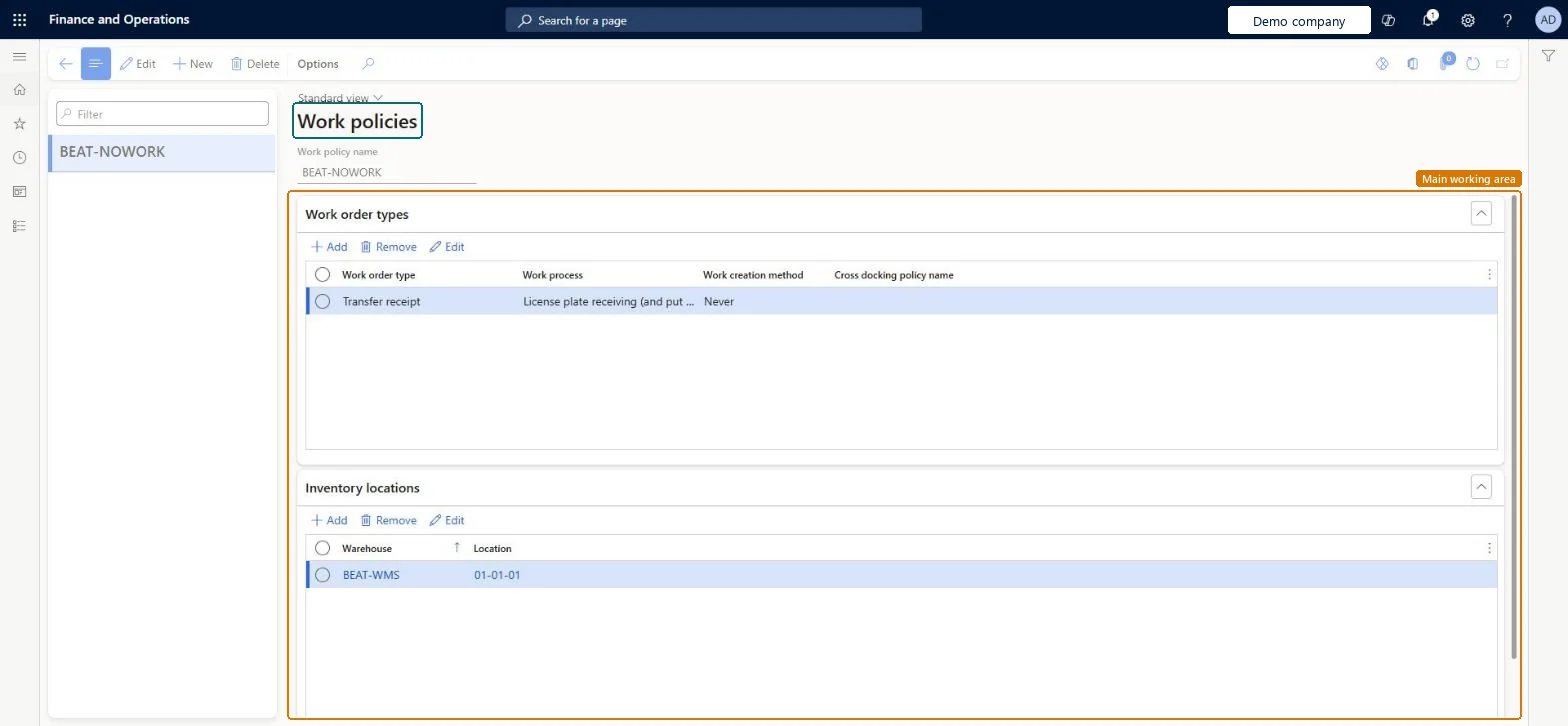
Use this page to set, for chosen work order types, inventory locations and products, whether warehouse work is created.
Steps from Microsoft
Go to Warehouse management > Setup > Work > Work policies.
Select New, then enter a name in the Work policy name field.
On the Work order types FastTab, select Add and set the work order type, the work process and the work creation method.
On the Inventory locations FastTab, select Add and set the warehouse and the location.
On the Products FastTab, set the Product selection field to All or Selected.
Work creation method Never for receiving or production locations where goods are used in place, with every receiving location listed on Inventory locationsA work policy prevents putaway or picking work for the chosen work order types, locations and products, and it only applies at locations listed on the policy.
Leaving Inventory locations empty. A policy without a location isn't applied to any process, and the same location can't be on more than one policy.
PrivilegesMaintain work policies WHSWorkPolicyMaintainView work policies WHSWorkPolicyViewDutiesInquire into warehouse planning master data WHSWarehousePlanningMasterInquireRecord warehouse planning masters WHSWarehousePlanningMasterMaintain2 security rolesWarehouse planner WHSWarehousePlannerWarehouse manager WMSWarehouseManagerChecked in Dynamics 365
Roles to set it up and use it
To set it up or change itWarehouse manager WMSWarehouseManagerWarehouse planner WHSWarehousePlannerGive people one of these roles. On this system, 2 roles can open this page.Checked in Dynamics 365
WHSWarehouseWorkPolicyEntity (Warehouse work policies): loaded for each company, in Microsoft's default template 400 - Warehouse management.Load order: Microsoft's default template 400 - Warehouse management loads Warehouse work policies at execution unit 1, level 30, sequence 10. Lower levels load first, and entities at the same level load in sequence order.Load first: the default templates at lower levels (System setup to General ledger)Microsoft Learn