About the examples: Examples and screenshots in this guide use BEAT, a demo company in a Dynamics 365 test environment. Use your own company's codes and values instead of copying them.
Setup steps on this page
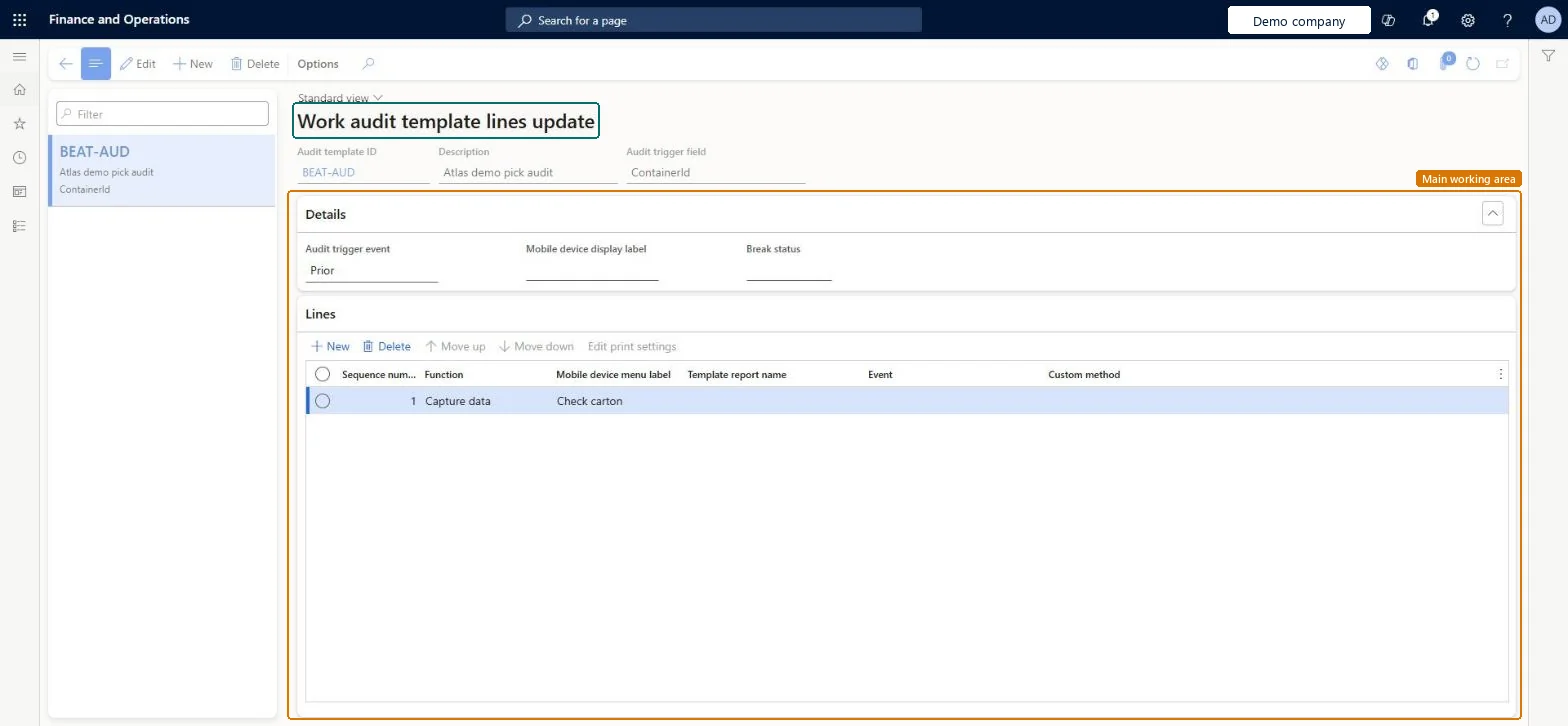
Set up Work audit template lines update
Use this page to set the point at which a work process is interrupted and the lines that run at that point.
How to use it
Go to Warehouse management > Setup > Work > Work audit template lines update.
Select New, then enter an audit template ID and a description.
Set the audit trigger field and, in the Details section, the audit trigger event, the mobile device display label and the break status.
In the Lines section, select New to add a line and set its function, mobile device menu label, template report name, event or custom method.
Use Move up and Move down to change the order of the lines.
Source: Checked in Dynamics 365
Test checklist
Create an audit template that interrupts work when it is started.
Select it in Audit template ID on an inbound mobile device menu item.
Run the menu item and check the extra operation is asked for at the set point.
Note that deferred put processing isn't applied when audit templates are used.
Reversible: An audit template only acts when a mobile device menu item names it in Audit template ID, so it can be removed from the menu item at any time. Microsoft Learn
Technical architect
5Technical
Menu item
WHSWorkAuditTemplateChecked in Dynamics 365
Form
WHSWorkAuditTemplateChecked in Dynamics 365
Table
WHSWorkAuditTemplateTableShown as “WORK AUDIT TEMPLATE LINES UPDATE” in Record infoKey field: WorkAuditTemplateIdChecked in Dynamics 365
Data entities
WHSWarehouseWorkAuditTemplateEntityWarehouse work audit templates Microsoft data model
Who can open it
PrivilegesMaintain work audit templates WHSWorkAuditTemplateMaintainView work audit templates WHSWorkAuditTemplateViewDutiesInquire into warehouse planning master data WHSWarehousePlanningMasterInquireRecord warehouse planning masters WHSWarehousePlanningMasterMaintain2 security rolesWarehouse planner WHSWarehousePlannerWarehouse manager WMSWarehouseManagerChecked in Dynamics 365
Roles to set it up and use it
To set it up or change itWarehouse manager WMSWarehouseManagerWarehouse planner WHSWarehousePlannerGive people one of these roles. On this system, 2 roles can open this page.Checked in Dynamics 365
WHSWarehouseWorkAuditTemplateEntity (Warehouse work audit templates): loaded for each company, in Microsoft's default template 400 - Warehouse management.Load order: Microsoft's default template 400 - Warehouse management loads Warehouse work audit templates at execution unit 1, level 30, sequence 10. Lower levels load first, and entities at the same level load in sequence order.Load first: the default templates at lower levels (System setup to General ledger)Microsoft Learn