About the examples: Examples and screenshots in this guide use BEAT, a demo company in a Dynamics 365 test environment. Use your own company's codes and values instead of copying them.
Setup steps on this page
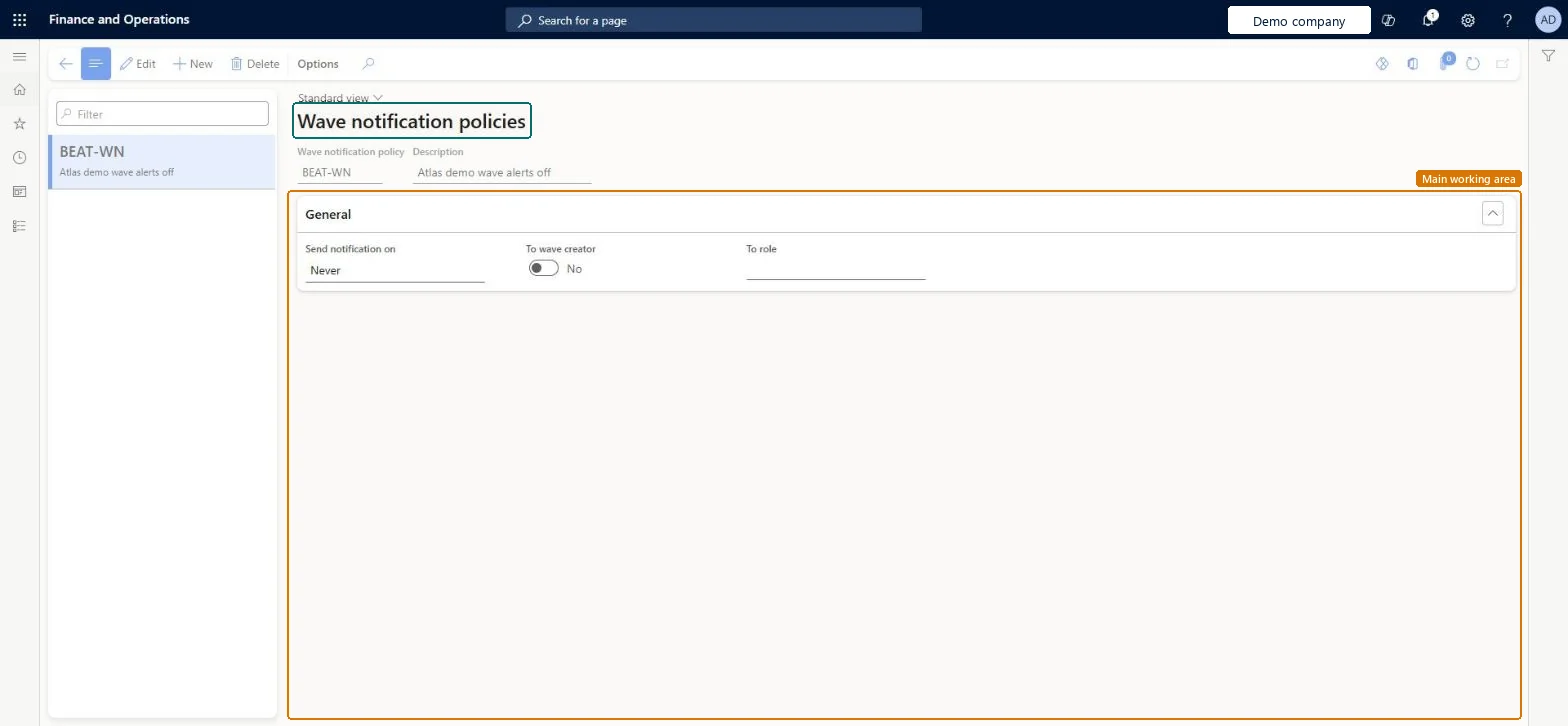
Set up Wave notification policies
Use this page to set when notifications about wave execution are sent and who receives them.
Steps from Microsoft
Go to Warehouse management > Setup > Waves > Wave notification policies.
Select New to create a policy.
Enter a Wave notification policy name and a Description.
In the Send notification on field, choose when notifications are sent, for example Error only.
In the To role field, select the role that should be notified.
To use the policy, select it in the Wave notification policy field on the General FastTab of a wave template.
Send notification on Error only, To role a specific warehouse role (for example Warehouse manager), with Process waves in batch = YesNotifications come from wave batch execution through business events and the Action center; Learn advises a specific role rather than a broad one.
Creating the policy without selecting it on the wave template, or with waves processed outside batch, so no notification is sent.
Solution architect
5Design impact
Can it be undone
Reversible: A policy only drives notifications; change it or clear it on the wave template at any time. Microsoft Learn
Technical architect
6Technical
Menu item
WhsWaveNotificationPolicyChecked in Dynamics 365
Form
WhsWaveNotificationPolicyChecked in Dynamics 365
Table
WhsWaveNotificationPolicShown as “WAVE NOTIFICATION POLICIES” in Record infoKey field: PolicyNameChecked in Dynamics 365
Who can open it
PrivilegesMaintain wave notification policies WhsWaveNotificationPolicyMaintainView wave notification policies WhsWaveNotificationPolicyViewDutiesInquire into warehouse planning master data WHSWarehousePlanningMasterInquireRecord warehouse planning masters WHSWarehousePlanningMasterMaintain2 security rolesWarehouse planner WHSWarehousePlannerWarehouse manager WMSWarehouseManagerChecked in Dynamics 365
Roles to set it up and use it
To set it up or change itWarehouse manager WMSWarehouseManagerWarehouse planner WHSWarehousePlannerGive people one of these roles. On this system, 2 roles can open this page.Checked in Dynamics 365