PAGE GUIDEWhat the page does and how to use it8 sections. Choose a role to highlight what matters to you.
Everyone
1What it is and why
What it is
A setup page where you define each external system that Warehouse management only mode integrates with.
What you do here
Use this page to name each source system, control how its shipment orders are imported and, if another system holds the product master data, specify it.
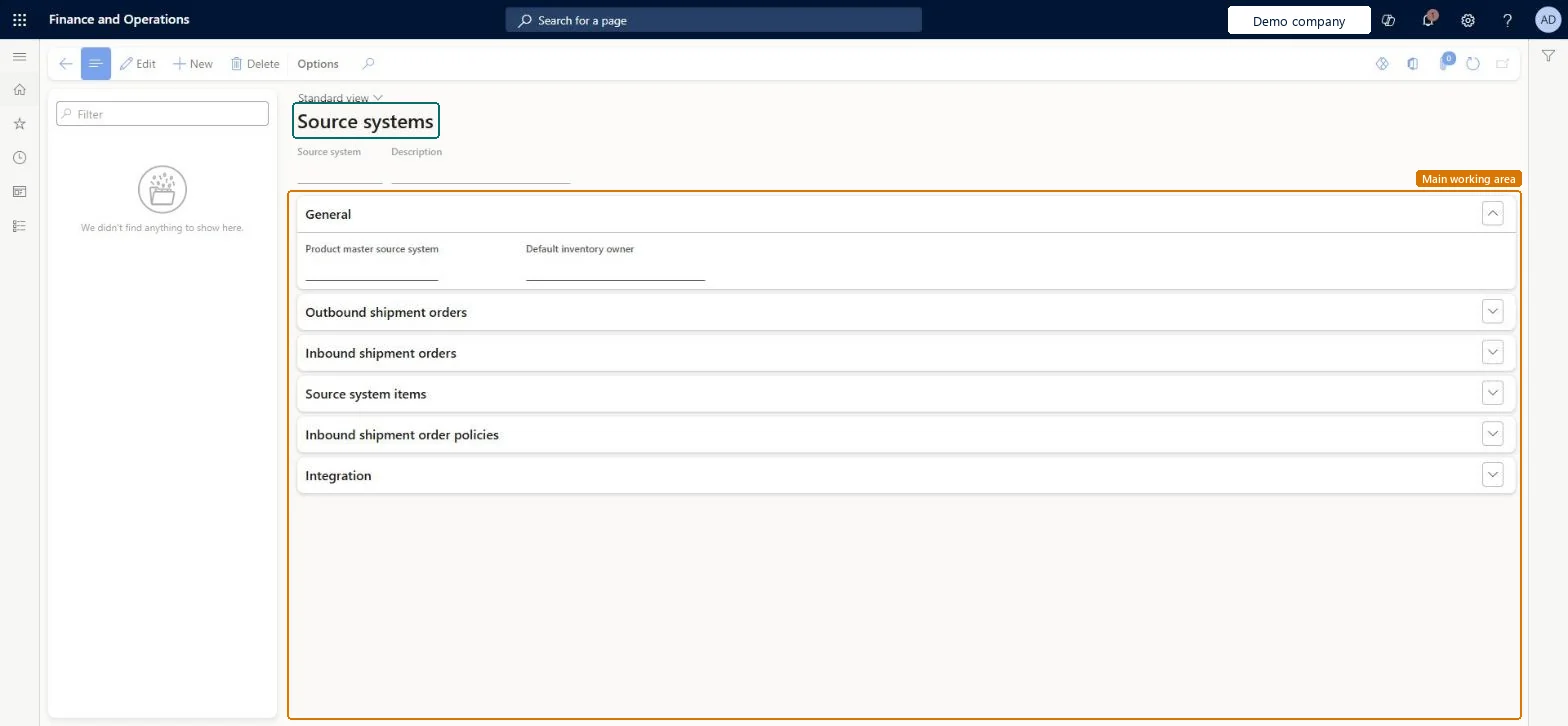
The page in Dynamics 365. page title tab to open what to set or check
About the examples: Examples and screenshots in this guide use BEAT, a demo company in a Dynamics 365 test environment. Use your own company's codes and values instead of copying them.
Setup steps on this page
Set up Source systems
Use this page to name each source system, control how its shipment orders are imported and, if another system holds the product master data, specify it.
Steps from Microsoft
Go to Warehouse management > Setup > Warehouse management integration > Source systems.
To create a record, select New on the Action Pane. To change one, select it and then select Edit.
Enter a name for the source system, which must exactly match the name the source system includes in each message it sends.
Configure the other settings that control the shipment order import, for example on the Outbound shipment orders and Inbound shipment orders FastTabs.
If another source system maintains the product master data, select it in the Product master source system field.
The name of the source system. It must exactly match the name in each message that the source system sends.Microsoft Learn
SourceSystemId
Product master source system
The source system that maintains the product master data, when it is not this one.Microsoft Learn
ProductMasterSourceSystemId
Outbound shipment processing policy
On the Outbound shipment orders FastTab, the policy that applies to the source system's shipments. With external shared warehouses it must enforce shipment to order matching.Microsoft Learn
Name
Source system items
The FastTab that defines how product creation message processing creates the internal item numbers.Microsoft Learn
Enable returns process
On the Inbound shipment orders FastTab, turns on the return process for the source system.Microsoft Learn
EnableReturnsProcess
Test checklist
Create the source system and check the background processes appear under System administration > Setup > Process automations.
Send an outbound shipment order message with the exact source system name and check the order is created.
Release it to the warehouse and confirm the shipment.
Check Shipment packing slips moves from Ready for posting to Posted.
Source system name exactly as the external system sends it in messages; for external shared warehouses, an Outbound shipment processing policy with Enforce shipment to order matching set to YesThe source system must include this name in each message and it must match exactly. Learn says external shared warehouse source systems must use a policy with Enforce shipment to order matching set to Yes.
Missing Warehouse inventory owner mappings when the Owner dimension is used; Learn says the order message then fails to process, including when the owner value is empty.
Feature management and licence
Feature to turn on
Warehouse management only mode (Mandatory, on by default)
Hard to reverse: Settings can be edited, but the source system name is part of the integration contract with the external system, and the record creates automated background processes that must be managed if you remove it. Microsoft Learn
Technical architect
6Technical
Menu item
WHSSourceSystemChecked in Dynamics 365
Form
WHSSourceSystemChecked in Dynamics 365
Table
WHSSourceSystemShown as “SOURCE SYSTEMS” in Record infoKey field: SourceSystemIdChecked in Dynamics 365
Data entities
WHSSourceSystemEntityWarehouse integration source systems Checked in Dynamics 365
Who can open it
PrivilegesMaintain source system WHSSourceSystemMaintainView source system WHSSourceSystemViewDutiesWarehouse management integration inquire WarehouseManagementIntegrationSetupInquireWarehouse management integration setup maintain WarehouseManagementIntegrationSetupMaintain2 security rolesMaterials manager InventMaterialsManagerWarehouse manager WMSWarehouseManagerChecked in Dynamics 365
Roles to set it up and use it
To set it up or change itWarehouse manager WMSWarehouseManagerTo use itMaterials manager InventMaterialsManagerGive people one of these roles. On this system, 2 roles can open this page.Checked in Dynamics 365
Actions on the page
(Action Pane without tabs)Checked in Dynamics 365
Developer
7Developer
Open it by URL
https://<your-environment>/?mi=WHSSourceSystem
Integrate with
WHSSourceSystemEntity data entity Checked in Dynamics 365