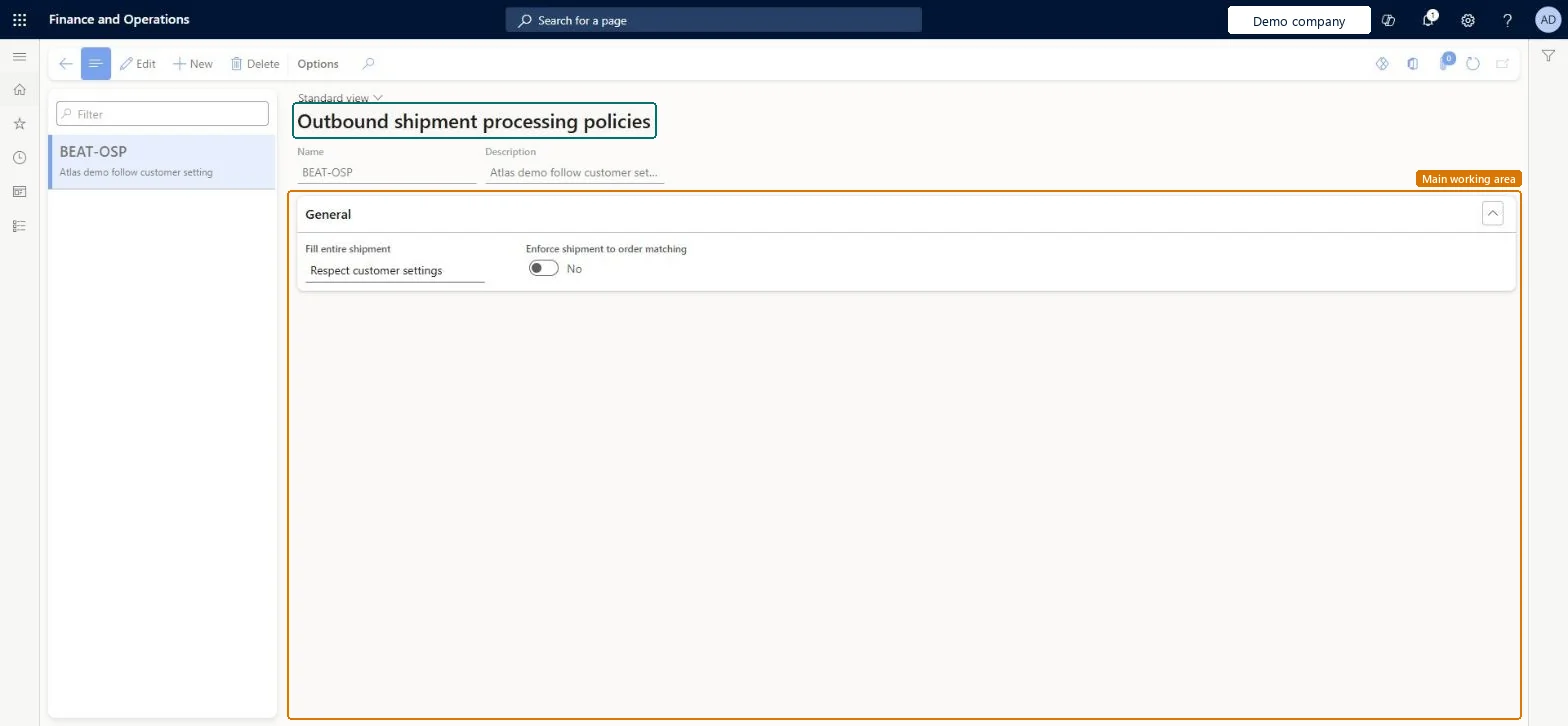
A setup page where you define outbound shipment processing policies, which set how shipments are processed when work creation fails and how many shipments an order can have.
PAGE GUIDEWhat the page does and how to use it8 sections. Choose a role to highlight what matters to you.
Everyone
1What it is and why
What it is
A setup page where you define outbound shipment processing policies, which set how shipments are processed when work creation fails and how many shipments an order can have.
What you do here
Use this page to define the policies that can be assigned to outbound orders, customers or source systems to control the shipping flow.
The page in Dynamics 365. page title tab to open what to set or check
About the examples: Examples and screenshots in this guide use BEAT, a demo company in a Dynamics 365 test environment. Use your own company's codes and values instead of copying them.
Setup steps on this page
Set up Outbound shipment processing policies
Use this page to define the policies that can be assigned to outbound orders, customers or source systems to control the shipping flow.
How to use it
Go to Warehouse management > Setup > Shipping > Outbound shipment processing policies.
Select New to create a policy.
Enter a Name and a Description.
On the General FastTab, set Fill entire shipment.
Turn on Enforce shipment to order matching if each order should have only one shipment.
Source: Checked in Dynamics 365
Fields on the page
Field
What it means
Table column
Fill entire shipment
What happens when work creation fails for one or more lines in a shipment, for example because of location directive failures.Microsoft Learn
FillEntireShipment
Enforce shipment to order matching
Whether the policy permits only one shipment per outbound order, or several.Microsoft Learn
EnforceShipmentToOrderMatching
Test checklist
Create a policy with Enforce shipment to order matching = Yes and assign it to a customer.
Create two sales orders for that customer and release both to the warehouse.
Check that each order gets its own shipment.
Try to consolidate the two shipments in the Shipment consolidation workbench and check it is not allowed.
Enforce shipment to order matching = Yes for source systems in Warehouse management only mode with external shared warehouses; otherwise choose per business needLearn requires a policy with Enforce shipment to order matching set to Yes on the source system for external shared warehouses.
Reversible: The policy can be changed; shipments inherit it from the order, customer or source system when they are created, so existing shipments keep the policy they already have. Microsoft Learn
If you change it later
When Enforce shipment to order matching is turned on, a shipment cannot mix lines from more than one order, and shipments from different orders cannot be consolidated. Microsoft Learn
Technical architect
6Technical
Menu item
WHSOutboundShipmentProcessingPolicyChecked in Dynamics 365
Form
WHSOutboundShipmentProcessingPolicyChecked in Dynamics 365
Table
WHSOutboundShipmentProcessingPolicyShown as “OUTBOUND SHIPMENT PROCESSING POLICIES” in Record infoKey field: NameChecked in Dynamics 365
Data entities
WHSOutboundShipmentProcessingPolicyEntityOutbound shipment processing policies Checked in Dynamics 365
Who can open it
PrivilegesMaintain outbound shipment pocessing policies WHSOutboundShipmentProcessingPolicyMaintainView outbound shipment processing policies WHSOutboundShipmentProcessingPolicyViewDutiesInquire into warehouse planning master data WHSWarehousePlanningMasterInquireRecord warehouse planning masters WHSWarehousePlanningMasterMaintain2 security rolesWarehouse planner WHSWarehousePlannerWarehouse manager WMSWarehouseManagerChecked in Dynamics 365
Roles to set it up and use it
To set it up or change itWarehouse manager WMSWarehouseManagerWarehouse planner WHSWarehousePlannerGive people one of these roles. On this system, 2 roles can open this page.Checked in Dynamics 365