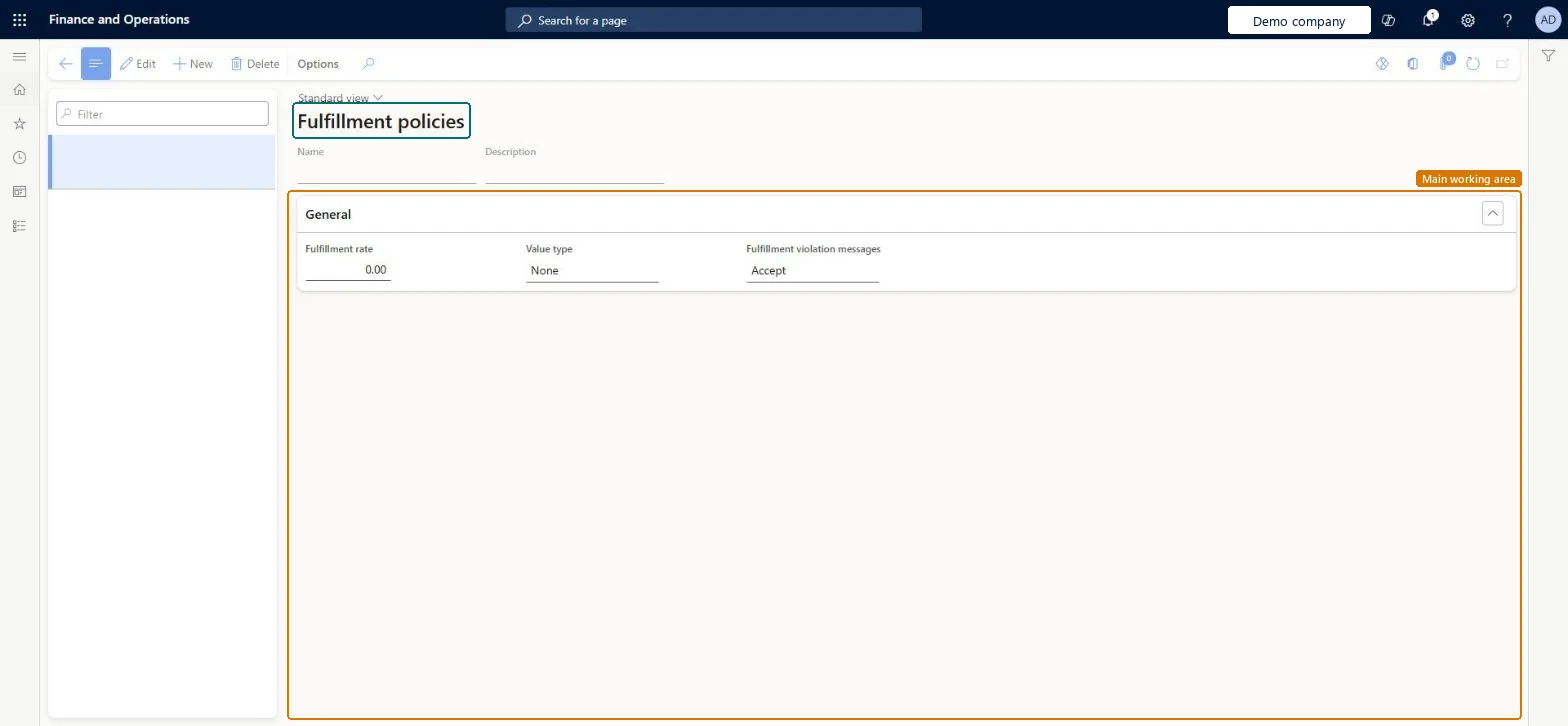
A setup page where you define fulfillment policies, which control the percentage of the order price or quantity that must be physically reserved before an order is released to the warehouse.
PAGE GUIDEWhat the page does and how to use it8 sections. Choose a role to highlight what matters to you.
Everyone
1What it is and why
What it is
A setup page where you define fulfillment policies, which control the percentage of the order price or quantity that must be physically reserved before an order is released to the warehouse.
What you do here
Use this page to create a fulfillment policy and set its fulfillment rate, value type and the message shown when the policy is violated.
Example
For example, you can set a default fulfillment policy and override it for specific customers.
The page in Dynamics 365. page title tab to open what to set or check
About the examples: Examples and screenshots in this guide use BEAT, a demo company in a Dynamics 365 test environment. Use your own company's codes and values instead of copying them.
Setup steps on this page
Set up Fulfillment policies
Use this page to create a fulfillment policy and set its fulfillment rate, value type and the message shown when the policy is violated.
Steps from Microsoft
Go to Warehouse management > Setup > Release to warehouse > Fulfillment policies.
On the Action Pane, select New to create a policy.
Enter a Name and a Description.
Set the Fulfillment rate, the Value type and the Fulfillment violation messages.
Select the policy as the sales order default in Accounts receivable parameters, or as the transfer order default in Inventory and warehouse management parameters.
The message that is shown when the fulfillment policy is violated.Microsoft Learn
FulfillmentErrorTolerance
Test checklist
Create a policy with a Fulfillment rate, Value type and Fulfillment violation message.
Select it as the sales order fulfillment policy in Accounts receivable parameters (or the transfer order policy in Inventory and warehouse management parameters).
Create an order reserved below the fulfillment rate and release it to the warehouse in a batch.
Check the release is rejected or warned according to the violation message setting, then reserve above the rate and check it is released.
Creating a fulfillment policy but not selecting it as the sales order fulfillment policy (Accounts receivable parameters, Warehouse management tab) or the transfer order fulfillment policy (Inventory and warehouse management parameters, Transfer orders tab). The batch release then doesn't apply it.
Reversible: The policy is checked when orders are released to the warehouse in a batch, so changes affect later releases only. Orders already released aren't changed. Microsoft Learn
Technical architect
6Technical
Menu item
WHSFulfillmentPolicyChecked in Dynamics 365
Form
WHSFulfillmentPolicyChecked in Dynamics 365
Table
WHSFulfillmentPolicyShown as “FULFILLMENT POLICIES” in Record infoKey field: NameChecked in Dynamics 365
Data entities
WHSWarehouseFulfillmentPolicyEntityWarehouse fulfillment policies Microsoft data model
Who can open it
PrivilegesMaintain fulfillment policies WHSFulfillmentPolicyMaintainView fulfillment policies WHSFulFillmentPolicyViewDutiesInquire into warehouse planning master data WHSWarehousePlanningMasterInquireRecord warehouse planning masters WHSWarehousePlanningMasterMaintain2 security rolesWarehouse planner WHSWarehousePlannerWarehouse manager WMSWarehouseManagerChecked in Dynamics 365
Roles to set it up and use it
To set it up or change itWarehouse manager WMSWarehouseManagerWarehouse planner WHSWarehousePlannerGive people one of these roles. On this system, 2 roles can open this page.Checked in Dynamics 365
WHSWarehouseFulfillmentPolicyEntity (Warehouse fulfillment policies): loaded for each company, in Microsoft's default template 400 - Warehouse management.Load order: Microsoft's default template 400 - Warehouse management loads Warehouse fulfillment policies at execution unit 1, level 30, sequence 10. Lower levels load first, and entities at the same level load in sequence order.Load first: the default templates at lower levels (System setup to General ledger)Microsoft Learn