Warehouse management › Release to warehouse › Automatic release of sales orders
End user · Functional consultant
3How to do it
About the examples: Examples and screenshots in this guide use BEAT, a demo company in a Dynamics 365 test environment. Use your own company's codes and values instead of copying them.
When to run it
When to run it
Whenever new sales orders are ready for picking, so that their lines become shipments, loads and waves without anyone selecting Release to warehouse order by order.
How often
Recurring, at the interval that matches how often new sales orders should reach the warehouse floor. There is no standard interval.
Batch settings
Run it as a recurring batch job. Set Error on batch failure in Warehouse management parameters if a failed release job should end with status Error instead of Ended, so failures stand out.
What the output shows
Shipments and load lines for each released sales order line and, depending on the wave templates, waves, loads and work. A sales order that stays unreleased is usually outside the filter, locked and skipped, not reserved for the chosen Quantity to release, or stopped by the credit limit check.
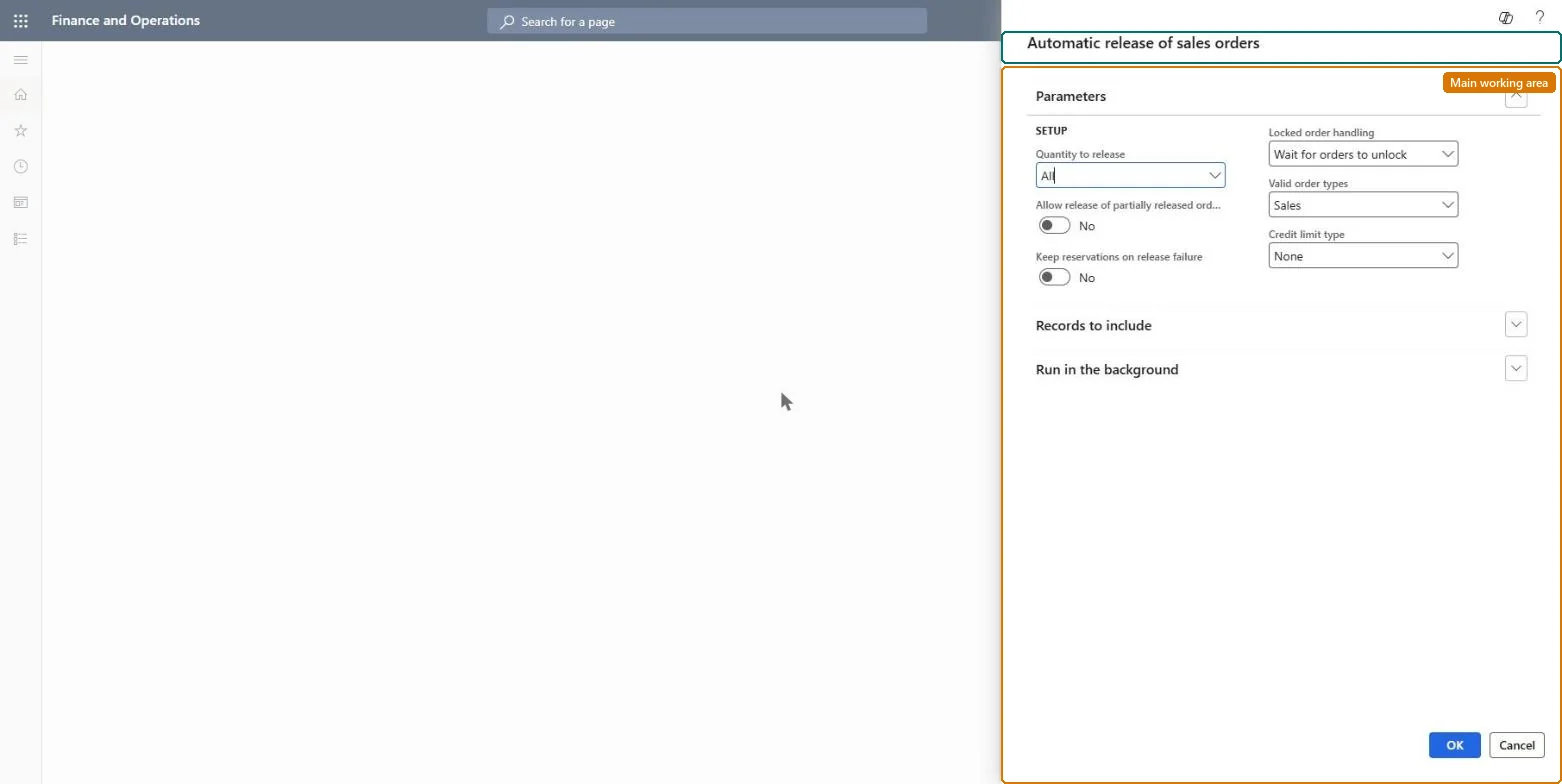
Go to Warehouse management > Release to warehouse > Automatic release of sales orders.
On the Parameters FastTab, set Quantity to release to All, Physically reserved or Reserved physically and cross dock, depending on which sales line quantity may go to the warehouse.
Set Allow release of partially released orders if remaining quantities of orders that were released earlier should be picked up, and Keep reservations on release failure if automatic reservations must stay when a release fails.
In Locked order handling, choose Wait for orders to unlock (slower, but no order is missed) or Skip locked orders, then choose the Valid order types and the Credit limit type to apply during the release.
Leave Group releases by customer off if your wave templates process waves at release to warehouse, because the combination creates many single-customer waves. The option only appears when a shipment consolidation policy exists.
On Records to include, filter the sales orders this job should release, for example the sales orders of one warehouse, and set a schedule so it repeats.
After a run, open a released sales order and use Shipment details and Load details on the Warehouse tab to see the shipment and load that were created.
Partly: The release itself has no one-step reversal. If a release was wrong, cancel the waves and work it created before workers pick, and correct the order. Microsoft Learn
If you change it later
Turning on Group releases by customer together with wave templates that process waves at release to warehouse can create many single-customer waves, each with work for that customer only. Microsoft Learn
Technical architect
5Technical
Menu item
action:WHSAutoReleaseToWarehouse
Roles to set it up and use it
To use itTransportation coordinator TMSTransportationCoordinatorSales clerk TradeSalesClerkGive people one of these roles. On this system, 2 roles can run this page.Checked in Dynamics 365