PAGE GUIDEWhat the page does and how to use it8 sections. Choose a role to highlight what matters to you.
Everyone
1What it is and why
What it is
A setup page where you define return item receiving policies that let a mobile device menu item process a return correctly.
What you do here
Use this page to create a policy for each type of unannounced return process, so that the matching mobile device menu item knows how to receive the returned items.
Example
For example, a policy can be set up for blind returns, where no return order exists in advance.
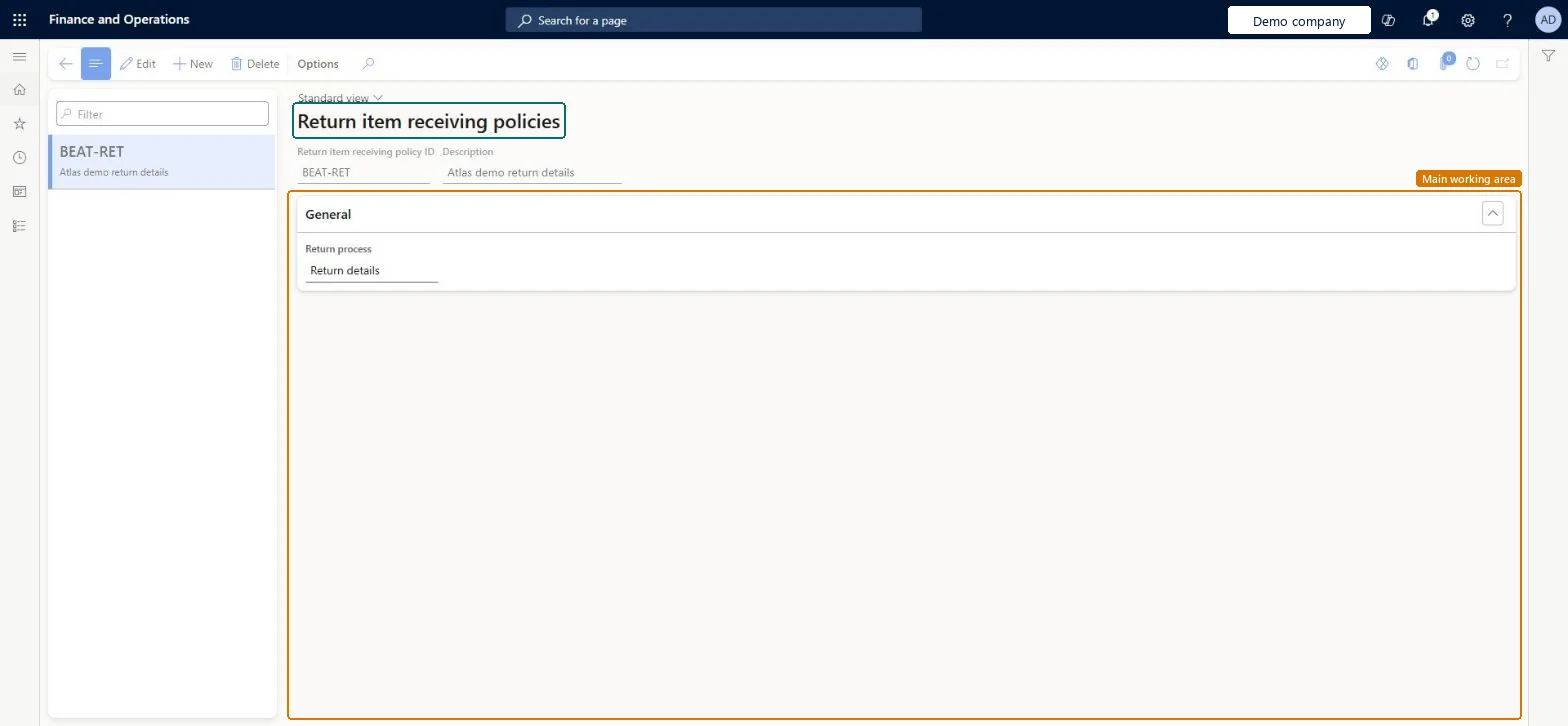
The page in Dynamics 365. page title tab to open what to set or check
About the examples: Examples and screenshots in this guide use BEAT, a demo company in a Dynamics 365 test environment. Use your own company's codes and values instead of copying them.
Setup steps on this page
Set up Return item receiving policies
Use this page to create a policy for each type of unannounced return process, so that the matching mobile device menu item knows how to receive the returned items.
Steps from Microsoft
Go to Warehouse management > Setup > Mobile device > Return item receiving policies.
On the Action Pane, select New to add a return item receiving policy.
Enter a name in the Return item receiving policy ID field, and enter a Description.
In the Return process field, select the type of return process that the policy represents.
Save the policy, then select it in the Return item receiving policy ID field of the matching mobile device menu item.
One policy per return process (Blind return and Return details), with Create return order = Return order unless you use Warehouse management only modeEach mobile device menu item for unannounced returns points to one policy, and Return order is the option for companies not using Warehouse management only mode.
For blind returns where the source system is Supply Chain Management (external shared warehouse), not setting Return order identification = Account number and Return order type = Return.
Solution architect
5Design impact
Can it be undone
Reversible: The policy is applied when a return is received, so changes affect later returns only. Microsoft Learn
Technical architect
6Technical
Menu item
WHSReturnItemReceivingPolicyChecked in Dynamics 365
Form
WHSReturnItemReceivingPolicyChecked in Dynamics 365
Table
WHSReturnItemReceivingPolicyShown as “RETURN ITEM RECEIVING POLICY” in Record infoKey field: ReturnItemReceivingPolicyIdChecked in Dynamics 365
Data entities
WHSReturnItemReceivingPolicyEntityReturn item receiving policies Checked in Dynamics 365
To set it up or change itWarehouse manager WMSWarehouseManagerGive people one of these roles. On this system, 1 role can open this page.Checked in Dynamics 365