Field Service Integration User, Production supervisor, Process engineer and 3 more roles
Business process
Manage warehouse operations
Menu item
WHSDeferredReceivingPolicy
Main table
WHSDeferredReceivingPolicy
Data entity
WHSDeferredReceivingPolicyEntity
Setup steps
1 on this page
Show what matters for
PAGE GUIDEWhat the page does and how to use it8 sections. Choose a role to highlight what matters to you.
Everyone
1What it is and why
What it is
A setup page where you define deferred receiving policies, which decide when a receiving flow uses deferred receiving processing.
What you do here
Use this page to set up the policies that a mobile device menu item can use to record incoming inventory quickly and finish the on-hand updates and work creation in the background.
Example
For example, it suits warehouses where different workers handle inbound receiving and putaway.
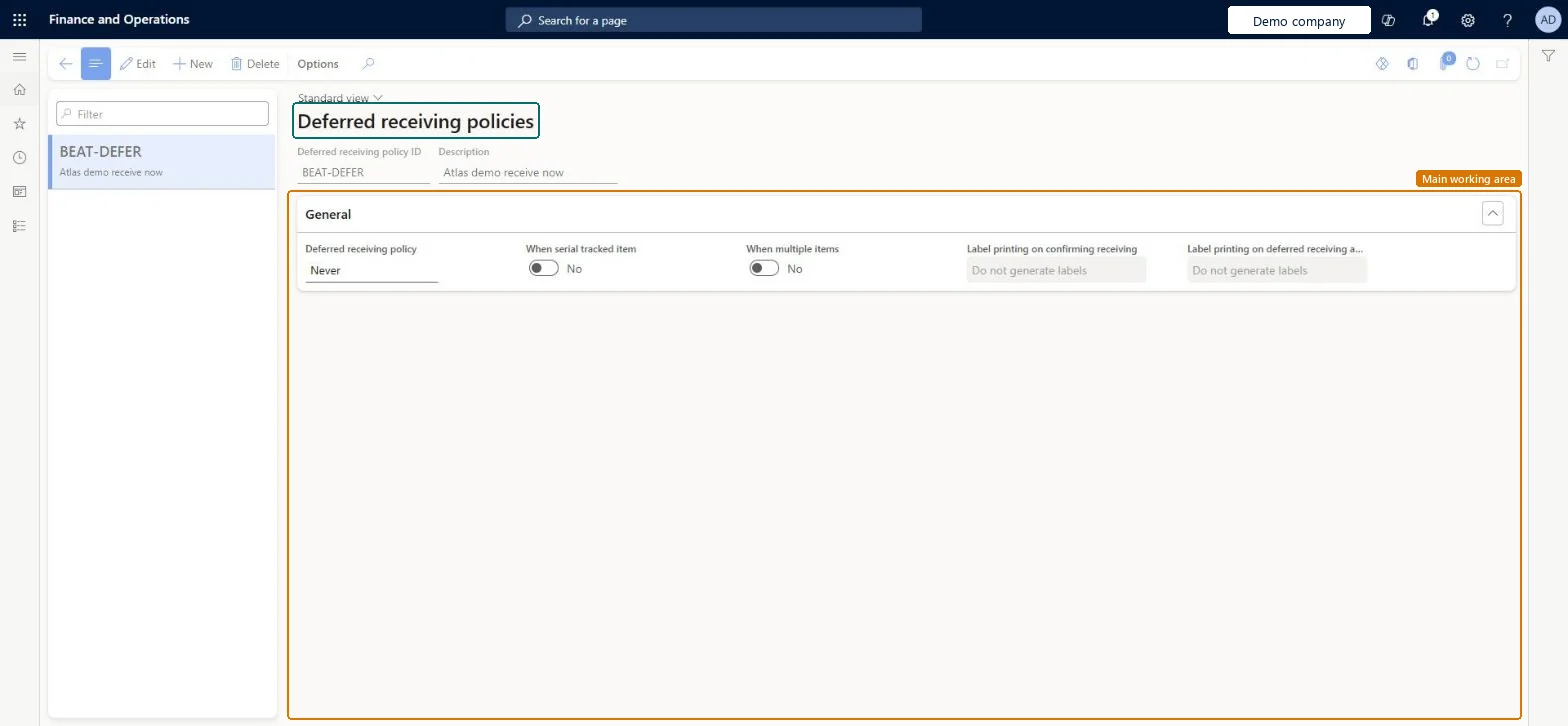
The page in Dynamics 365. page title tab to open what to set or check
About the examples: Examples and screenshots in this guide use BEAT, a demo company in a Dynamics 365 test environment. Use your own company's codes and values instead of copying them.
Setup steps on this page
Set up Deferred receiving policies
Use this page to set up the policies that a mobile device menu item can use to record incoming inventory quickly and finish the on-hand updates and work creation in the background.
Steps from Microsoft
Go to Warehouse management > Setup > Mobile device > Deferred receiving policies.
Identify the policy that you want to use, or select New to create one.
Set the policy options, using the tooltip on each field to see what it does.
Go to Warehouse management > Setup > Mobile device > Mobile device menu items and select the menu item that you want to set up.
Set the Deferred receiving policy ID field on the menu item to the policy.
Use deferred receiving for receipts with many lines or serial numbers, and print labels with Label printing on deferred receiving async processing when the label must show the put locationDeferred receiving records the receipt quickly and does on-hand updates and work creation in the background. Labels printed on confirming receiving are printed before work exists, so they lack the to location.
Using Label printing on confirming receiving and expecting the destination location on the label. That information isn't available until the asynchronous process finishes.
Solution architect
5Design impact
Can it be undone
Reversible: Policies can be changed or removed from menu items at any time. Receipts already processed are not changed. Microsoft Learn
If you change it later
If labels are printed before work is created, they do not include details such as the destination location for the license plate. Microsoft Learn
Technical architect
6Technical
Menu item
WHSDeferredReceivingPolicyChecked in Dynamics 365
Form
WHSDeferredReceivingPolicyChecked in Dynamics 365
Table
WHSDeferredReceivingPolicyShown as “DEFERRED RECEIVING POLICY” in Record infoKey field: DeferredReceivingPolicyIdChecked in Dynamics 365
Data entities
WHSDeferredReceivingPolicyEntityDeferred receiving policy Checked in Dynamics 365
Who can open it
PrivilegesMaintain deferred receiving policies WHSDeferredReceivingPolicyMaintainView deferred receiving policies WHSDeferredReceivingPolicyViewDutiesInquire into warehouse operation master WMSWarehouseOperationMasterInquireMaintain warehouse operation master WMSWarehouseOperationMasterMaintain6 security rolesField Service Integration User FieldServiceIntegrationUserProduction supervisor ProdProductionSupervisorProcess engineer RouteProcessEngineerProcess engineering manager RouteProcessEngineeringManagerWarehouse planner WHSWarehousePlannerWarehouse manager WMSWarehouseManagerChecked in Dynamics 365
Roles to set it up and use it
To set it up or change itWarehouse manager WMSWarehouseManagerProcess engineer RouteProcessEngineerTo use itWarehouse planner WHSWarehousePlannerProduction supervisor ProdProductionSupervisorProcess engineering manager RouteProcessEngineeringManagerField Service Integration User FieldServiceIntegrationUserGive people one of these roles. On this system, 6 roles can open this page.Checked in Dynamics 365