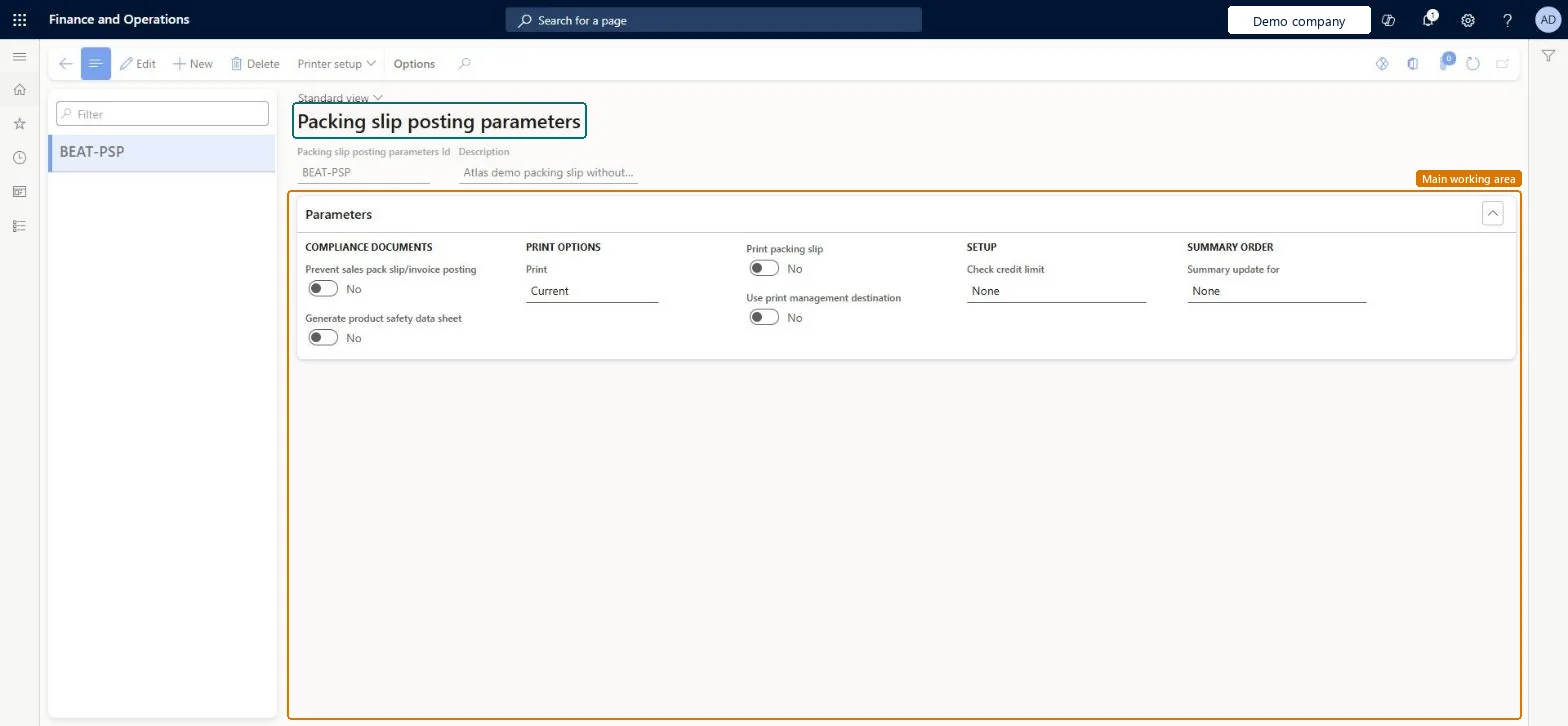
A setup page where you define sets of packing slip posting parameters, covering compliance documents, print options, credit limit checks and summary updates.
Field Service Integration User, Production supervisor, Process engineer and 3 more roles
Business process
Manage warehouse operations
Menu item
WHSPackingSlipPostingParameters
Main table
WHSPackingSlipPostingPar
Setup steps
1 on this page
Show what matters for
PAGE GUIDEWhat the page does and how to use it8 sections. Choose a role to highlight what matters to you.
Everyone
1What it is and why
What it is
A setup page where you define sets of packing slip posting parameters, covering compliance documents, print options, credit limit checks and summary updates.
What you do here
Use this page to define the settings that the Load packing slip posting task uses when it posts packing slips in the background.
The page in Dynamics 365. page title tab to open what to set or check
About the examples: Examples and screenshots in this guide use BEAT, a demo company in a Dynamics 365 test environment. Use your own company's codes and values instead of copying them.
Setup steps on this page
Set up Packing slip posting parameters
Use this page to define the settings that the Load packing slip posting task uses when it posts packing slips in the background.
How to use it
Go to Warehouse management > Setup > Inventory > Packing slip posting parameters.
Select New to create a set of parameters.
Enter the Packing slip posting parameters Id and a Description.
On the Parameters FastTab, set the options under Compliance documents, Print options, Setup and Summary order.
Use Printer setup on the Action Pane to set up printing, and select Edit to change an existing set.
Source: Checked in Dynamics 365
Common errors and fixes
Message
What to do
The delivery note correction can't be processed. The delivery note only contains items that are subject to warehouse management processes, as these processes aren't supported by Delivery Note correction.
Post packing slips for WMS items from the load, so the reversal can be done from the load with Cancel packing slips. Microsoft Learn
Test checklist
Create a parameter set that doesn't print to screen.
Ship-confirm a load and check Load packing slip background posting status is Queued.
Run Warehouse management > Periodic > Load packing slip posting and check the status returns to None and the sales lines are Deducted.
Force an error (for example a stopped sales line) and check the status shows Error.
Define at least one set of packing slip posting parameters that doesn't print to screen, and use it for the Load packing slip posting background task and container closingLoad packing slip posting runs in a batch job that needs these parameters, and Learn says to avoid printing to the screen because the task runs in the background.
Posting the packing slip from the sales order instead of the load for WMS items. Cancel is then unavailable and the packing slip can't be corrected.
Solution architect
5Design impact
Can it be undone
Reversible: Parameter sets can be edited or added at any time; only later background postings use the new values. Microsoft Learn
Technical architect
6Technical
Menu item
WHSPackingSlipPostingParametersChecked in Dynamics 365
Form
WHSPackingSlipPostingParametersChecked in Dynamics 365
Table
WHSPackingSlipPostingParShown as “PACKING SLIP POSTING PARAMETERS” in Record infoChecked in Dynamics 365
Who can open it
PrivilegesMaintain packing slip posting parameters WHSPackingSlipPostingParametersMaintainView packing slip posting parameters WHSPackingSlipPostingParametersViewDutiesInquire into warehouse operation master WMSWarehouseOperationMasterInquireMaintain warehouse operation master WMSWarehouseOperationMasterMaintain6 security rolesField Service Integration User FieldServiceIntegrationUserProduction supervisor ProdProductionSupervisorProcess engineer RouteProcessEngineerProcess engineering manager RouteProcessEngineeringManagerWarehouse planner WHSWarehousePlannerWarehouse manager WMSWarehouseManagerChecked in Dynamics 365
Roles to set it up and use it
To set it up or change itWarehouse manager WMSWarehouseManagerProcess engineer RouteProcessEngineerTo use itWarehouse planner WHSWarehousePlannerProduction supervisor ProdProductionSupervisorProcess engineering manager RouteProcessEngineeringManagerField Service Integration User FieldServiceIntegrationUserGive people one of these roles. On this system, 6 roles can open this page.Checked in Dynamics 365
Actions on the page
(Action Pane without tabs): Printer setupChecked in Dynamics 365