BeyondERP.Newsletter
Menu

Job page · Warehouse management

Load packing slip posting

A periodic task that posts packing slips in the background for shipped outbound loads.

Business process
Load goods for shipping
Menu item
action:WHSLoadPackingSlipPost
Show what matters for
PAGE GUIDEWhat the page does and how to use it7 sections. Choose a role to highlight what matters to you.
Everyone

1What it is and why

What it isA periodic task that posts packing slips in the background for shipped outbound loads.
What you do hereUse this task to post packing slips for shipped outbound loads whose background posting status is Queued.
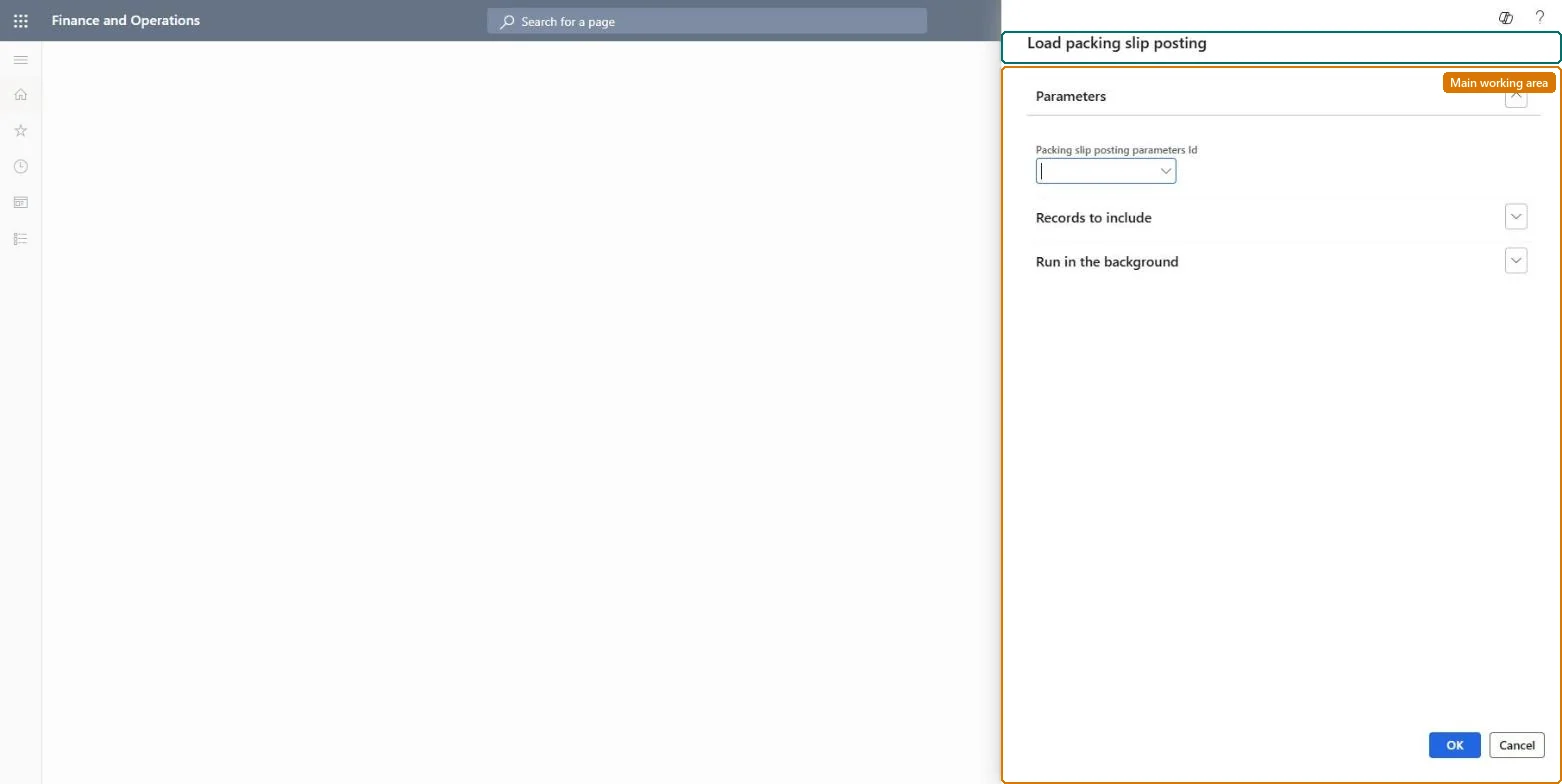
Load packing slip posting page in Dynamics 365
The page in Dynamics 365. page title tab to open what to set or check
Functional consultant · Solution architect

2Where it fits

Business processProcess outbound goods › Load goods for shipping
Menu pathWarehouse management › Periodic tasks › Load packing slip posting
Set up firstPacking slip posting parameters Microsoft Learn
End user · Functional consultant

3How to do it

About the examples: Examples and screenshots in this guide use BEAT, a demo company in a Dynamics 365 test environment. Use your own company's codes and values instead of copying them.

When to run it

When to run itAfter outbound loads are ship-confirmed, so their packing slips are posted and invoicing can begin.
How oftenRecurring, as often as loads are ship-confirmed.
Batch settingsRun it as a recurring batch job after the shipment confirmation job.
What the output showsPosted packing slips for shipped loads; the posting status changes from Queued to None, or to Error if posting failed. Error loads can be posted manually.

Source: Microsoft Learn

Steps from Microsoft

  1. Go to Warehouse management > Periodic tasks > Load packing slip posting.
  2. Configure Packing slip posting parameters (Warehouse management > Setup > Inventory) first, so the job can post in the background.
  3. Avoid printing to the screen in those settings, because the job runs in a batch.
  4. Schedule the job; it picks up shipped outbound loads whose Load packing slip background posting status is Queued.
  5. Afterwards, filter loads on status Error and read the information log of the batch job for each failure.

Source: Microsoft Learn

Test checklist

  1. Queued loads now have status None.
  2. Errors are explained in the batch log.

Source: Microsoft Learn

Solution architect

4Design impact

Can it be undoneLimited: To correct a posted packing slip for warehouse-managed items, post the correction from the load. Microsoft Learn
If you change it laterPosts packing slips, which sets the related sales order line transactions to Deducted. Microsoft Learn
Technical architect

5Technical

Menu itemaction:WHSLoadPackingSlipPost
Roles to set it up and use itTo use itShipping clerk InventShippingClerkReceiving clerk InventReceivingClerkGive people one of these roles. On this system, 2 roles can run this page.Checked in Dynamics 365
Developer

6Developer

Open it by URLhttps://<your-environment>/?mi=action:WHSLoadPackingSlipPost
Everyone

7Sources