About the examples: Examples and screenshots in this guide use BEAT, a demo company in a Dynamics 365 test environment. Use your own company's codes and values instead of copying them.
When to run it
When to run it
Once automatic rewaving is set up with the Auto add shipments to wave job, so that lines that failed rewaving don't stay in the Failed shipment lines table.
How often
As often as your rewaving volume needs; Microsoft says to schedule it to run as often as is required for your system.
Batch settings
Recurring batch job with Batch processing set to Yes; monitor it on System administration > Inquiries > Batch jobs by its job description.
What the output shows
Shipment lines with status Failed, or older than the number of days you set, are removed from the Failed shipment lines table. Lines that are removed are no longer retried; to rewave them you add them to a new wave by hand, and the retry count starts again at zero.
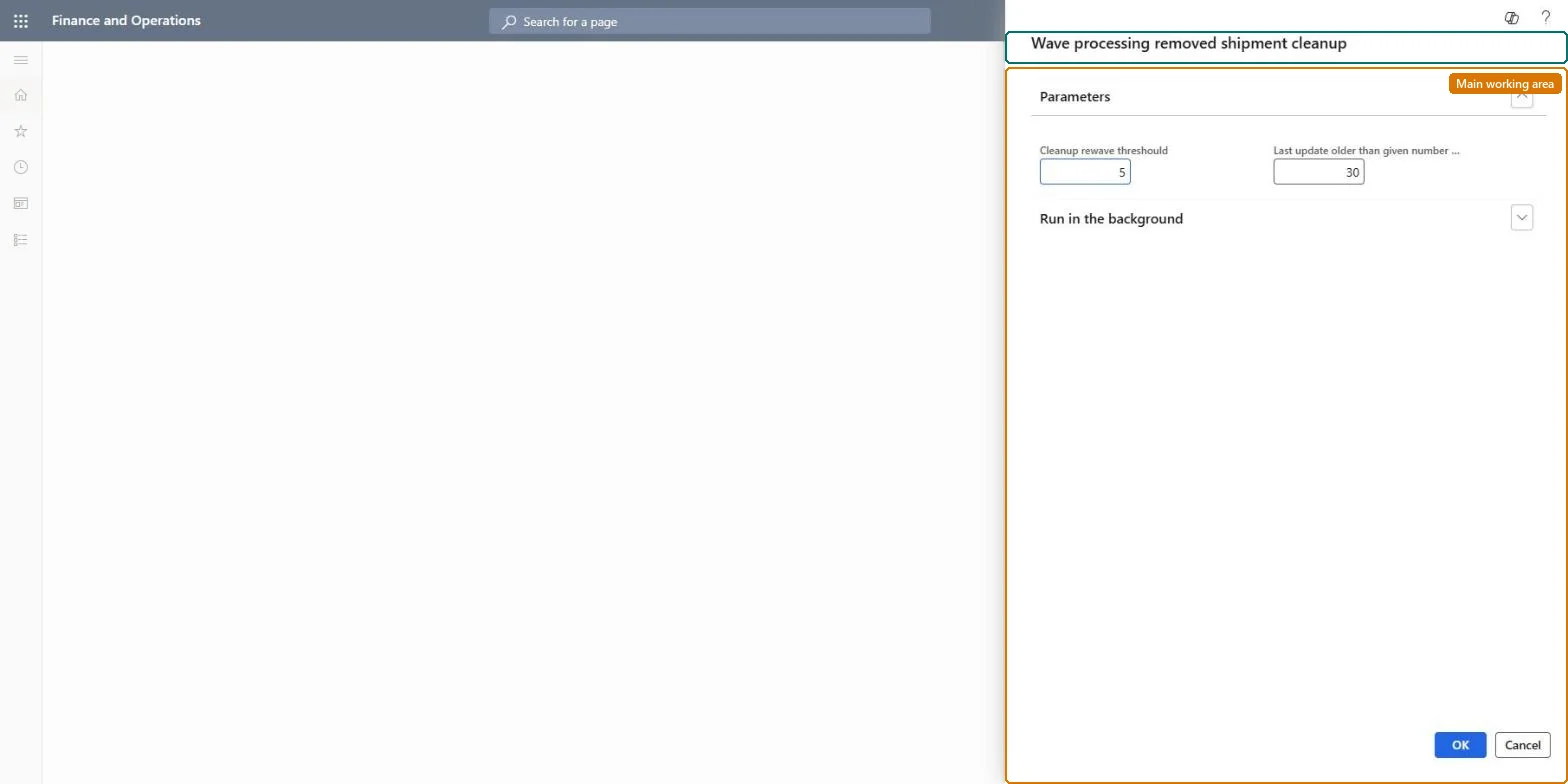
Go to Warehouse management > Periodic tasks > Clean up > Wave processing removed shipment cleanup.
On the Parameters FastTab, set Cleanup rewave threshold to the number of retries after which a line is removed. The Auto add shipments to wave job allows at most five retries, so values above 5 have no effect.
Set Last update older than given number to the maximum number of days a line may stay in the Failed shipment lines table.
Set Batch processing to Yes and use Recurrence to schedule it, keeping the default task description Wave Processing Removed Shipment so you can find it on the Batch jobs page.
After a run, open Warehouse management > Shipments > Failed shipment lines and check that lines with status Failed or older than your limit are gone.
No: Removed failed shipment lines are not restored to the rewaving queue. Add the shipment lines to a new wave by hand if they still need to ship. Microsoft Learn
If you change it later
Removes failed and old shipment line placeholders, so automatic rewaving stops retrying those lines. Microsoft Learn
Technical architect
5Technical
Menu item
action:WHSWaveProcessingRemovedShipmentCleanup
Roles to set it up and use it
To use itWarehouse planner WHSWarehousePlannerGive people one of these roles. On this system, 1 role can run this page.Checked in Dynamics 365