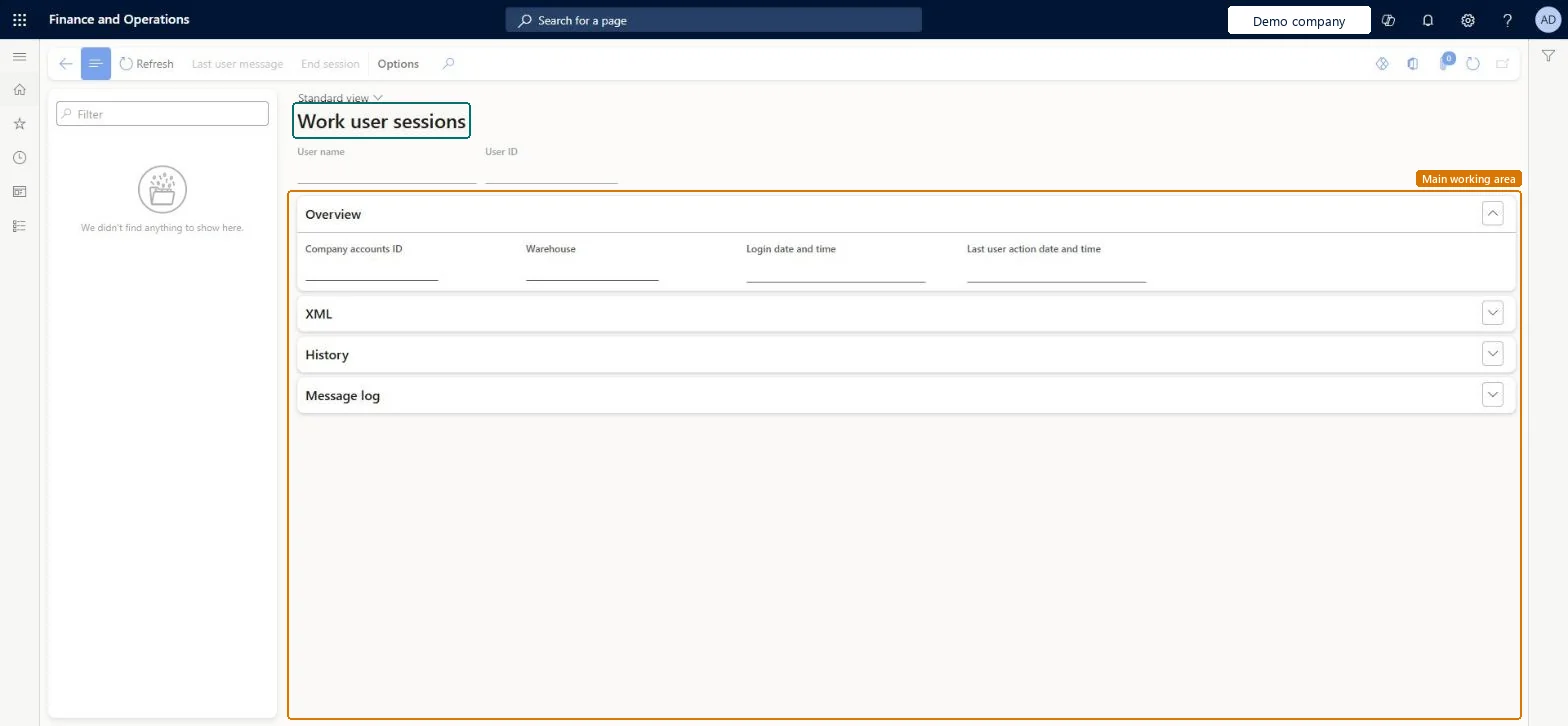
A details page that shows the active work user sessions of the Warehouse Management mobile app, with each session's login times and its history of XML messages and logged errors.
Warehouse managementInquiries and reportsMobile device logs
WHSWorkUserSession
Used by
Materials manager, Quality control clerk, Quality control manager and 4 more roles
Business process
Measure warehouse performance
Menu item
WHSWorkUserSession
Main table
WHSWorkUserSession
Show what matters for
PAGE GUIDEWhat the page does and how to use it7 sections. Choose a role to highlight what matters to you.
Everyone
1What it is and why
What it is
A details page that shows the active work user sessions of the Warehouse Management mobile app, with each session's login times and its history of XML messages and logged errors.
What you do here
Use this page to inspect what a mobile app user's session has sent and received, and to check for logged errors.
Example
For example, use the XML messages to look up mobile device step IDs when you set up a detour process.
The page in Dynamics 365. page title tab to open what to set or check
About the examples: Examples and screenshots in this guide use BEAT, a demo company in a Dynamics 365 test environment. Use your own company's codes and values instead of copying them.
How to use it
Go to Warehouse management > Inquiries and reports > Mobile device logs > Work user sessions.
Type in the Filter box above the list on the left to find a user.
Select the session and review the Overview, XML, History and Message log FastTabs.
Use the Refresh, Last user message or End session buttons on the Action Pane as you need.
WHSWorkUserSessionShown as “WORK USER SESSION” in Record infoKey field: UserIdChecked in Dynamics 365
Who can open it
PrivilegesMaintain work user sessions WHSWorkUserSessionMaintainView work user sessions WHSWorkUserSessionViewDutiesEnable warehouse operation process WMSWarehouseOperationProcessEnableInquire into warehouse operation progress WMSWarehouseOperationProgressInquire7 security rolesMaterials manager InventMaterialsManagerQuality control clerk InventQualityControlClerkQuality control manager InventQualityControlManagerReceiving clerk InventReceivingClerkShipping clerk InventShippingClerkWarehouse manager WMSWarehouseManagerWarehouse worker WMSWarehouseWorkerChecked in Dynamics 365
Roles to set it up and use it
To set it up or change itWarehouse manager WMSWarehouseManagerTo use itWarehouse worker WMSWarehouseWorkerShipping clerk InventShippingClerkReceiving clerk InventReceivingClerkMaterials manager InventMaterialsManagerQuality control clerk InventQualityControlClerkGive people one of these roles. On this system, 7 roles can open this page.Checked in Dynamics 365
Actions on the page
(Action Pane without tabs): Refresh, Last user message, End sessionChecked in Dynamics 365