BeyondERP.Newsletter
Menu

Inquiry page · Warehouse management

Carriage of Merchandise by Road

A details page that lists the Carriage of Merchandise by Road documents generated for shipments, where you can edit the saved information and print the document.

Used by
Hazardous materials manager, Hazardous materials viewer
Business process
Load goods for shipping
Menu item
HMIMCarrOfMerchByRoad
Main table
HMIMCarrOfMerchByRoad
Show what matters for
PAGE GUIDEWhat the page does and how to use it7 sections. Choose a role to highlight what matters to you.
Everyone

1What it is and why

What it isA details page that lists the Carriage of Merchandise by Road documents generated for shipments, where you can edit the saved information and print the document.
What you do hereUse this page to edit and reprint the road transport document for a shipment of dangerous goods.
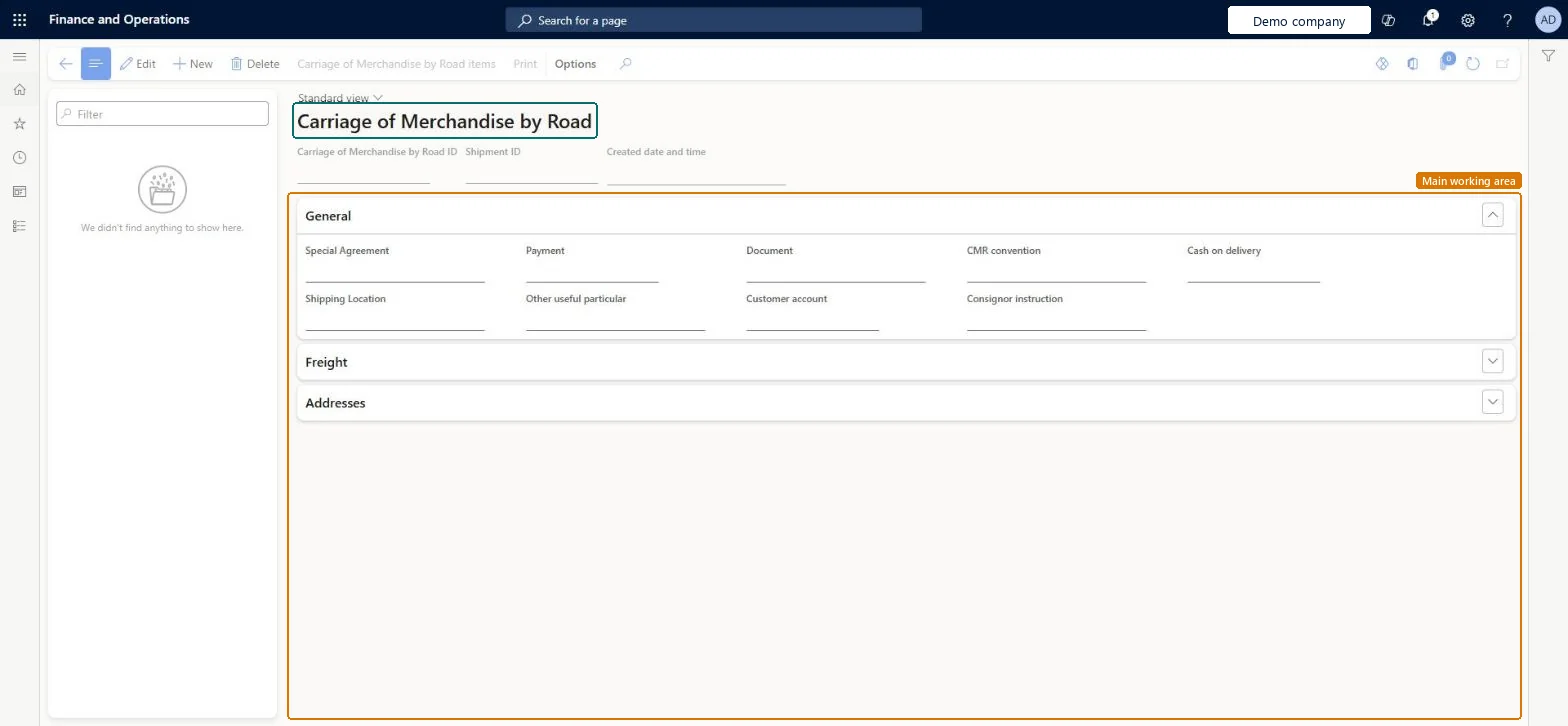
Carriage of Merchandise by Road page in Dynamics 365
The page in Dynamics 365. page title tab to open what to set or check
Functional consultant · Solution architect

2Where it fits

Business processProcess outbound goods › Load goods for shipping
Menu pathWarehouse management › Inquiries and reports › Hazardous material shipping documentation › Carriage of Merchandise by Road
Set up firstAll shipments Microsoft Learn Warehouse management parameters Microsoft Learn
End user · Functional consultant

3How to do it

About the examples: Examples and screenshots in this guide use BEAT, a demo company in a Dynamics 365 test environment. Use your own company's codes and values instead of copying them.

Steps from Microsoft

  1. Go to Warehouse management > Inquiries and reports > Hazardous material shipping documentation > Carriage of Merchandise by Road.
  2. Find the relevant report in the list on the left.
  3. Select Edit and change the content as you require.
  4. Select Print on the Action Pane to print the report.

Source: Microsoft Learn

Solution architect

4Design impact

Shared or per companyPer company: each legal entity has its own records. Microsoft data model
Technical architect

5Technical

Menu itemHMIMCarrOfMerchByRoad Checked in Dynamics 365
FormHMIMCarrOfMerchByRoad Checked in Dynamics 365
TableHMIMCarrOfMerchByRoadShown as “CARRIAGE OF MERCHANDISE BY ROAD” in Record infoKey field: CMRDocumentIdChecked in Dynamics 365
Who can open itPrivilegesCarrOfMerchByRoad maintain privilege HMIMCarrOfMerchByRoadMaintainCarrOfMerchByRoad view privilege HMIMCarrOfMerchByRoadViewDutiesMaintain Hazardous materials HMIMHazardousMaterialsMaintainView Hazardous materials HMIMHazardousMaterialsView
2 security rolesHazardous materials manager HMIMHazardousMaterialsManagerHazardous materials viewer HMIMHazardousMaterialsViewer
Checked in Dynamics 365
Roles to set it up and use itTo set it up or change itHazardous materials manager HMIMHazardousMaterialsManagerTo use itHazardous materials viewer HMIMHazardousMaterialsViewerGive people one of these roles. On this system, 2 roles can open this page.Checked in Dynamics 365
Actions on the page(Action Pane without tabs): Carriage of Merchandise by Road items, PrintChecked in Dynamics 365
Developer

6Developer

Open it by URLhttps://<your-environment>/?mi=HMIMCarrOfMerchByRoad
Table definitionHMIMCarrOfMerchByRoad columns and relations Microsoft data model
Everyone

7Sources