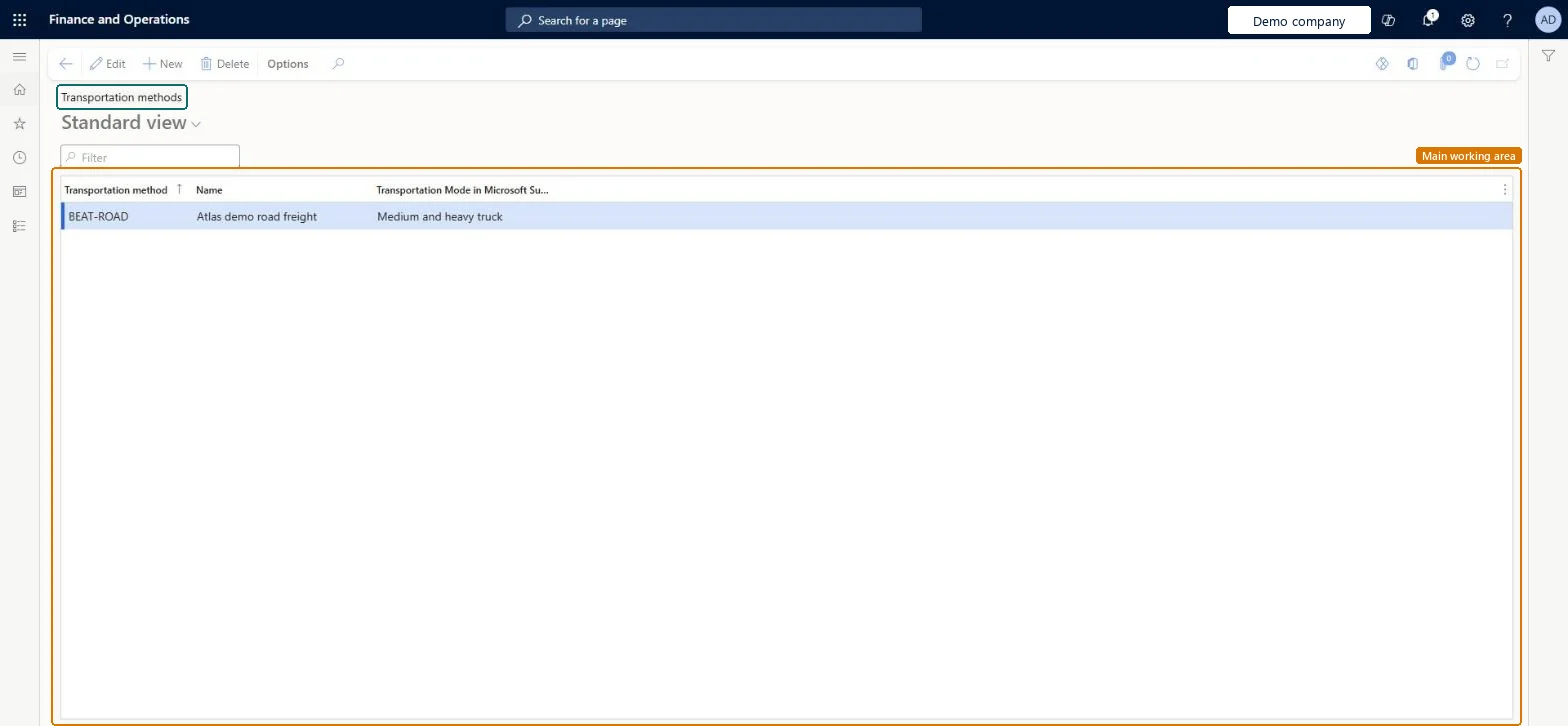
A setup page where you create transportation methods, the form of transport such as air, ground, ocean or rail that carriers use for freight deliveries.
PAGE GUIDEWhat the page does and how to use it7 sections. Choose a role to highlight what matters to you.
Everyone
1What it is and why
What it is
A setup page where you create transportation methods, the form of transport such as air, ground, ocean or rail that carriers use for freight deliveries.
What you do here
Use this page to describe how carriers move freight when you set up shipping carriers and carrier services.
Example
For example, you can create methods for air, ground, ocean and rail transport.
The page in Dynamics 365. page title tab to open what to set or check
About the examples: Examples and screenshots in this guide use BEAT, a demo company in a Dynamics 365 test environment. Use your own company's codes and values instead of copying them.
Step by step, with screenshots
Set up Transportation methods1 screen
Use this page to describe how carriers move freight when you set up shipping carriers and carrier services.
Screen 1
Create a transportation method
Go to Inventory management > Setup > Shipping carrier > Transportation methods
Select New
Enter the transportation method code and a name
Optionally choose the matching transportation mode for Microsoft Sustainability reporting
Select Save
Select the method as the mode of shipping carriers and carrier services
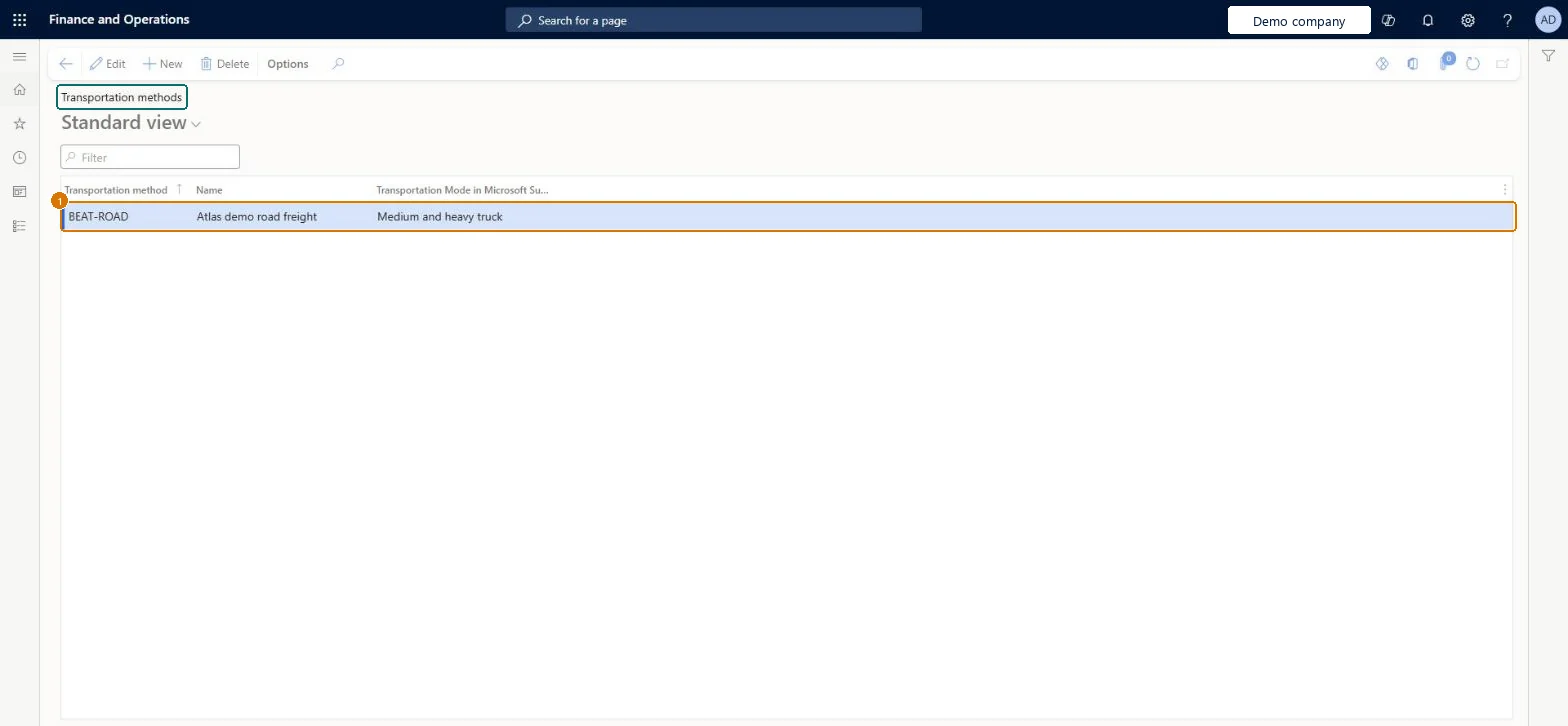
1Transportation method
BEAT-ROAD
Name
Road freight
Transportation Mode in Microsoft Sustainability
Medium and heavy truck
Show the full screen page title tab to open what to set or check
Steps from Microsoft
Go to Transportation management > Setup > Carriers > Transportation methods.
Reversible: Learn describes transportation methods only as reference values (air, ground, ocean, rail) used on shipping carriers and carrier services, with no hierarchy to modes; adding one has no effect on posted data. Microsoft Learn
Technical architect
5Technical
Menu item
TMSMethodChecked in Dynamics 365
Form
TMSMethodChecked in Dynamics 365
Table
TMSMethodShown as “Transportation methods” in Record infoChecked in Dynamics 365
PrivilegesMaintain transportation methods TMSMethodMaintainView transportation methods TMSMethodViewDutiesInquire into carrier master and network planning information TMSCarrierMasterInquireMaintain carrier and network planning master TMSCarrierMasterMaintain2 security rolesLogistics manager TMSLogisticsManagerTransportation coordinator TMSTransportationCoordinatorChecked in Dynamics 365
Roles to set it up and use it
To set it up or change itLogistics manager TMSLogisticsManagerTo use itTransportation coordinator TMSTransportationCoordinatorGive people one of these roles. On this system, 2 roles can open this page.Checked in Dynamics 365
Actions on the page
Options: Personalize, Page options, ShareChecked in Dynamics 365
TMSTransportationMethodEntity (Transportation methods): loaded for each company, in Microsoft's default template 405 - Transportation management.Load order: Microsoft's default template 405 - Transportation management loads Transportation methods at execution unit 1, level 30, sequence 10. Lower levels load first, and entities at the same level load in sequence order.Load first: the default templates at lower levels (System setup to General ledger)Microsoft Learn
Checked in a working Dynamics 365 system, version 10.0.49: the menu item, form, table and security, the page, the demo records and the values in the screenshots.