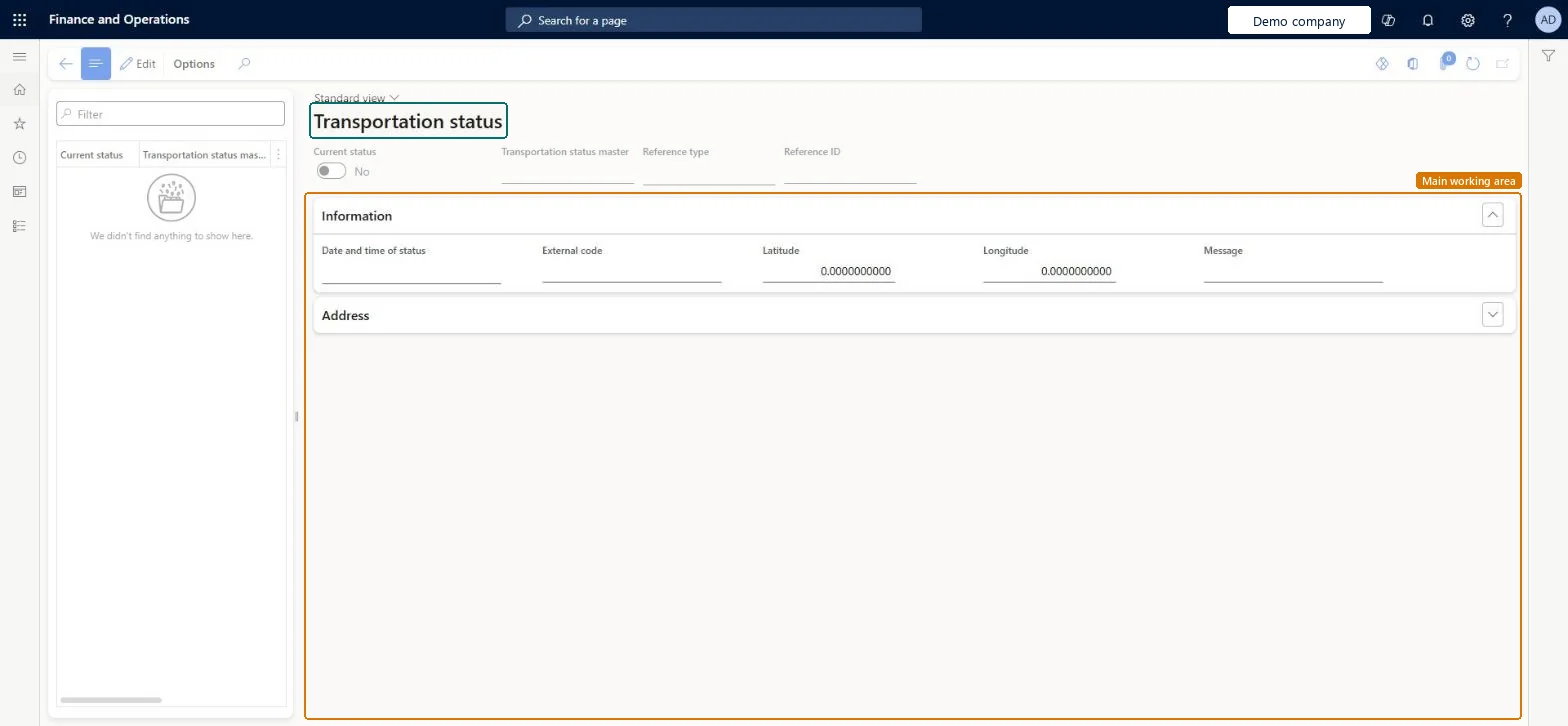
An inquiry page that shows the transportation status records of loads, shipments and containers, including the status master, reference, date and time of the status, external code, position and message.
Logistics manager, Transportation coordinator, Warehouse planner and 1 more role
Business process
Manage freight and transportation
Menu item
TMSTransportationStatus
Main table
TMSTransportationStatus
Show what matters for
PAGE GUIDEWhat the page does and how to use it7 sections. Choose a role to highlight what matters to you.
Everyone
1What it is and why
What it is
An inquiry page that shows the transportation status records of loads, shipments and containers, including the status master, reference, date and time of the status, external code, position and message.
What you do here
Use this page to track the status of a load, shipment or container, based on the status codes that shipping carriers provide through an integration.
The page in Dynamics 365. page title tab to open what to set or check
About the examples: Examples and screenshots in this guide use BEAT, a demo company in a Dynamics 365 test environment. Use your own company's codes and values instead of copying them.
How to use it
Go to Transportation management > Inquiries and reports > Transportation status.
Select a record in the list, which shows the Current status and the Transportation status master.
Review the Transportation status master, Reference type, Reference ID and Current status in the header.
On the Information FastTab, review the Date and time of status, External code, Latitude, Longitude and Message.
Expand the Address FastTab to see the address of the status.
Source: Checked in Dynamics 365
Fields on the page
Field
What it means
Table column
Transportation status master
The master code that interprets the status code provided by the shipping carrier.Microsoft Learn
The transportation status of a load, shipment or container can only be updated through data integration, not manually in the user interface. Microsoft Learn
Technical architect
5Technical
Menu item
TMSTransportationStatusChecked in Dynamics 365
Form
TMSTransportationStatusChecked in Dynamics 365
Table
TMSTransportationStatusShown as “TRANSPORTATION STATUS” in Record infoChecked in Dynamics 365
To set it up or change itTransportation coordinator TMSTransportationCoordinatorTo use itLogistics manager TMSLogisticsManagerWarehouse manager WMSWarehouseManagerWarehouse planner WHSWarehousePlannerGive people one of these roles. On this system, 4 roles can open this page.Checked in Dynamics 365