PAGE GUIDEWhat the page does and how to use it8 sections. Choose a role to highlight what matters to you.
Everyone
1What it is and why
What it is
A setup page where you map the status codes that a shipping carrier uses to transportation status master codes.
What you do here
Use this page to link the external status code of each shipping carrier and carrier service to a transportation status master code, so that the codes provided by your carriers can be interpreted.
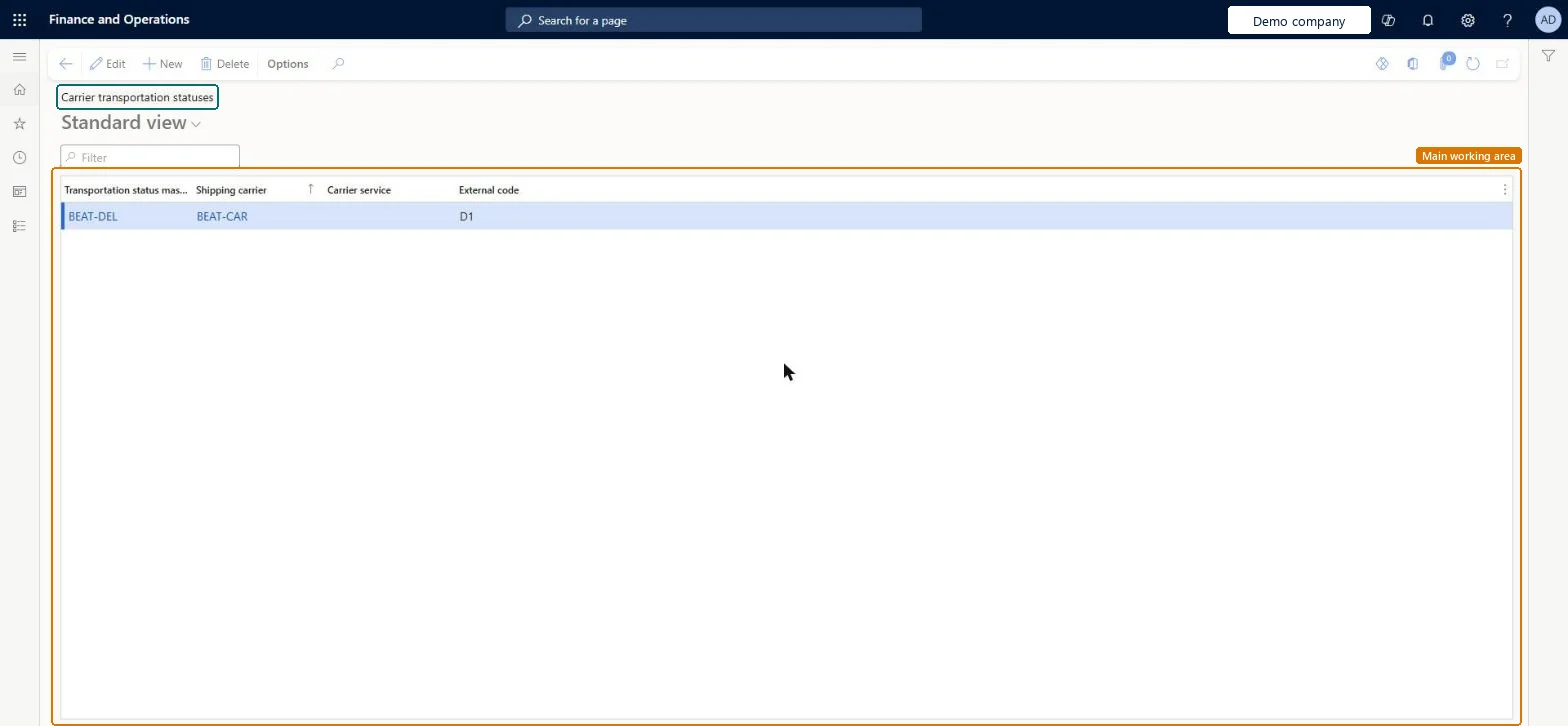
The page in Dynamics 365. page title tab to open what to set or check
About the examples: Examples and screenshots in this guide use BEAT, a demo company in a Dynamics 365 test environment. Use your own company's codes and values instead of copying them.
Setup steps on this page
Set up Carrier transportation status
Use this page to link the external status code of each shipping carrier and carrier service to a transportation status master code, so that the codes provided by your carriers can be interpreted.
Steps from Microsoft
Go to Transportation management > Setup > Carriers > Carrier transportation status.
Select New to map a code from a shipping carrier to a transportation status master code.
Select the shipping carrier and the carrier service.
Select the transportation status code that you want to map to the shipping carrier's code.
Enter the external code that is used by the shipping carrier.
Map every external status code each carrier and carrier service sends to a transportation status master codeThe mapping is what lets the system interpret a carrier's codes and show the status on the load, shipment or container.
Mapping only at carrier level and missing a carrier service that sends its own codes; the mapping is per shipping carrier and carrier service.
Solution architect
5Design impact
Can it be undone
Reversible: Mappings can be edited at any time; they act on carrier messages received afterwards. Microsoft Learn
Technical architect
6Technical
Menu item
TMSCarrierTransportationStatusChecked in Dynamics 365
Form
TMSCarrierTransportationStatusChecked in Dynamics 365
Table
TMSCarrierTransportationStatusShown as “CARRIER TRANSPORTATION STATUS” in Record infoKey field: CarrierCode, CarrierServiceCode, ExternalCodeChecked in Dynamics 365
Who can open it
PrivilegesMaintain carrier transportation status TMSCarrierTransportationStatusMaintainView carrier transportation status TMSCarrierTransportationStatusViewDutiesInquire into carrier master and network planning information TMSCarrierMasterInquireMaintain carrier and network planning master TMSCarrierMasterMaintain2 security rolesLogistics manager TMSLogisticsManagerTransportation coordinator TMSTransportationCoordinatorChecked in Dynamics 365
Roles to set it up and use it
To set it up or change itLogistics manager TMSLogisticsManagerTo use itTransportation coordinator TMSTransportationCoordinatorGive people one of these roles. On this system, 2 roles can open this page.Checked in Dynamics 365