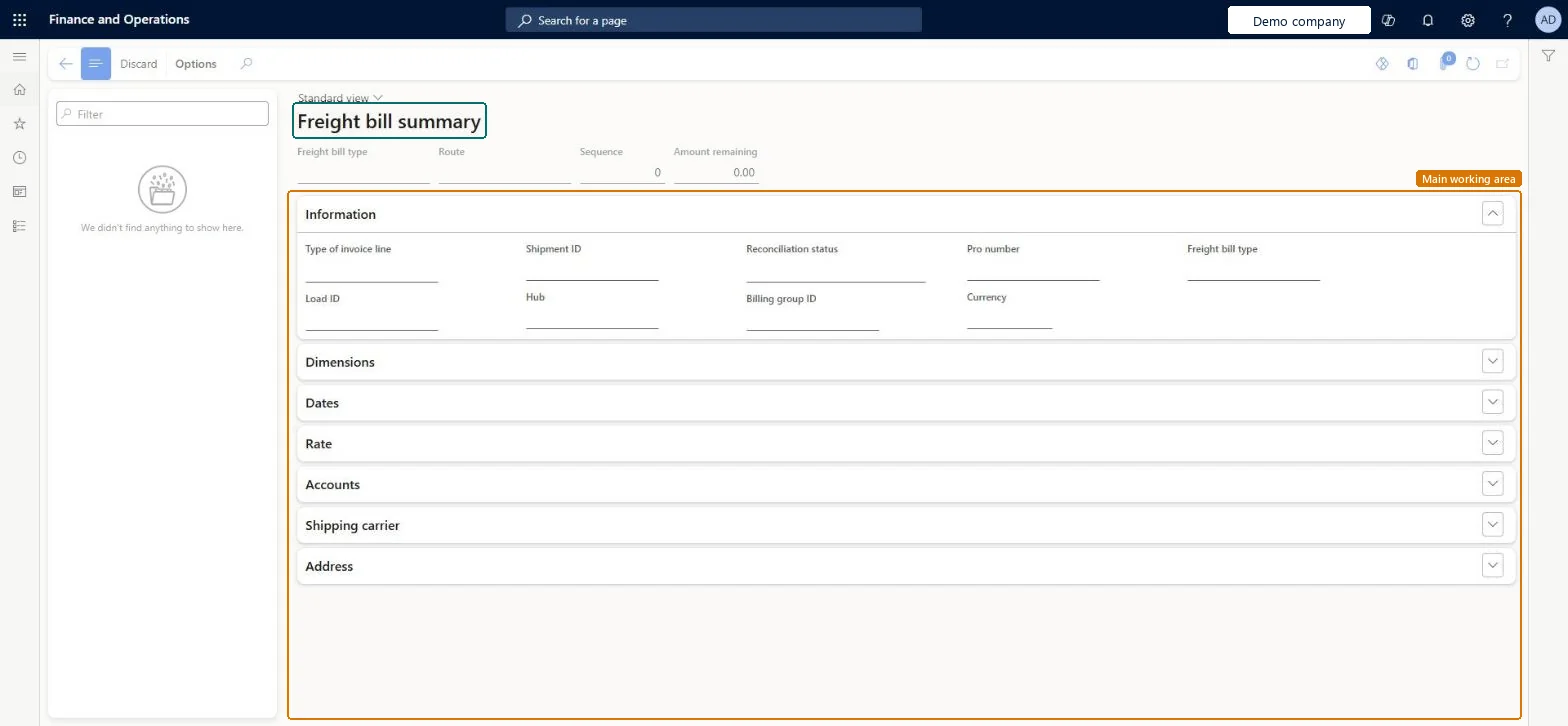
A details page, titled Freight bill summary, that shows freight bill lines with their freight bill type, route, sequence and amount remaining, together with the shipment, load, reconciliation status, billing group and rate details.
Transportation managementFreight bills and invoices
TMSFreightBillSummary
Used by
Logistics manager, Transportation coordinator
Business process
Reconcile freight in Dynamics 365 Supply Chain Management
Menu item
TMSFreightBillSummary
Main table
TMSFreightBillDetail
Data entity
TMSFreightBillDetailEntity
Show what matters for
PAGE GUIDEWhat the page does and how to use it7 sections. Choose a role to highlight what matters to you.
Everyone
1What it is and why
What it is
A details page, titled Freight bill summary, that shows freight bill lines with their freight bill type, route, sequence and amount remaining, together with the shipment, load, reconciliation status, billing group and rate details.
What you do here
Use this page to review freight bills that are not yet matched to a carrier invoice and to discard a selected freight bill.
The page in Dynamics 365. page title tab to open what to set or check
About the examples: Examples and screenshots in this guide use BEAT, a demo company in a Dynamics 365 test environment. Use your own company's codes and values instead of copying them.
How to use it
Go to Transportation management > Freight bills and invoices > Unmatched freight bills.
Select a freight bill in the list pane, or use the Filter field to find it.
Review the Freight bill type, Route, Sequence and Amount remaining in the header.
On the Information FastTab, review the Type of invoice line, Shipment ID, Load ID, Reconciliation status, Pro number, Hub, Billing group ID and Currency.
Expand the Dimensions, Dates, Rate, Accounts, Shipping carrier and Address FastTabs for more details.
On the Action Pane, select Discard to discard the selected freight bill.
Source: Checked in Dynamics 365
Test checklist
In Transportation management parameters, set Enable freight reconciliation to Yes.
Confirm a rated load and check that a freight bill appears here with its amount remaining.
From the load, select Freight bill details > Generate freight bill invoice and enter an invoice number.
Select Match freight bills and invoices, match the line, and check it leaves the unmatched list.
Enter a different invoice amount on a second load and check a reconciliation reason is needed for the difference.
Hard to reverse: Discarding a freight bill can create a vendor invoice journal, depending on the Freight bill discard vendor invoice journal creation policy in Transportation management parameters (default: Only for reconciliation reasons with pay the freight vendor). Learn does not describe how to bring a discarded freight bill back. Microsoft Learn
Technical architect
5Technical
Menu item
TMSFreightBillSummaryChecked in Dynamics 365
Form
TMSFreightBillSummaryChecked in Dynamics 365
Table
TMSFreightBillDetailShown as “FREIGHT BILL DETAILS” in Record infoChecked in Dynamics 365
PrivilegesMaintain freight bill summary TMSFreightBillSummaryMaintainView freight bill summary details TMSFreightBillSummaryViewDutiesMaintain freight reconciliation master TMSFreightReconcileMaintainInquire into freight reconciliation status TMSFreightReconcileStatusInquireReview transportation management process performance TMSTransportationMgmtProcessPerfReview2 security rolesLogistics manager TMSLogisticsManagerTransportation coordinator TMSTransportationCoordinatorChecked in Dynamics 365
Roles to set it up and use it
To set it up or change itTransportation coordinator TMSTransportationCoordinatorTo use itLogistics manager TMSLogisticsManagerGive people one of these roles. On this system, 2 roles can open this page.Checked in Dynamics 365
Actions on the page
(Action Pane without tabs): DiscardChecked in Dynamics 365