Setup page · Tax
Tax exempt numbers
A setup page that lists the tax exempt numbers, such as VAT registration numbers, of customers and vendors by country/region.
- Used by
- Accounts payable clerk, Accounts payable manager, Auditor and 12 more roles
- Business process
- Report tax and financial data to authorities in Dynamics 365 Finance
- Menu item
TaxVATNumTable- Main table
TaxVATNumTable- Data entity
TaxVATNumTableEntity- Setup steps
- 1 on this page
Show what matters for
Everyone
1What it is and why
| What it is | A setup page that lists the tax exempt numbers, such as VAT registration numbers, of customers and vendors by country/region. |
|---|---|
| What you do here | Used to keep the tax exempt numbers of trading partners so they can be assigned to customers and vendors and used in tax reporting. |
| Example | For example, the tax exempt numbers assigned to customers and vendors appear on the Intrastat report. |
Functional consultant · Solution architect
2Where it fits
| Business process | Record financial transactions › Record tax commitments › Report tax and financial data to authorities in Dynamics 365 Finance |
|---|---|
| Menu path | Tax › Setup › Sales tax › Tax exempt numbers |
| Set up first | — |
| Used next by | All customers Microsoft Learn ↗ |
| Related pages | Country/region parameters Microsoft Learn ↗ |
End user · Functional consultant
3How to do it
Step by step, with screenshots
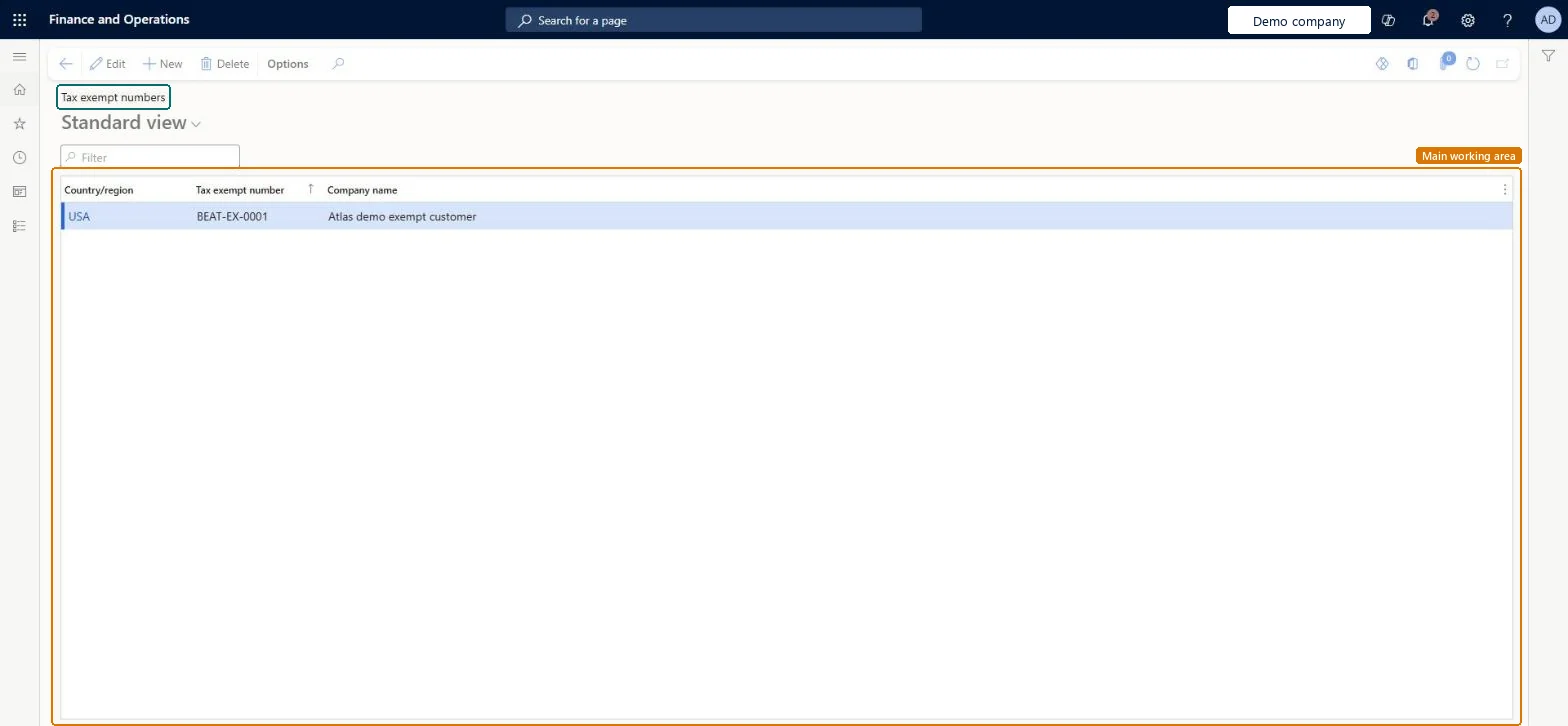
Set up Tax exempt numbers1 screen
Used to keep the tax exempt numbers of trading partners so they can be assigned to customers and vendors and used in tax reporting.
Screen 1
Add the tax exempt number
Go to Tax > Setup > Sales tax > Tax exempt numbers
- Select New
- Select the Country/region
- Enter the Tax exempt number and Company name
- Select Save
1Tax exempt number BEAT-EX-0001 Country/region USA Company name Atlas demo exempt customer 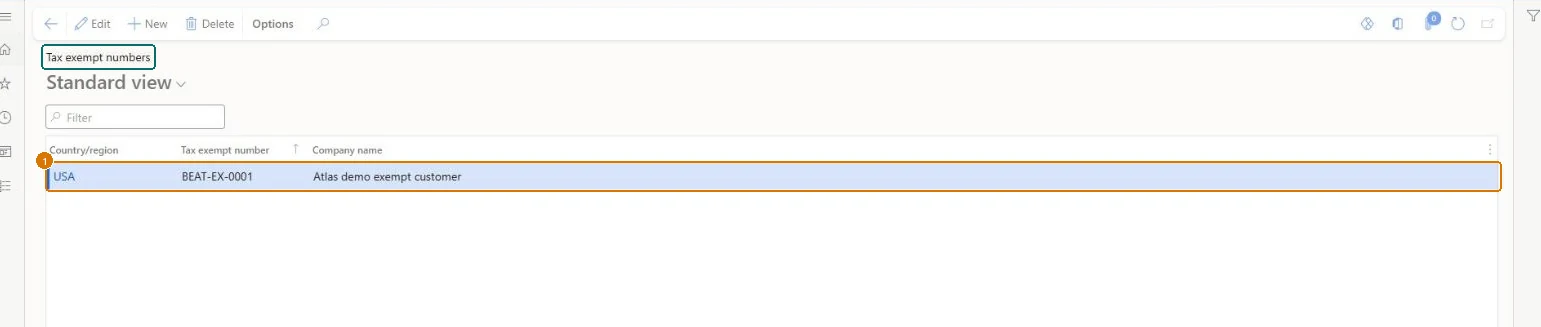
Show the full screen
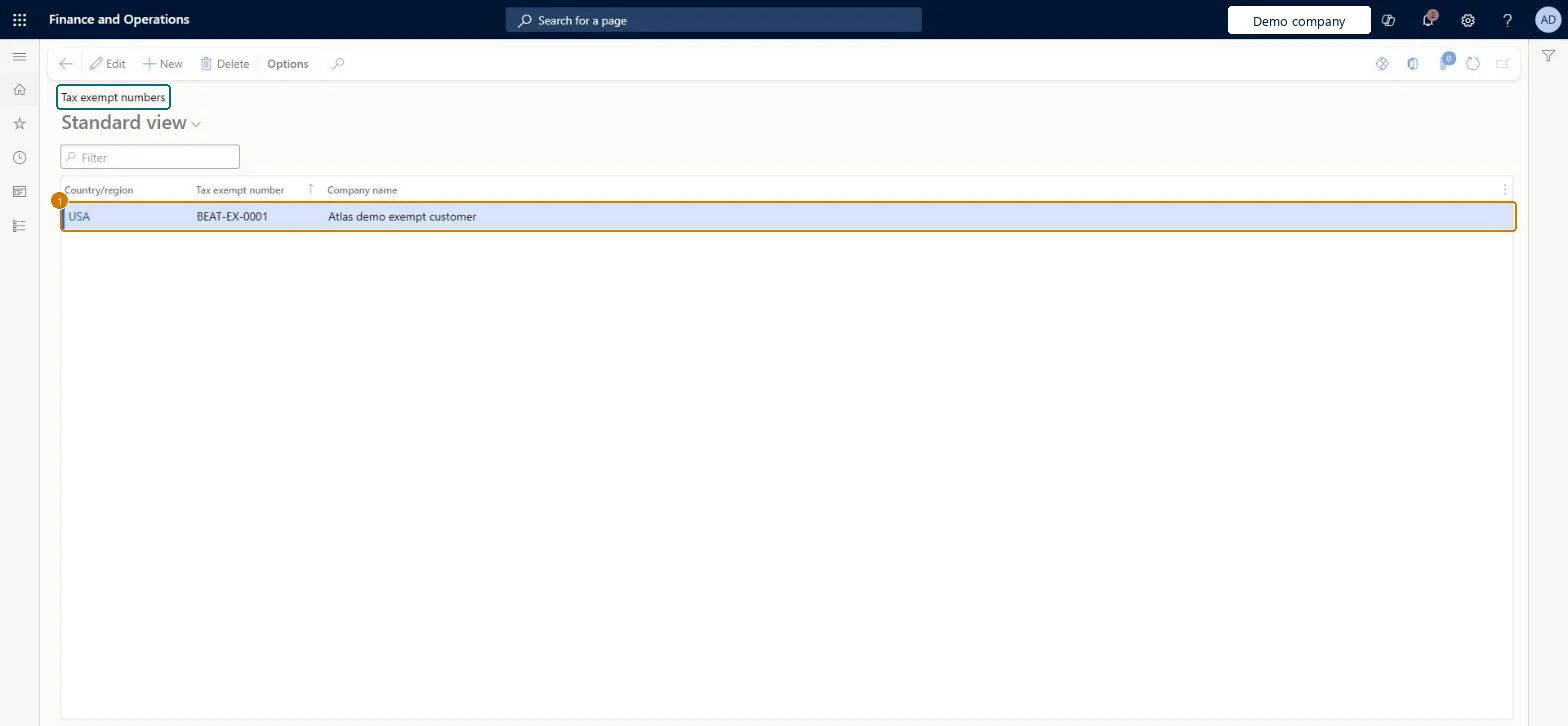
page title tab to open what to set or check
Microsoft's steps
- Go to Tax > Setup > Sales tax > Tax exempt numbers.
- Create a record for each tax exempt number.
- In the Country/region field, select the country/region of the partner's tax registration.
- In the Tax exempt number field, enter the partner's number.
- Optionally, in the Company name field, enter the partner's name.
Source: Microsoft Learn ↗
Field guide
| Field | What it means | Worked example | Table column |
|---|---|---|---|
| Country/region | The country/region of the partner's tax registration.Microsoft Learn ↗ | USA | — |
| Tax exempt number | The partner's tax exempt number.Microsoft Learn ↗ | BEAT-EX-0001 | — |
| Company name | Optionally, the partner's name.Microsoft Learn ↗ | Atlas demo exempt customer | — |
Functional consultant
4Setup decisions
| Setup step | Recommended value and why | Decision · common mistake · test |
|---|---|---|
| Set up Tax exempt numbers | — | — |
Solution architect
5Design impact
| Shared or per company | Per company: each legal entity has its own records. Microsoft data model ↗ |
|---|---|
| Can it be undone | — |
| Feature or country | — |
| If you change it later | — |
Technical architect
6Technical
| Menu item | TaxVATNumTable Checked in Dynamics 365 |
|---|---|
| Form | TaxVATNumTable Checked in Dynamics 365 |
| Table | TaxVATNumTableShown as “Tax exempt number table” in Record infoChecked in Dynamics 365 |
| Data entities | TaxVATNumTableEntitySales tax exempt numbers Microsoft data model ↗ |
| Who can open it | PrivilegesMaintain tax exempt numbers TaxVATNumTableMaintainView tax exempt numbers TaxVATNumTableViewDutiesRental Inquire into sales tax process reference data RentalTaxSalesTaxProcessReferenceDataInquireReview EU sales list process performance TaxEUSalesListProcessPerfReviewEnable sales taxes process TaxSalesTaxesProcessEnableInquire into sales tax process reference data TaxSalesTaxProcessReferenceDataInquireInquire into sales tax transaction status TaxSalesTaxTransactionStatusInquire15 security rolesAuditorAuditPolicyManagerCollections manager CollectionLetterCollectionsManagerChief executive officer CompanyChiefExecutiveOfficerAccounts receivable clerk CustInvoiceAccountsReceivableClerkAccounts receivable manager CustInvoiceAccountsReceivableManagerTax accountant FBTaxAccountant_BRAccountant LedgerAccountantAccounting manager LedgerAccountingManagerAccounting supervisor LedgerAccountingSupervisorFinancial controller LedgerFinancialControllerRental manager RentalManagerRental purchasing manager RentalPurchasingManagerSales manager TradeSalesManagerAccounts payable clerk VendInvoiceAccountsPayableClerkAccounts payable manager VendInvoiceAccountsPayableManager |
| Actions on the page | Options: Personalize, Page options, ShareChecked in Dynamics 365 |
Developer
7Developer
| Open it directly | https://<your-environment>/?mi=TaxVATNumTable |
|---|---|
| Integrate with | TaxVATNumTableEntity data entity Microsoft data model ↗ |
| Table definition | TaxVATNumTable columns and relations Microsoft data model ↗ |
Everyone
8Sources and checks
- learn.microsoft.com/dynamics365/finance/localizations/europe/emea-eu-sales-list
- learn.microsoft.com/dynamics365/finance/localizations/spain/emea-esp-declaration-347-report
- learn.microsoft.com/common-data-model/schema/core/operationscommon/tables/finance/tax/main/taxvatnumtable
- learn.microsoft.com/dynamics365/finance/localizations/italy/emea-ita-intrastat
- Checked in a working Dynamics 365 system, version 10.0.49: the menu item, form, table and security, the page, the demo records and the values in the screenshots.