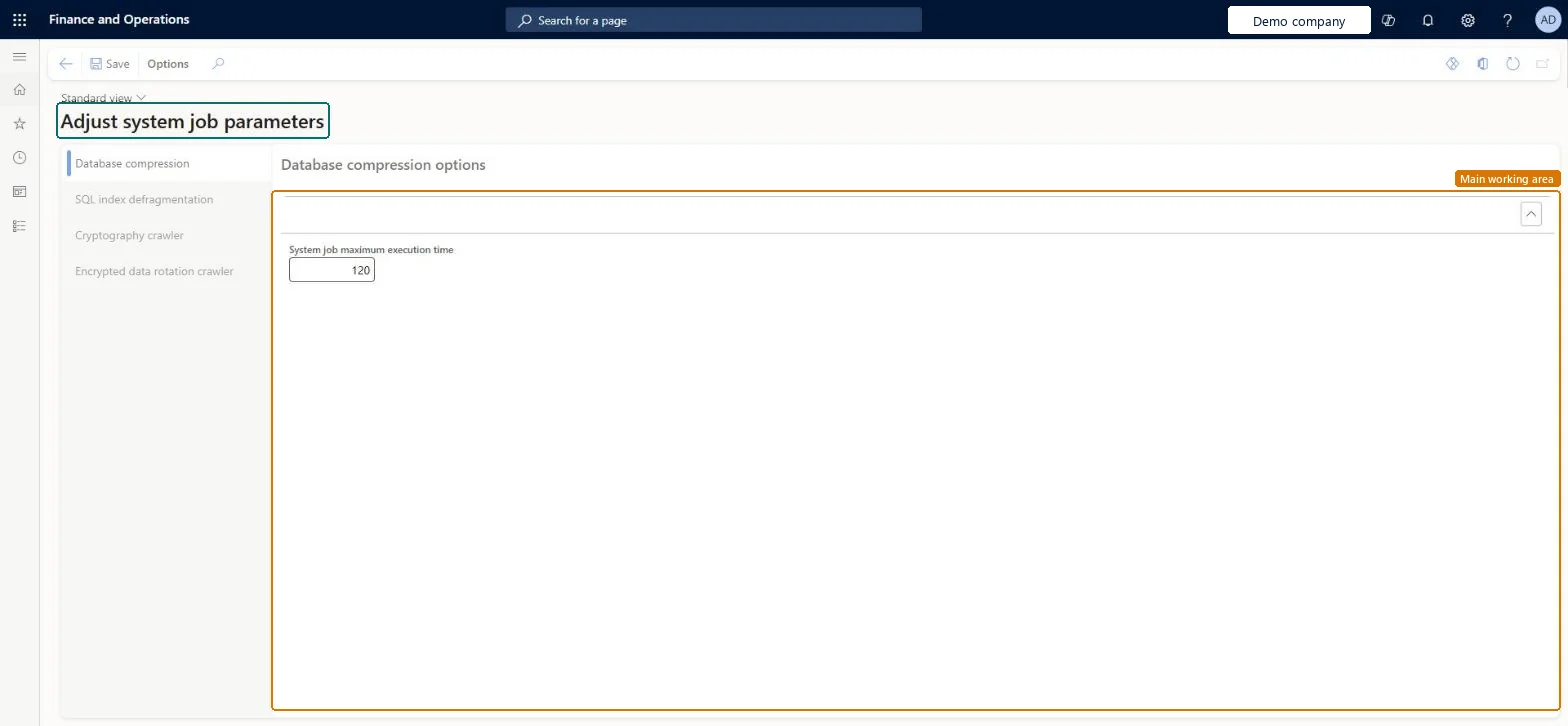
A setup page where you adjust system job parameters, grouped into Database compression, SQL index defragmentation, Cryptography crawler and Encrypted data rotation crawler.
PAGE GUIDEWhat the page does and how to use it8 sections. Choose a role to highlight what matters to you.
Everyone
1What it is and why
What it is
A setup page where you adjust system job parameters, grouped into Database compression, SQL index defragmentation, Cryptography crawler and Encrypted data rotation crawler.
What you do here
Use this page to set limits for these system jobs, such as the system job maximum execution time under Database compression options.
Example
For example, the SQL index defragmentation system job runs by default at 3:00 AM local time every day for up to 2 hours, rebuilding highly fragmented indexes; an administrator checks its settings here before moving a nightly batch window.
The page in Dynamics 365. page title tab to open what to set or check
About the examples: Examples and screenshots in this guide use BEAT, a demo company in a Dynamics 365 test environment. Use your own company's codes and values instead of copying them.
Step by step, with screenshots
Set up System job parameters1 screen
Screen 1
Review the system job parameters
Go to System administration > Setup > System job parameters
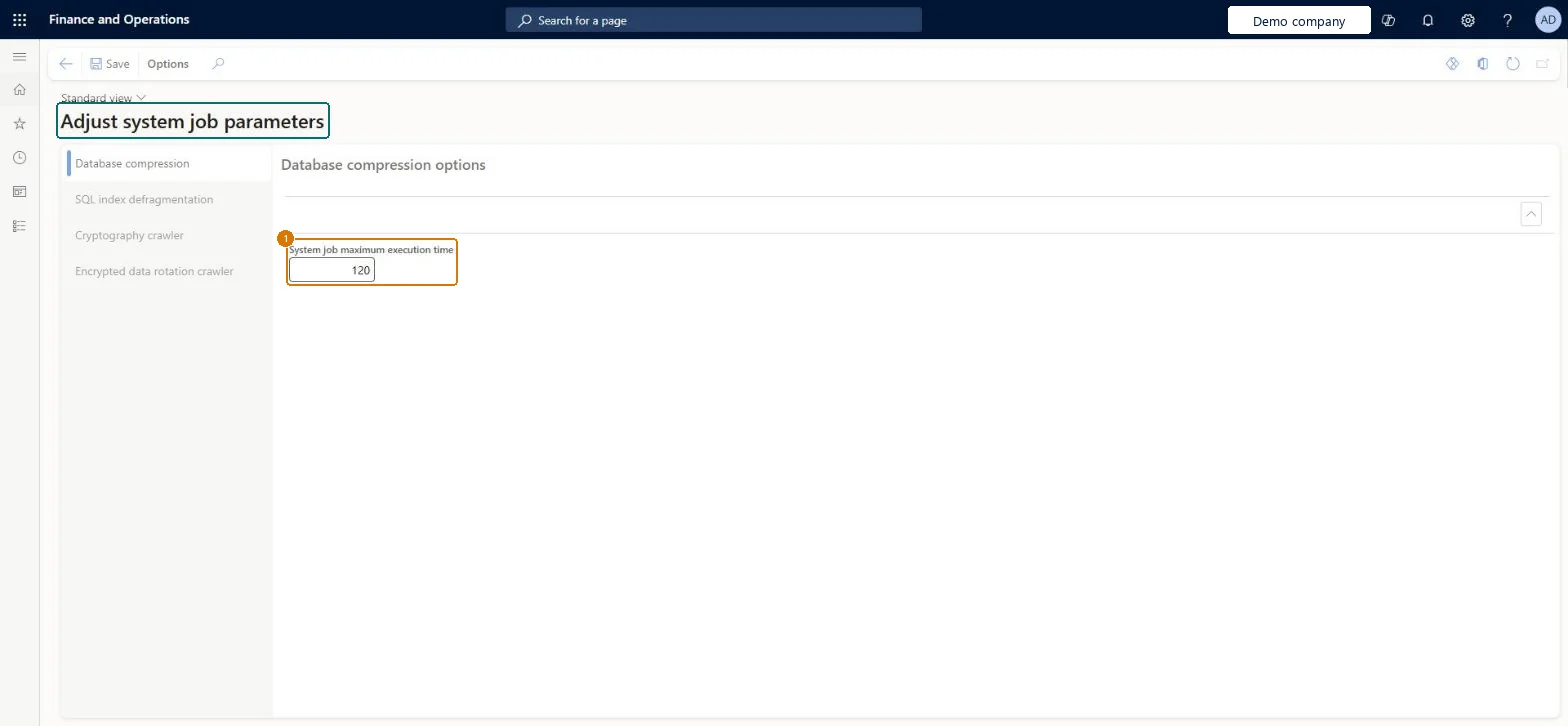
Open the Database compression tab and review the system job maximum execution time
Open the other tabs to review SQL index defragmentation, the cryptography crawler and the encrypted data rotation crawler
Show the full screen page title tab to open what to set or check
Steps from Microsoft
Go to System administration > Setup > System job parameters.
Select Database compression, then enter the System job maximum execution time.
Select SQL index defragmentation, Cryptography crawler or Encrypted data rotation crawler to set the options in those groups.
System job maximum execution time (Database compression)
How long the database compression system job may run.Checked in Dynamics 365
SQL index defragmentation
Options for the system job that rebuilds highly fragmented indexes; by default it runs at 3:00 AM for up to 2 hours.Microsoft Learn
Encrypted data rotation crawler
Options for the system job that re-encrypts encrypted data with a rotated certificate; Learn describes it running two hours each day until done.Microsoft Learn
Common errors and fixes
Message
What to do
Nightly batch jobs slow down at the same time every night
Check whether they overlap the SQL index defragmentation system job (default 3:00 AM, up to 2 hours) and move your jobs rather than shortening the system job. Microsoft Learn
Test checklist
Note the current values on each tab.
On Batch jobs, find the SQL index defragmentation system job and check its next run time.
Check that the run doesn't overlap your heaviest nightly batch jobs.
Keep the system job defaults and plan your own batch jobs around themThese are Microsoft's maintenance jobs; for example the index defragmentation job runs nightly for a limited time and completes early when few indexes need rebuilding.
On this system the page opens for Information technology manager. IT administrators maintain it. No Feature management feature needs to be turned on for this page.
Reversible: The parameters can be set back at any time; the next run of each system job uses them. Microsoft Learn
If you change it later
The values change when and how long the system's own maintenance jobs run against the database, such as index defragmentation, which by default runs nightly for up to 2 hours. Microsoft Learn
Technical architect
6Technical
Menu item
SystemJobParametersChecked in Dynamics 365
Form
SystemJobParametersChecked in Dynamics 365
Table
SystemJobParametersShown as “System job parameters” in Record infoChecked in Dynamics 365
Who can open it
PrivilegesSystemJobParametersMaintainDutiesMaintain system settings SysServerSettingsMaintain1 security roleInformation technology manager SysServerITManagerChecked in Dynamics 365
Roles to set it up and use it
To set it up or change itInformation technology manager SysServerITManagerGive people one of these roles. On this system, 1 role can open this page.Checked in Dynamics 365
Actions on the page
Options: Personalize, Page options, Edit, ShareChecked in Dynamics 365
Load order: System job parameters has no data entity in Data management, so it can't be loaded from a file or a configuration template. The parameters are per environment; set them by hand where needed.Checked in Dynamics 365
Checked in a working Dynamics 365 system, version 10.0.49: the menu item, form, table and security, the page, the demo records and the values in the screenshots.