PAGE GUIDEWhat the page does and how to use it8 sections. Choose a role to highlight what matters to you.
Everyone
1What it is and why
What it is
A periodic job that evaluates all Optimization advisor rules of a chosen frequency, including unscheduled rules.
What you do here
Use this periodic task to run rules outside their normal schedule.
Example
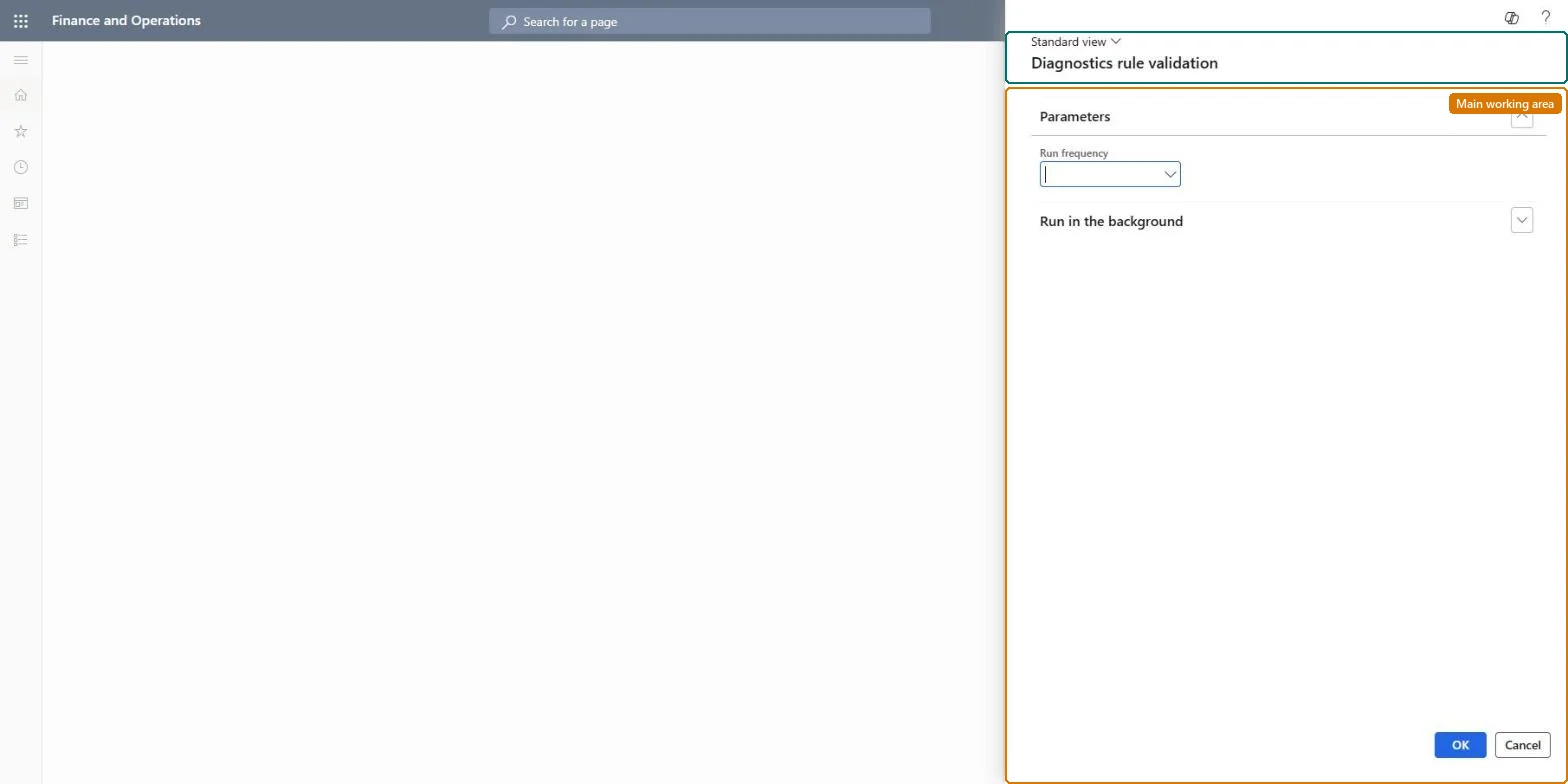
For example, after BEAT corrects its unit of measure conversions, the administrator runs the Diagnostics rule validation dialog for Monthly to see at once whether the opportunity disappears.
The page in Dynamics 365. page title tab to open what to set or check
About the examples: Examples and screenshots in this guide use BEAT, a demo company in a Dynamics 365 test environment. Use your own company's codes and values instead of copying them.
When to run it
When to run it
When you want to run Optimization advisor rules outside their schedule, for example after you corrected setup and want to see the result.
How often
On demand.
What the output shows
Opportunities in the Optimization advisor workspace for every rule of the chosen frequency that found a problem. No new opportunity after a fix means the rule no longer finds the issue.
Check at once whether a fix removed an opportunity, or run unscheduled rules.
Steps from Microsoft
Go to System administration > Periodic tasks > Schedule diagnostics validation rule.
In the Diagnostic rule validation dialog box, select the evaluation frequency whose rules you want to run now; choose Unscheduled to run rules that have no schedule.
Keep in mind that every Active rule with that frequency is evaluated again, not only one rule.
Open the Optimization advisor workspace and select More information or Take action for each opportunity.
Expect an opportunity to come back at the next evaluation if the action didn't fully resolve it.
Run it for the frequency of the rule you just acted on, or for UnscheduledAll rules with the chosen frequency are reevaluated; there is no way to pick one rule.
Opportunities can be company-specific or cross-company, depending on what the rule validates. Microsoft Learn
Can it be undone
Nothing to undo: The run only evaluates rules and lists opportunities; it doesn't change setup or data. Microsoft Learn
If you change it later
Every Active rule of the chosen frequency is evaluated again; new opportunities appear in the Optimization advisor workspace and resolved ones aren't generated again. Microsoft Learn
Technical architect
6Technical
Menu item
action:DiagnosticsRuleValidationChecked in Dynamics 365
Roles to set it up and use it
To use itInformation technology manager SysServerITManagerGive people one of these roles. On this system, 1 role can run this page.Checked in Dynamics 365
Load order: Schedule diagnostics validation rule has no data entity in Data management, so it can't be loaded from a file or a configuration template. It is an on-demand evaluation with no data of its own.Checked in Dynamics 365