BeyondERP.Newsletter
Menu

Page · System administration

Person search report

A list page where you search for a person by ID, name or address and collect the personal data held about them into a report.

Business process
Administer system features
Menu item
PersonSearch
Main table
PersonSearch
Setup steps
1 on this page
Show what matters for
PAGE GUIDEWhat the page does and how to use it8 sections. Choose a role to highlight what matters to you.
Everyone

1What it is and why

What it isA list page where you search for a person by ID, name or address and collect the personal data held about them into a report.
What you do hereUse this page to check that a person's data is correct and to share a copy of it with the person who asked for it.
ExampleFor example, if the same person was entered twice, such as "Fred Smith" and "F. D. Smith", both entries can be included in one report.
Person search report page in Dynamics 365
The page in Dynamics 365. page title tab to open what to set or check
Functional consultant · Solution architect

2Where it fits

Business processAdminister system features
Menu pathSystem administration › Inquiries › Person search report
Set up firstData management Microsoft Learn
Used next byData management (export the package) Microsoft Learn
Related pagesUsers Microsoft Learn
End user · Functional consultant

3How to do it

About the examples: Examples and screenshots in this guide use BEAT, a demo company in a Dynamics 365 test environment. Use your own company's codes and values instead of copying them.

Setup steps on this page

Answer a request for a person's data

Use this page to collect the personal data held about one person into a data package.

Steps from Microsoft

  1. Go to System administration > Inquiries > Person search report and create a new search.
  2. Choose to search by ID, by name or by address.
  3. Run the search and check the results.
  4. Clear any results you don't want in the report.
  5. Select Process report, select the Person search template, and select OK.
  6. Export the generated data package to the format you need.

Source: Microsoft Learn

Fields on the page

FieldWhat it meansExample
Search typeSearch by ID, by name or by address.Microsoft Learn By name
TemplateThe Data management template the report uses; load the Person search default template first.Microsoft Learn Person search

Common errors and fixes

MessageWhat to do
Process report has no template to selectLoad the Person search default template from the Templates tile in the Data management workspace first. Microsoft Learn
The person asks for documents that are missing from the exportAttachments aren't included in the data export; download and share them by hand. Microsoft Learn

Test checklist

  1. In Data management, load the Person search default template.
  2. Create a search by name for a test person entered twice, such as two spellings of one name.
  3. Keep both results selected, select Process report with the Person search template, and select OK.
  4. Export the package and check that both records' personal data is in it, and that attachments aren't.

Source: Microsoft Learn

Functional consultant

4Setup decisions

Setup stepRecommended value and whyDecision, common mistake and test
Answer a request for a person's dataSearch by every identifier you know (IDs, names and address) so all party records of the person are in one report, and clear results that belong to someone elseOne person can exist as several parties; the report combines each instance you select into a single report.Which identifiers go into a person search?Sending the export without the person's attachments, which the export doesn't include.Test: A person entered twice appears in one report

Feature management and licence

Licence or add-inThe report uses Microsoft's Person search template in Data management. No Feature management feature needs to be turned on for this page.

Microsoft Learn

Solution architect

5Design impact

Shared or per companyPer company: each search is saved in the company where it was created (the PersonSearch table carries a company field). A person's party can be found by ID, name or address. Microsoft data model
Can it be undoneReversible: A search and its package can be deleted; nothing in the person's records changes. Microsoft Learn
If you change it laterProcess report generates a data package of the person's personal data through the Person search template. Documents attached to records aren't included and must be downloaded and shared by hand. Microsoft Learn
Technical architect

6Technical

Menu itemPersonSearch Checked in Dynamics 365
FormPersonSearch Checked in Dynamics 365
TablePersonSearchShown as “Person search” in Record infoChecked in Dynamics 365
Who can open itPrivileges PersonSearchMaintainDuties PersonSearchMaintainChecked in Dynamics 365
Actions on the pageOptions: Personalize, Page options, ShareChecked in Dynamics 365
Developer

7Developer

Open it by URLhttps://<your-environment>/?mi=PersonSearch
Data migrationLoad order: Person search report has no data entity in Data management, so it can't be loaded from a file or a configuration template. Searches are made per request in each environment; the Person search template itself is loaded from Data management default templates.Checked in Dynamics 365
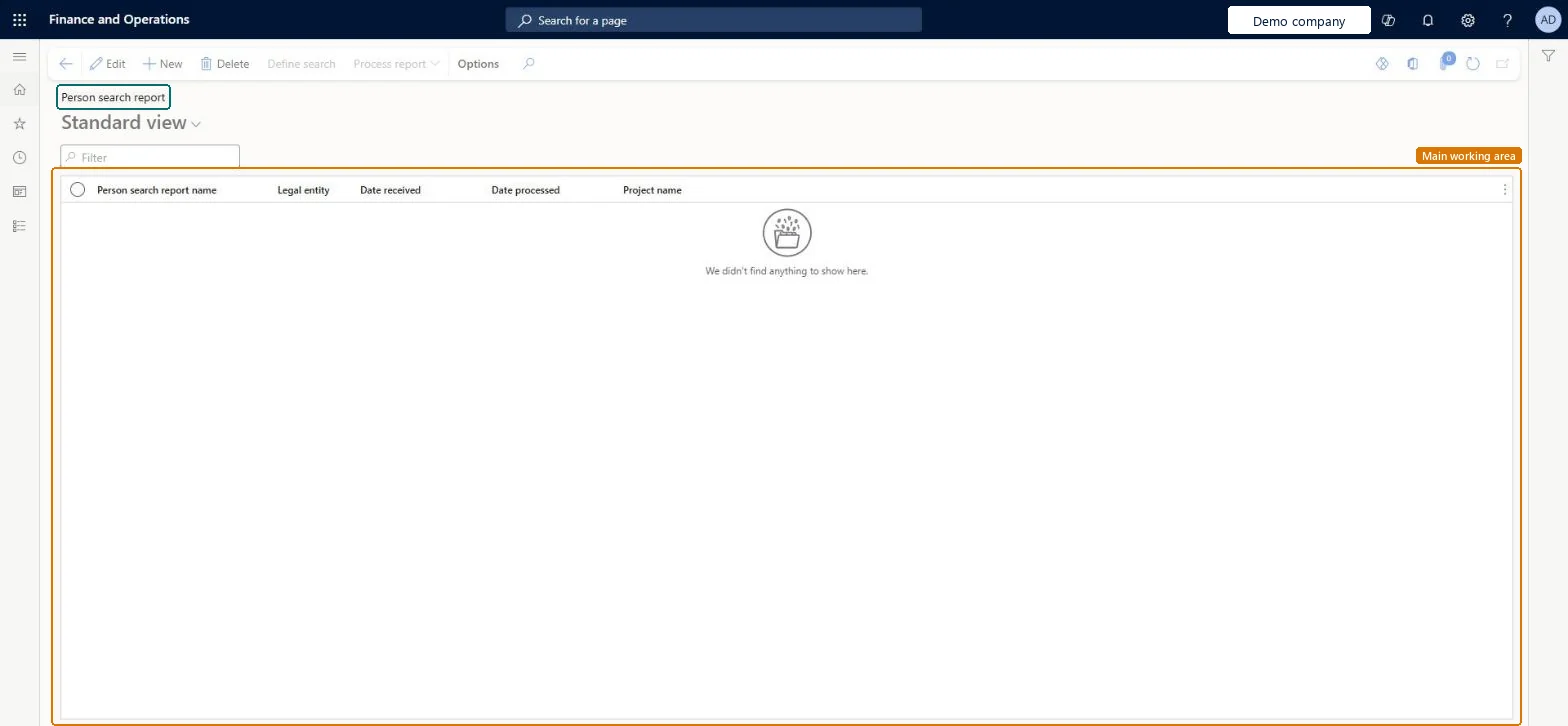
Table definitionPersonSearch columns and relations Microsoft data model
Everyone

8Sources