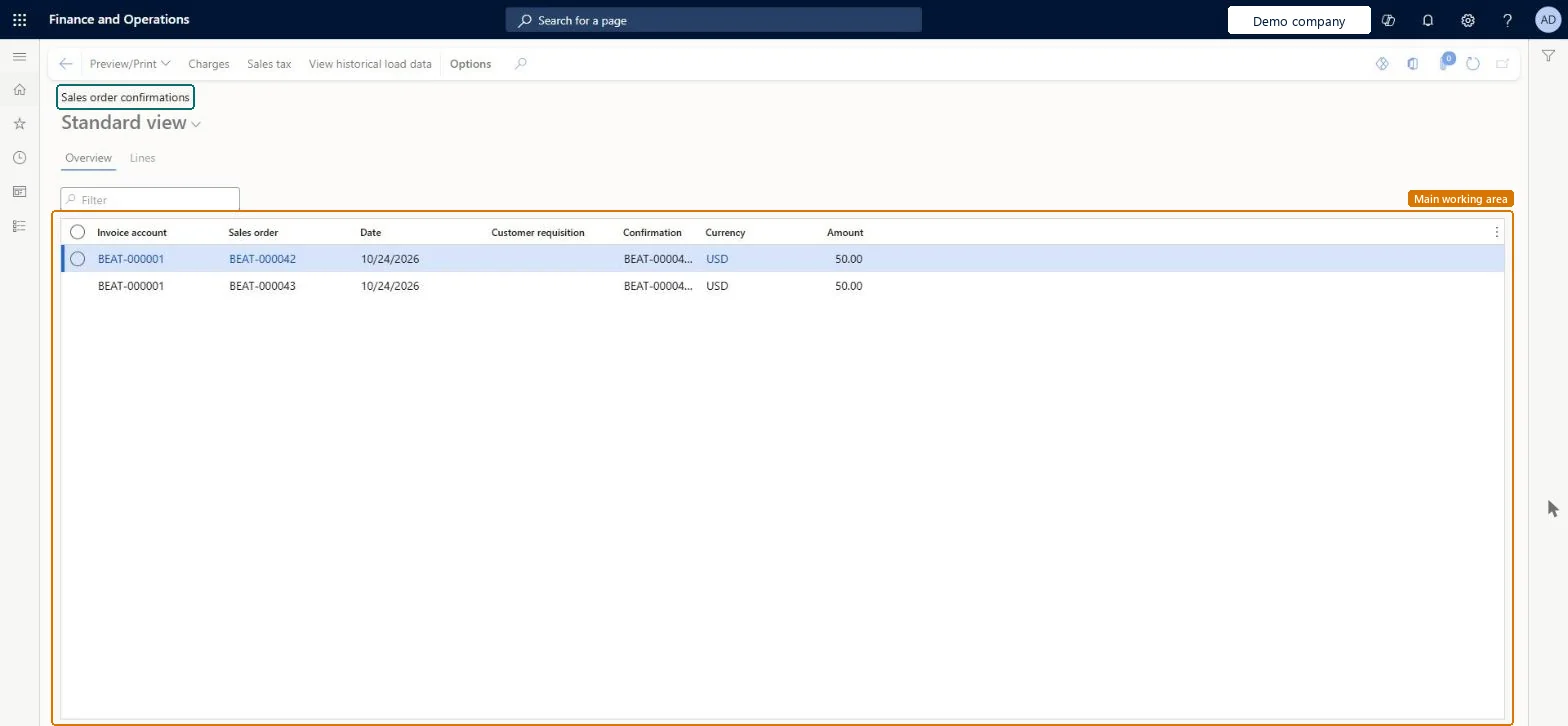
A list page that shows sales order confirmation journals with the invoice account, sales order, date, customer requisition, confirmation number, currency and amount.
PAGE GUIDEWhat the page does and how to use it8 sections. Choose a role to highlight what matters to you.
Everyone
1What it is and why
What it is
A list page that shows sales order confirmation journals with the invoice account, sales order, date, customer requisition, confirmation number, currency and amount.
What you do here
Use this page to look up confirmations that were issued to customers, review their lines, and preview or print them again.
Example
For example, customer BEAT-000123 asks for a copy of last week's confirmation; the clerk filters on the invoice account, finds confirmation SOC-000874 for SO-001234 (3,120.00 EUR) and selects Preview/Print.
The page in Dynamics 365. page title tab to open what to set or check
About the examples: Examples and screenshots in this guide use BEAT, a demo company in a Dynamics 365 test environment. Use your own company's codes and values instead of copying them.
Setup steps on this page
Look up and reprint confirmations
Find posted confirmations and send copies.
Steps from Microsoft
Go to Sales and marketing > Sales orders > Order confirmation > Sales order confirmations.
Filter by Invoice account or Sales order.
Read the Date, Customer requisition, Confirmation, Currency and Amount columns.
Filter on Sales order or Invoice account first, then check the latest confirmation.An order confirmed several times has several entries; the newest reflects the current order.
Reversible: Reading or reprinting changes nothing. Microsoft Learn
If you change it later
A journal of posted confirmations; each new confirmation of a changed order adds a new entry. Microsoft Learn
Technical architect
6Technical
Menu item
CustConfirmJournalChecked in Dynamics 365
Form
CustConfirmJournalChecked in Dynamics 365
Table
CustConfirmJourShown as “Sales order confirmations” in Record infoChecked in Dynamics 365
Data entities
SalesOrderConfirmationHeaderEntitySales order confirmation headers Microsoft data model
Roles to set it up and use it
To use itSales manager TradeSalesManagerRental manager RentalManagerRental coordinator agent RentalCoordinatorAgentAccounts receivable clerk CustInvoiceAccountsReceivableClerkAccounts receivable manager CustInvoiceAccountsReceivableManagerGive people one of these roles. On this system, 22 roles can open this page.Checked in Dynamics 365
Actions on the page
Options: Personalize, Page options, ShareChecked in Dynamics 365
SalesOrderConfirmationHeaderEntity Sales order confirmation headers: export of posted confirmations; history is usually not migrated.Load order: Posted confirmations are created by posting; migrate only if confirmation history must be kept.Load first: Sales order headers V2Microsoft Learn