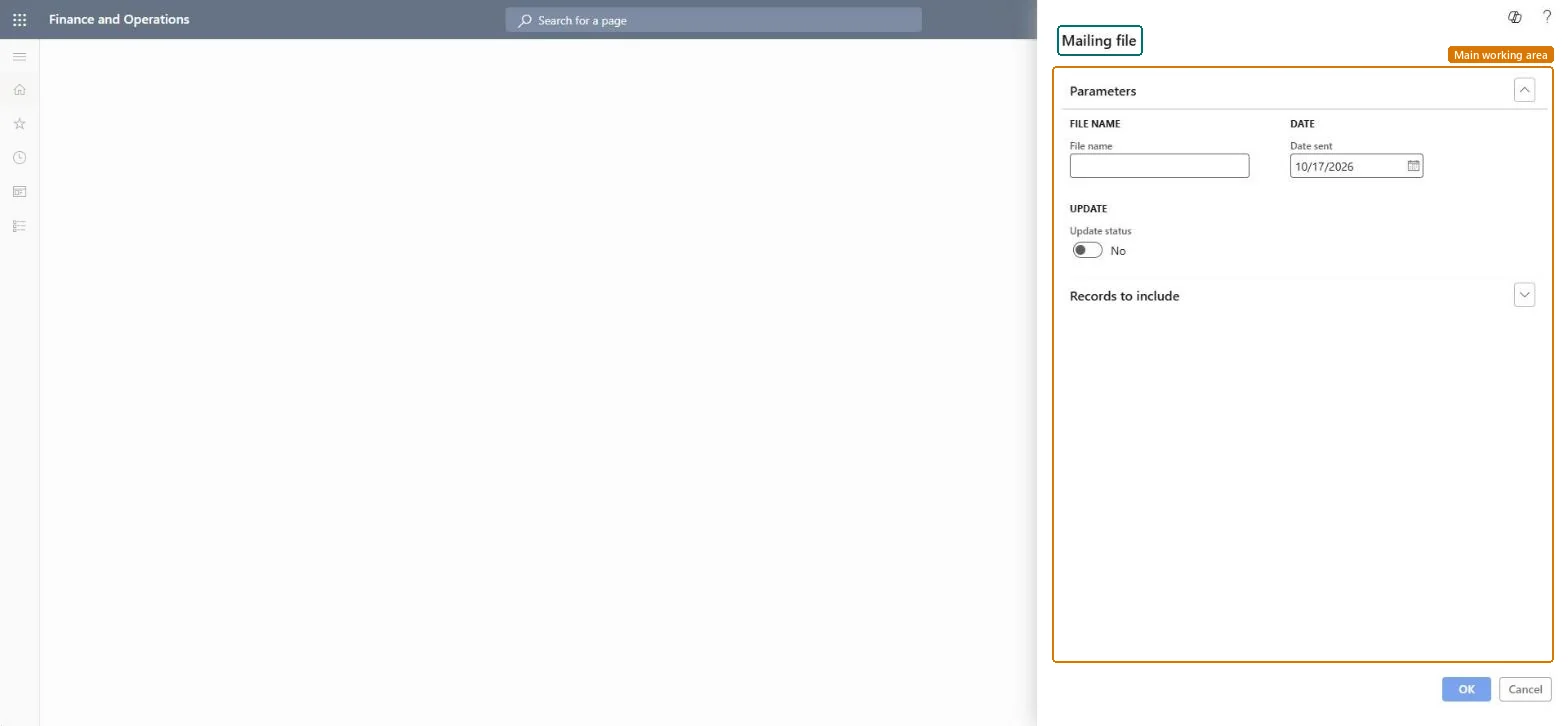
A periodic task in the mailings area that creates a mailing file. Its dialog asks for a file name and a date sent, has an Update status option and a Records to include filter.
PAGE GUIDEWhat the page does and how to use it8 sections. Choose a role to highlight what matters to you.
Everyone
1What it is and why
What it is
A periodic task in the mailings area that creates a mailing file. Its dialog asks for a file name and a date sent, has an Update status option and a Records to include filter.
What you do here
Use it to create a mailing file with a file name and a date sent, and choose whether the run updates the status.
The page in Dynamics 365. page title tab to open what to set or check
About the examples: Examples and screenshots in this guide use BEAT, a demo company in a Dynamics 365 test environment. Use your own company's codes and values instead of copying them.
When to run it
When to run it
When a mailing file must be created for a mailing.
How often
On demand, once per mailing.
Source: Checked in Dynamics 365
How to use it
Go to Sales and marketing > Periodic tasks > Mailings > Create mailing file.
Enter a File name and check the Date sent, which is filled in with today's date.
Leave Update status at No for a first run in a copy, and compare the mailings before and after.
Expand Records to include and set a filter.
Select OK, then open Mailings and check the Status and Date sent of the mailings in the filter.
Source: Checked in Dynamics 365
Fields on the page
Field
What it means
Example
File name
The name of the mailing file to create.Checked in Dynamics 365
Date sent
The date sent for the mailings in the file; it is filled in with today's date.Checked in Dynamics 365
10/17/2026
Update status
A Yes/No option in the Update group; it is No by default.Checked in Dynamics 365
Records to include
The filter of the records the task processes.Checked in Dynamics 365
Functional consultant
4Setup decisions
Feature management and licence
Licence or add-in
On the live system, Sales manager, Marketing manager and Information technology manager can run this task. No feature in Feature management is needed.
Checked in Dynamics 365
Solution architect
5Design impact
Shared or per company
The mailings selected under Records to include. Checked in Dynamics 365
Can it be undone
Hard to reverse: Check in a copy what Update status changes before you run it with Yes on live mailings. Checked in Dynamics 365
If you change it later
Creates a mailing file. Mailings belong to the built-in marketing features (mailing campaigns) of Sales and marketing. Microsoft Learn
Technical architect
6Technical
Menu item
action:smmMailingFileCreateChecked in Dynamics 365
Form
DialogChecked in Dynamics 365
Roles to set it up and use it
To use itSales manager TradeSalesManagerMarketing manager CRMMarketingManagerInformation technology manager SysServerITManagerGive people one of these roles. On this system, 3 roles can run this page.Checked in Dynamics 365
Load order: Create mailing file has no data entity in Data management. It creates a file from existing mailings, so there is nothing to migrate.Checked in Dynamics 365