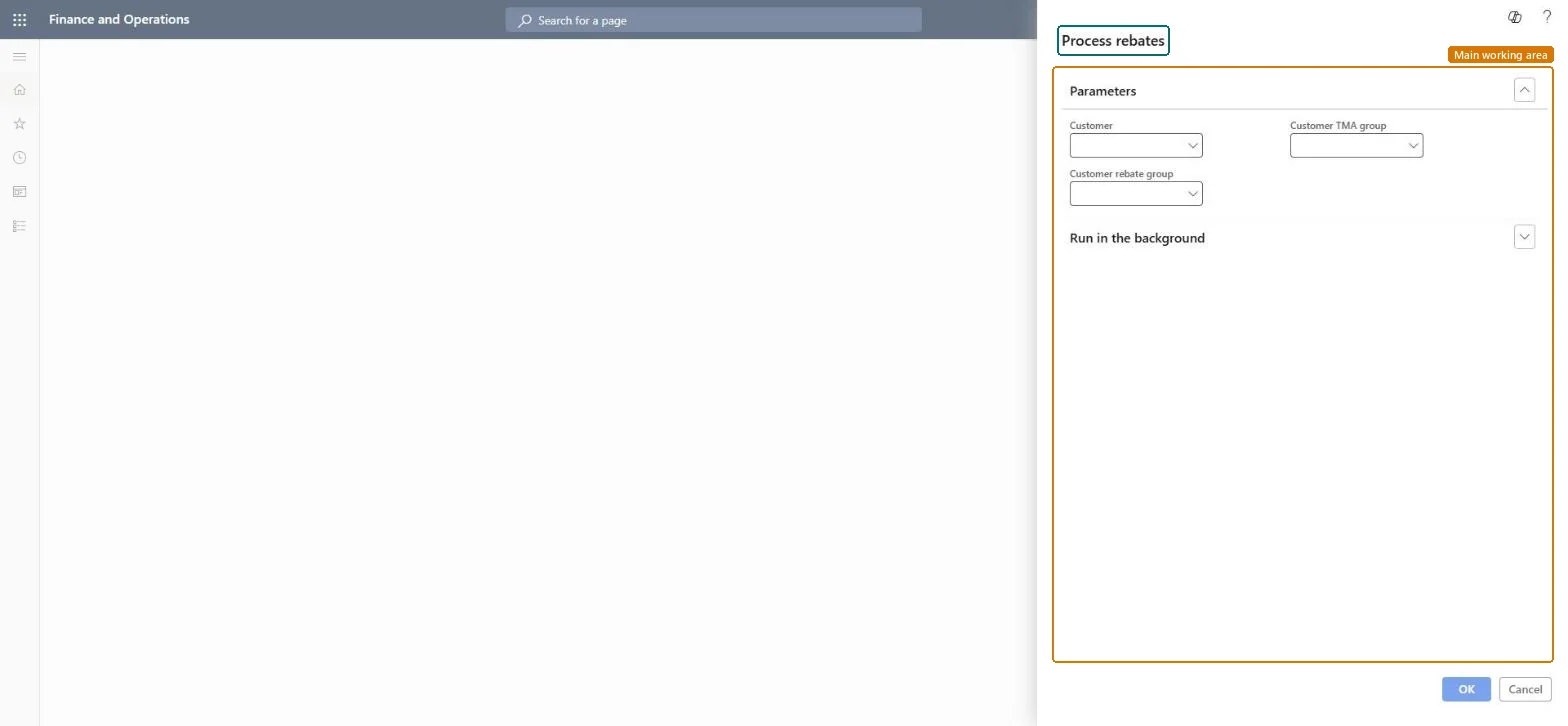
A periodic job that processes approved customer rebate claims: it posts the Rebate accrual journal and moves the claims to the customer's temporary balance as deductions, with status Mark. These are the older customer rebates of Sales and marketing. Microsoft describes Rebate management as the newer module for rebate deals, provisions and royalties; choose one of the two for a project.
PAGE GUIDEWhat the page does and how to use it8 sections. Choose a role to highlight what matters to you.
Everyone
1What it is and why
What it is
A periodic job that processes approved customer rebate claims: it posts the Rebate accrual journal and moves the claims to the customer's temporary balance as deductions, with status Mark. These are the older customer rebates of Sales and marketing. Microsoft describes Rebate management as the newer module for rebate deals, provisions and royalties; choose one of the two for a project.
What you do here
Use this periodic task to move approved claims to the customer's balance as deductions and post the related accrual and expense.
Example
For example, after approving November's claims, BEAT runs Process rebates for customer rebate group CHAINS; 3,250.00 is credited to the rebate accrual account and debited to the rebate expense account.
The page in Dynamics 365. page title tab to open what to set or check
About the examples: Examples and screenshots in this guide use BEAT, a demo company in a Dynamics 365 test environment. Use your own company's codes and values instead of copying them.
When to run it
When to run it
After the claims are cumulated and approved, when the rebates should become deductions on the customer's balance.
How often
At the end of each rebate period, after approval.
Batch settings
Run it in the background per customer rebate group when many claims are approved.
What the output shows
Approved claims change to status Mark and the Rebate accrual journal named in Accounts receivable parameters is posted: the rebate accrual account is credited and the rebate expense account debited.
Run it after Cumulate and Approve, limited to one customer, customer rebate group or TMA group, and let an accounts receivable manager run it.Processing posts the Rebate accrual journal, which credits the rebate accrual account and debits the rebate expense account, and moves the claims to the customer's temporary balance as deductions.
On the live system, Accounts receivable clerk and Accounts receivable manager use this page.
Checked in Dynamics 365
Solution architect
5Design impact
Shared or per company
Per company: the job works on the rebate claims of the legal entity it runs in; the claims table holds its records per company. Microsoft data model
Can it be undone
Hard to reverse: The Rebate accrual journal is posted. Correct a mistake with new accounting entries, not by running the job again. Microsoft Learn
If you change it later
Posts the rebate accrual journal, crediting the rebate accrual account and debiting the rebate expense account, and moves claims to the customer balance as deductions. Microsoft Learn
Technical architect
6Technical
Menu item
action:pdsRebateProcessChecked in Dynamics 365
Form
DialogChecked in Dynamics 365
Roles to set it up and use it
To use itAccounts receivable clerk CustInvoiceAccountsReceivableClerkAccounts receivable manager CustInvoiceAccountsReceivableManagerGive people one of these roles. On this system, 2 roles can run this page.Checked in Dynamics 365
Load order: Process rebates has no data entity in Data management: it is a periodic job and stores no data of its own. Its result is the posted Rebate accrual journal and the claims on the Rebates page.Checked in Dynamics 365