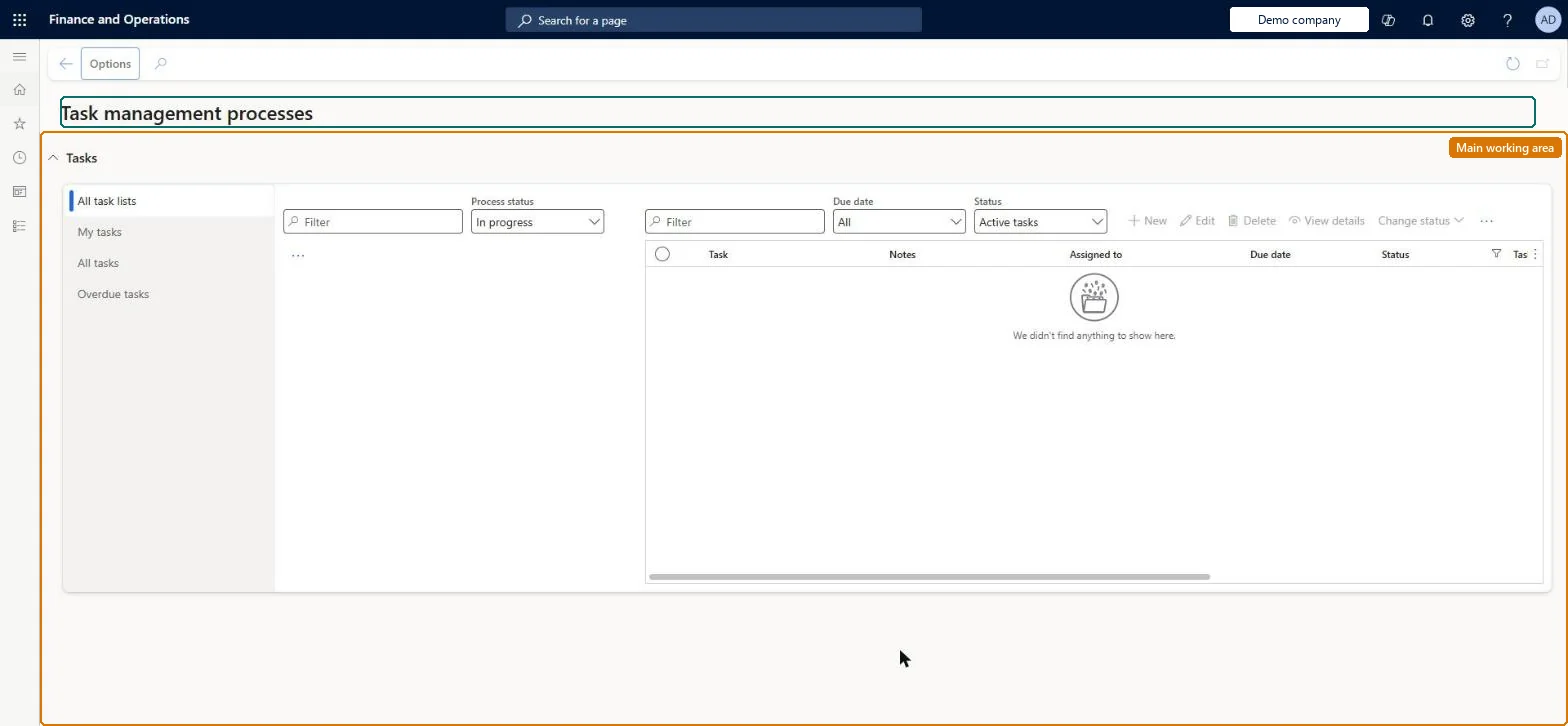
An inquiry and tracking page where managers and workers see the status of task lists that have been started (instantiated) for stores or employees, and view or update the tasks assigned to them.
Retail catalog manager, Retail merchandising manager, Retail operations manager and 6 more roles
Business process
Manage store operations
Menu item
RetailTaskManagementWorkspaceRedirect
Show what matters for
PAGE GUIDEWhat the page does and how to use it7 sections. Choose a role to highlight what matters to you.
Everyone
1What it is and why
What it is
An inquiry and tracking page where managers and workers see the status of task lists that have been started (instantiated) for stores or employees, and view or update the tasks assigned to them.
What you do here
Use this page to follow up on task list processes across stores on the All task lists tab, and to view or update your own tasks on the My tasks and All tasks tabs; from here you can reassign tasks or change a task's status.
Example
For example, a regional manager checks which of the 20 stores assigned the Holiday season preparation list have not completed it on time.
The page in Dynamics 365. page title tab to open what to set or check
About the examples: Examples and screenshots in this guide use BEAT, a demo company in a Dynamics 365 test environment. Use your own company's codes and values instead of copying them.
When to run it
When to run it
After task lists have been started for stores or workers, to follow up on progress.
How often
Daily or as often as you follow up on store tasks.
What the output shows
Task list processes and tasks with their status per store and worker. A task list that stays open has tasks nobody has completed; a task nobody sees in the POS is usually assigned to the wrong worker.
Tab listing the status of every task list process assigned to stores.Microsoft Learn
My tasks / All tasks
Tabs for viewing and updating the tasks assigned to you.Microsoft Learn
Solution architect
4Design impact
Can it be undone
Yes, by changing it again: Change the status or assignment back on the task. Microsoft Learn
If you change it later
Status changes or reassignments made here flow to the POS, where workers see the tasks assigned to them and their current status. Microsoft Learn
Technical architect
5Technical
Menu item
RetailTaskManagementWorkspaceRedirectChecked in Dynamics 365
Form
BusinessProcessGenericWorkspaceChecked in Dynamics 365
Who can open it
PrivilegesMaintain task management process RetailTaskManagementMaintainView task management process RetailTaskManagementViewDutiesMaintain task management process RetailTaskManagementMaintainView task management process RetailTaskManagementView9 security rolesRetail catalog manager RetailCatalogManagerRetail merchandising manager RetailMerchandisingManagerRetail operations manager RetailOperationsManagerRetail service RetailServiceRetail store IT RetailStoreITRetail store manager RetailStoreManagerRetail task manager RetailTaskManagerRetail warehouse clerk RetailWarehouseClerkRetail warehouse manager RetailWarehouseManagerChecked in Dynamics 365
Roles to set it up and use it
To use itRetail service RetailServiceRetail operations manager RetailOperationsManagerRetail store manager RetailStoreManagerRetail merchandising manager RetailMerchandisingManagerInformation technology manager SysServerITManagerGive people one of these roles. On this system, 10 roles can run this page.Checked in Dynamics 365