Import orders from the commerce sites with Dynamics 365 Commerce
Menu item
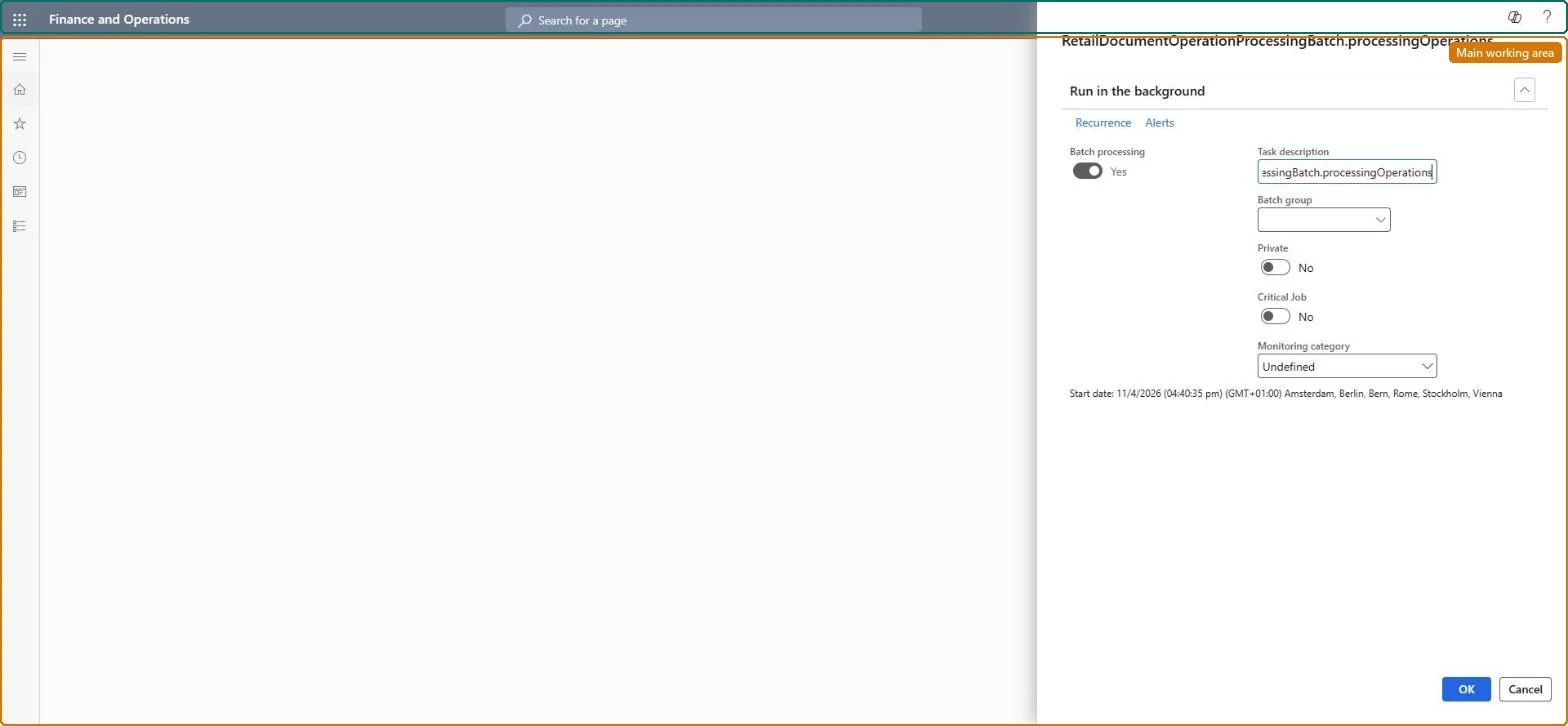
RetailDocumentOperationProcessingBatchScheduler
Show what matters for
PAGE GUIDEWhat the page does and how to use it7 sections. Choose a role to highlight what matters to you.
Everyone
1What it is and why
What it is
A batch job of the asynchronous document framework that processes store inventory documents committed from POS to headquarters.
What you do here
Use this page to schedule the recurring processing job for inbound, outbound, stock count, adjustment and movement documents, including those that failed or timed out.
Example
For example, schedule the job to run every five minutes.
The page in Dynamics 365. page title tab to open what to set or check
About the examples: Examples and screenshots in this guide use BEAT, a demo company in a Dynamics 365 test environment. Use your own company's codes and values instead of copying them.
When to run it
When to run it
When stores commit inventory documents from POS to headquarters through the asynchronous document framework.
How often
Every few minutes, at the same interval as the monitor job.
Batch settings
A recurring batch job that processes inbound, outbound, stock count, adjustment and movement documents, including documents that failed or timed out.
What the output shows
Store inventory documents from POS are posted in headquarters. Documents that fail show Processing failed in POS with error messages; the store must correct them and submit them again.
Go to Retail and Commerce > Retail and Commerce IT > Retail document operation processing.
Make sure the Retail document operation identifier number sequence exists; the asynchronous document framework needs it before POS inventory operations can be used.
Schedule the processing job to recur, for example every five minutes, alongside Retail document operation monitor.
After a run, check in POS that Inbound, Outbound, Stock count, Adjustment and Movement documents committed by the store are posted, and correct any document with Processing failed and finish it again.
No: Posted inventory documents stay posted. Correct quantities with a new inventory document. Microsoft Learn
If you change it later
Posts store inventory documents committed from POS in headquarters. Microsoft Learn
Technical architect
5Technical
Menu item
RetailDocumentOperationProcessingBatchSchedulerChecked in Dynamics 365
Form
SysOperationTemplateFormChecked in Dynamics 365
Roles to set it up and use it
To use itRetail service RetailServiceRetail operations manager RetailOperationsManagerGive people one of these roles. On this system, 2 roles can run this page.Checked in Dynamics 365