About the examples: Examples and screenshots in this guide use BEAT, a demo company in a Dynamics 365 test environment. Use your own company's codes and values instead of copying them.
When to run it
When to run it
When stores use POS inventory operations through the asynchronous document framework, so documents that fail or time out are picked up.
How often
Every few minutes; Learn's example is every five minutes.
Batch settings
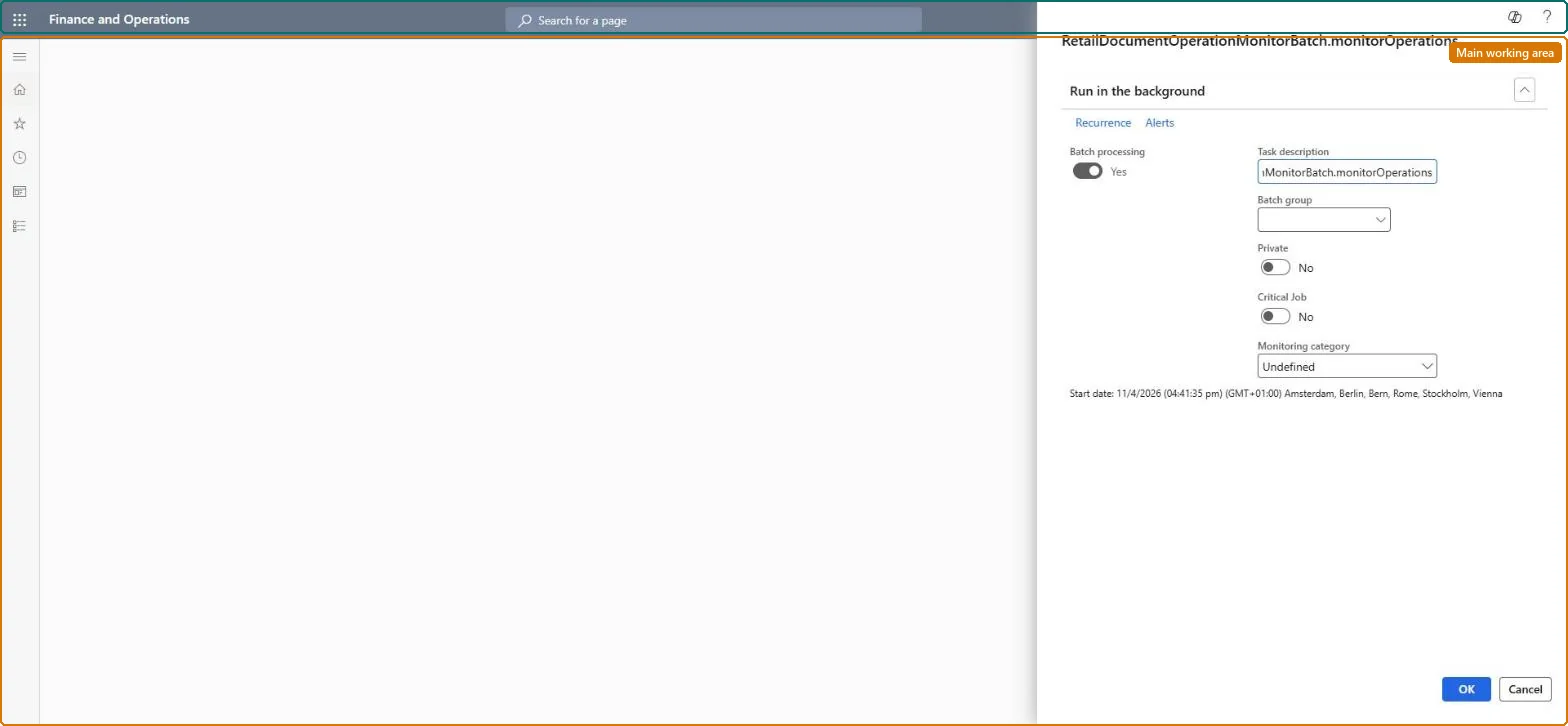
A recurring batch job, for example every five minutes, running next to the Retail document operation processing job.
What the output shows
Store inventory documents sent from POS are monitored, and documents that fail or time out are flagged. A document stuck as processing usually means the monitor job isn't running.
Go to Retail and Commerce > Retail and Commerce IT > Retail document operation monitor.
Before you schedule it, set up a number sequence for Retail document operation identifier (area Commerce parameters) with Continuous set to No.
Schedule the monitor as a recurring job, for example every five minutes, together with Retail document operation processing.
In POS, open the document list of an inventory operation such as Inbound or Outbound and check that failed documents show Processing failed with the reason in the Details pane.
Nothing to undo: The monitor doesn't post documents; stop or reschedule the batch job if needed. Microsoft Learn
If you change it later
The framework must be configured before stores can use inventory operations in POS. Microsoft Learn
Technical architect
5Technical
Menu item
RetailDocumentOperationMonitorBatchSchedulerChecked in Dynamics 365
Form
SysOperationTemplateFormChecked in Dynamics 365
Roles to set it up and use it
To use itRetail service RetailServiceRetail operations manager RetailOperationsManagerGive people one of these roles. On this system, 2 roles can run this page.Checked in Dynamics 365