About the examples: Examples and screenshots in this guide use BEAT, a demo company in a Dynamics 365 test environment. Use your own company's codes and values instead of copying them.
How to use it
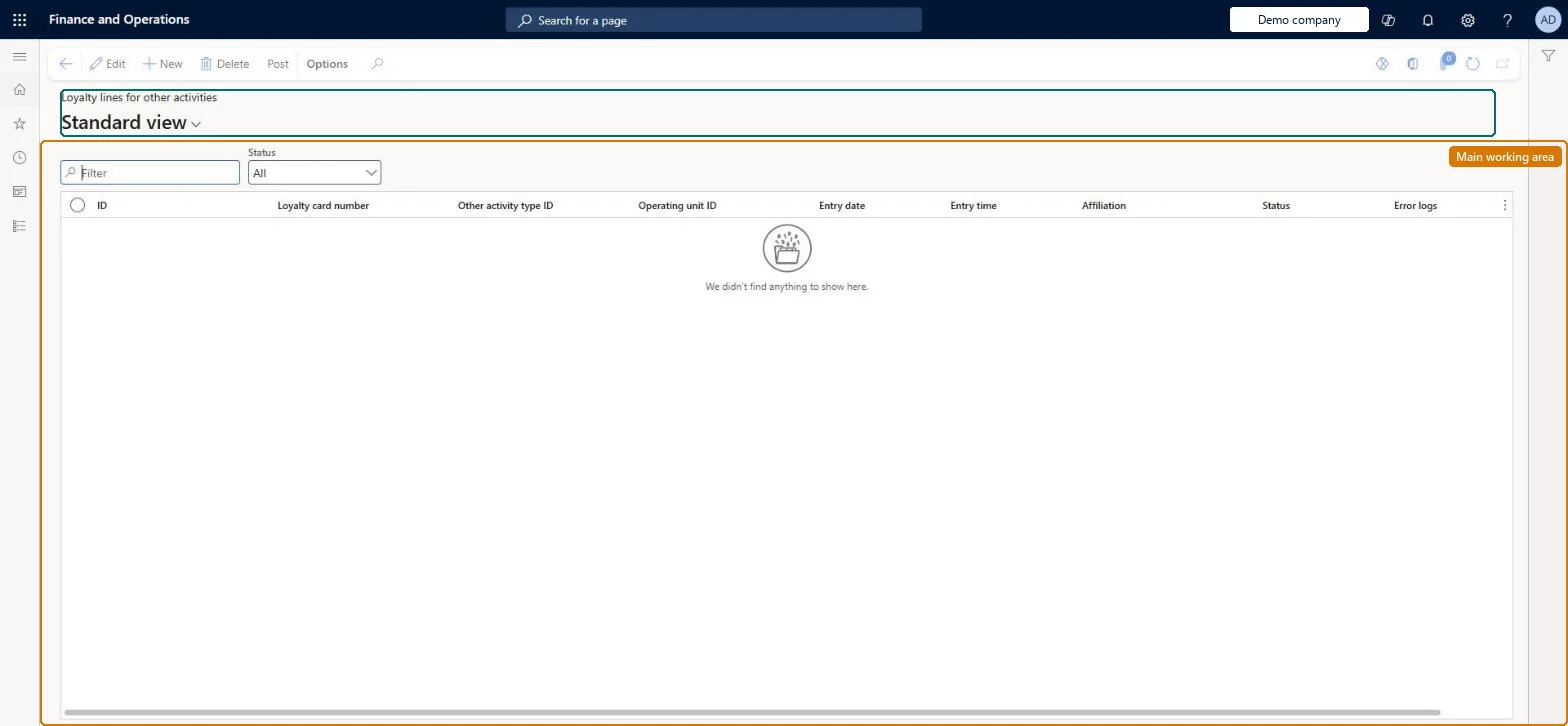
Go to Retail and Commerce > Retail and Commerce IT > Loyalty > Loyalty lines for other activities.
Use the Filter box to find a row.
Review the ID, Loyalty card number, Other activity type ID, Operating unit ID, Entry date, Entry time, Affiliation, Status and Error logs columns.
Pick a Status above the grid to filter the lines, and select Post to post the selected lines.
Source: Checked in Dynamics 365
Test checklist
Set a number sequence for Loyalty other activity type ID in Commerce shared parameters > Number sequences.
Set up an other activity type with an earning rule in the loyalty scheme.
Import two activity lines through the Retail loyalty other activity type lines entity.
Delete one line, post the other, and check that card transactions for the loyalty card show the points only for the posted line.
Hard to reverse: Lines can be reviewed, changed or deleted until they are posted. Posting, manually or with Process other activity type for loyalty lines, awards points under the earning rules. Taking points back then means a manual loyalty card adjustment. Microsoft Learn
Technical architect
5Technical
Menu item
RetailLoyaltyCardRewardPointNonTransactionalActivityChecked in Dynamics 365
Form
RetailLoyaltyCardRewardPointNonTransactionalActivityChecked in Dynamics 365
Table
RetailLoyaltyCardRewardPShown as “NON-TRANSACTIONAL LOYALTY ACTIVITY” in Record infoChecked in Dynamics 365
Data entities
RetailLoyaltyCardRewardPointNonTransactionalActivityEntityNon-transactional loyalty activity Checked in Dynamics 365RetailLoyaltyCardRewardPointNonTransactionalActivityV2EntityNonTransactionalLoyaltyActivityV2Entity Checked in Dynamics 365
Who can open it
PrivilegesMaintain retail loyalty cards RetailLoyaltyCardsMaintainDutiesMaintain retail labels RetailLabelsMaintain2 security rolesRetail operations manager RetailOperationsManagerRetail service RetailServiceChecked in Dynamics 365
Roles to set it up and use it
To set it up or change itRetail service RetailServiceRetail operations manager RetailOperationsManagerGive people one of these roles. On this system, 2 roles can open this page.Checked in Dynamics 365
Actions on the page
(Action Pane without tabs): PostChecked in Dynamics 365