Retail and CommerceRetail and Commerce ITInstallment
MCRInstallmentBilling
Business process
Record credit or debit card payments on call center orders in Dynamics 365 Commerce
Menu item
MCRInstallmentBilling
Show what matters for
PAGE GUIDEWhat the page does and how to use it7 sections. Choose a role to highlight what matters to you.
Everyone
1What it is and why
What it is
A periodic process that processes installment payments that are due on call center sales orders paid by installment billing.
What you do here
Use this page on each installment due date to submit credit card installments for authorization and settlement, or add on-account installments to the customer balance.
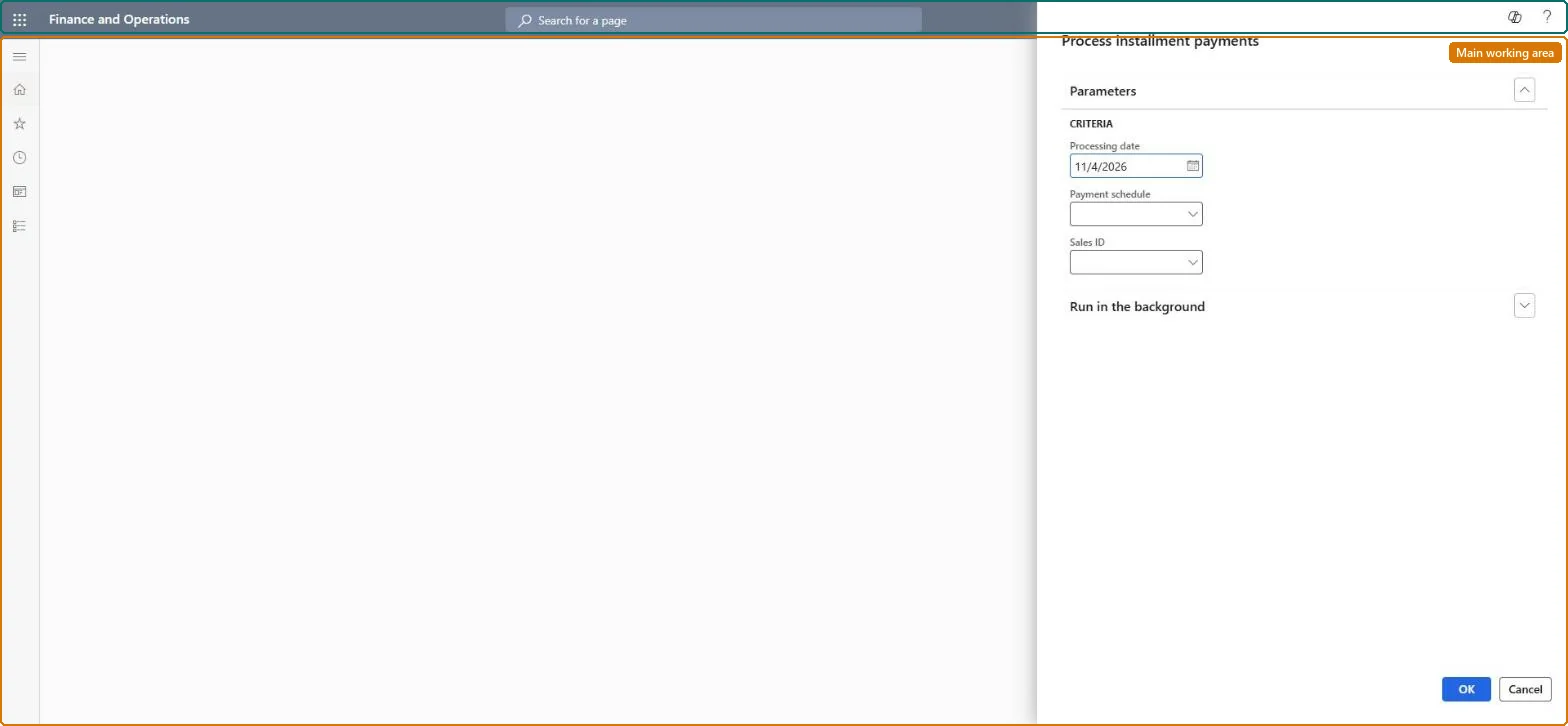
The page in Dynamics 365. page title tab to open what to set or check
About the examples: Examples and screenshots in this guide use BEAT, a demo company in a Dynamics 365 test environment. Use your own company's codes and values instead of copying them.
When to run it
When to run it
On each installment due date of call center orders that are paid by installment billing.
How often
On every installment due date of the orders.
Batch settings
Run it in the background with the processing date of the day, so all due installments are submitted together.
What the output shows
Due credit card installments submitted for authorization and settlement, and on-account installments added to the customer balance. An installment that wasn't processed usually has a different due date than the Processing date you entered.
Go to Retail and Commerce > Retail and Commerce IT > Installment > Process installment payments.
On the General tab, in the Processing date field, select the due date of the installment payments to process.
Optionally limit the run to one payment schedule or one sales order.
Optionally, on the Batch tab, set the batch processing options.
Run it, then check the orders: credit card installments are submitted for authorization and settlement, and on-account installments are added to the customer balance.
No: Settled card payments and amounts added to the customer balance stay posted. Correct them with a refund or a credit instead. Microsoft Learn
If you change it later
Submits credit card installments for authorization and settlement and adds on-account installments to the customer balance. Microsoft Learn
Technical architect
5Technical
Menu item
MCRInstallmentBillingChecked in Dynamics 365
Form
DialogChecked in Dynamics 365
Roles to set it up and use it
To set it up or change itSales manager TradeSalesManagerSales clerk TradeSalesClerkGive people one of these roles. On this system, 2 roles can open this page.Checked in Dynamics 365