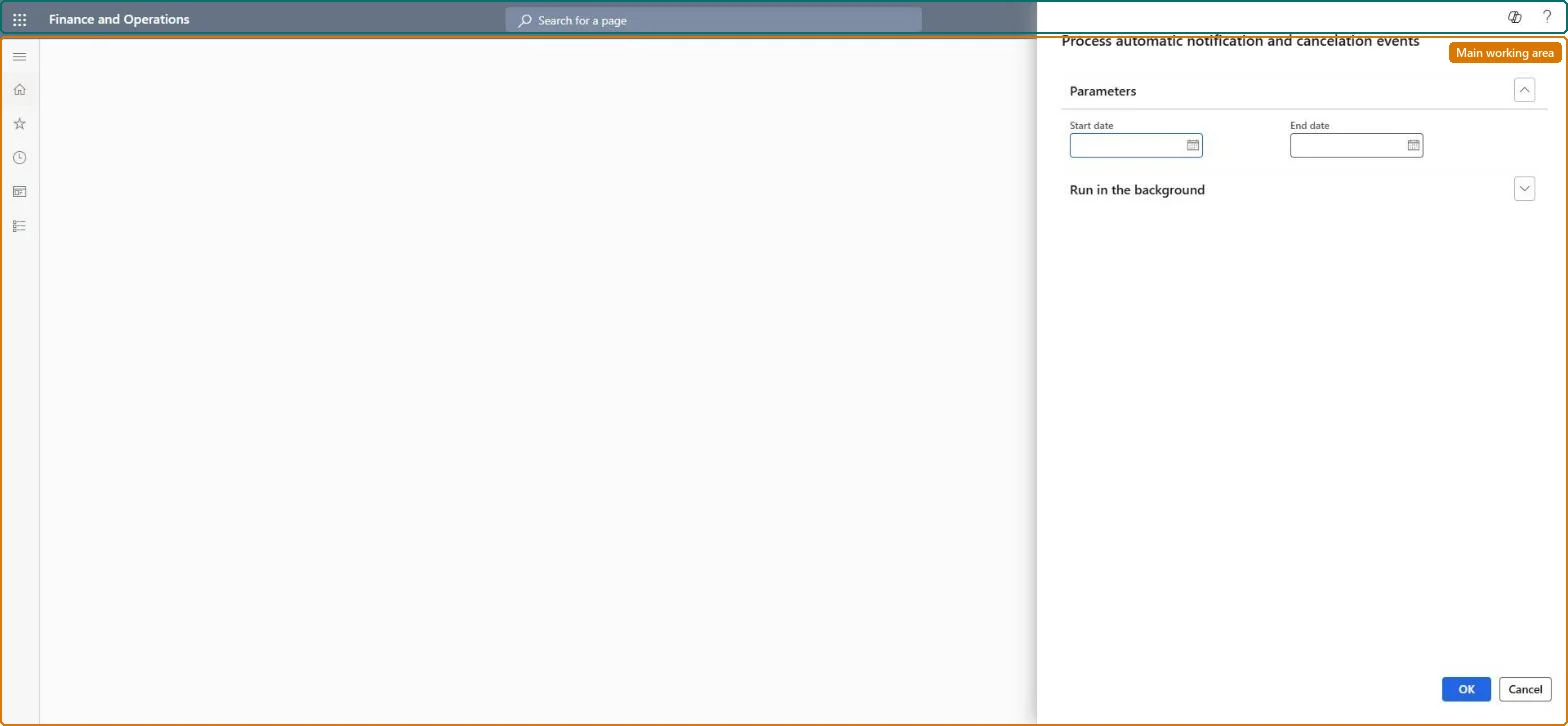
Process automatic notification and cancelation events
Retail and CommerceRetail and Commerce ITEmail and notifications
MCRFTCEventProcessBatch
Business process
Update call center orders in Dynamics 365 Commerce
Menu item
MCRFTCEventProcessBatch
Show what matters for
PAGE GUIDEWhat the page does and how to use it7 sections. Choose a role to highlight what matters to you.
Everyone
1What it is and why
What it is
A batch job that sends cancellation notice emails for delayed orders and, for final notices, cancels the sales orders.
What you do here
Use this page to process automatic notification and cancellation for orders that cannot ship on time, based on the notice days set in call center parameters.
Example
For example, a customer whose order is past the first-notice threshold receives an email that lets them decide whether to cancel the order.
The page in Dynamics 365. page title tab to open what to set or check
About the examples: Examples and screenshots in this guide use BEAT, a demo company in a Dynamics 365 test environment. Use your own company's codes and values instead of copying them.
When to run it
When to run it
When call center orders can't ship on time and customers must be sent delay notices, or the orders canceled, based on the notice days in Call center parameters.
How often
On demand, whenever delayed call center orders are waiting for their next notice; use the Batch tab to repeat it.
Batch settings
Run it in the background from the Batch tab for the date range, so notices are sent and final-notice orders are canceled without blocking your session.
What the output shows
Notice emails for delayed call center orders and, for orders that reached the final notice, canceled sales orders. If an order you expected to be canceled is still open, compare its dates with the notice days in Call center parameters and with the date range you entered.
Go to Retail and Commerce > Retail and Commerce IT > Email and notifications > Process automatic notification and cancelation events.
Before you run it, check the notice days in Call center parameters (First notice days from start, Second notice days from start and Cancellation notice days from start). They decide which delayed orders get which notice.
On the General tab, set the start and end dates of the delayed call center orders the job should evaluate.
On the Batch tab, set the batch parameters if the job should run unattended.
Run the job, then open the orders in the date range: orders that reached the final notice are canceled, and the customers of the other delayed orders have received a notice email.
No: Notices that were sent can't be recalled, and orders canceled at the final notice stay canceled. Check the notice days and the date range before you run it. Microsoft Learn
If you change it later
Running the job cancels sales orders that have reached the final-notice threshold. Microsoft Learn
Technical architect
5Technical
Menu item
MCRFTCEventProcessBatchChecked in Dynamics 365
Form
DialogChecked in Dynamics 365
Roles to set it up and use it
To use itSales manager TradeSalesManagerSales representative TradeSalesRepresentativeCustomer service representative TradeCustomerServiceRepresentativeCustomer service manager TradeCustomerServiceManagerGive people one of these roles. On this system, 4 roles can run this page.Checked in Dynamics 365