BeyondERP.Newsletter
Menu

Job page · Retail and Commerce

Delete return orders

A periodic job that deletes several return orders at once.

Used by
Rental coordinator agent, Rental manager, Customer service representative and 1 more role
Business process
Manage sales orders
Menu item
SalesDelete_Return
Main table
SalesParmTable
Show what matters for
PAGE GUIDEWhat the page does and how to use it7 sections. Choose a role to highlight what matters to you.
Everyone

1What it is and why

What it isA periodic job that deletes several return orders at once.
What you do hereUse this periodic task to find return orders by criteria and delete the ones you select.
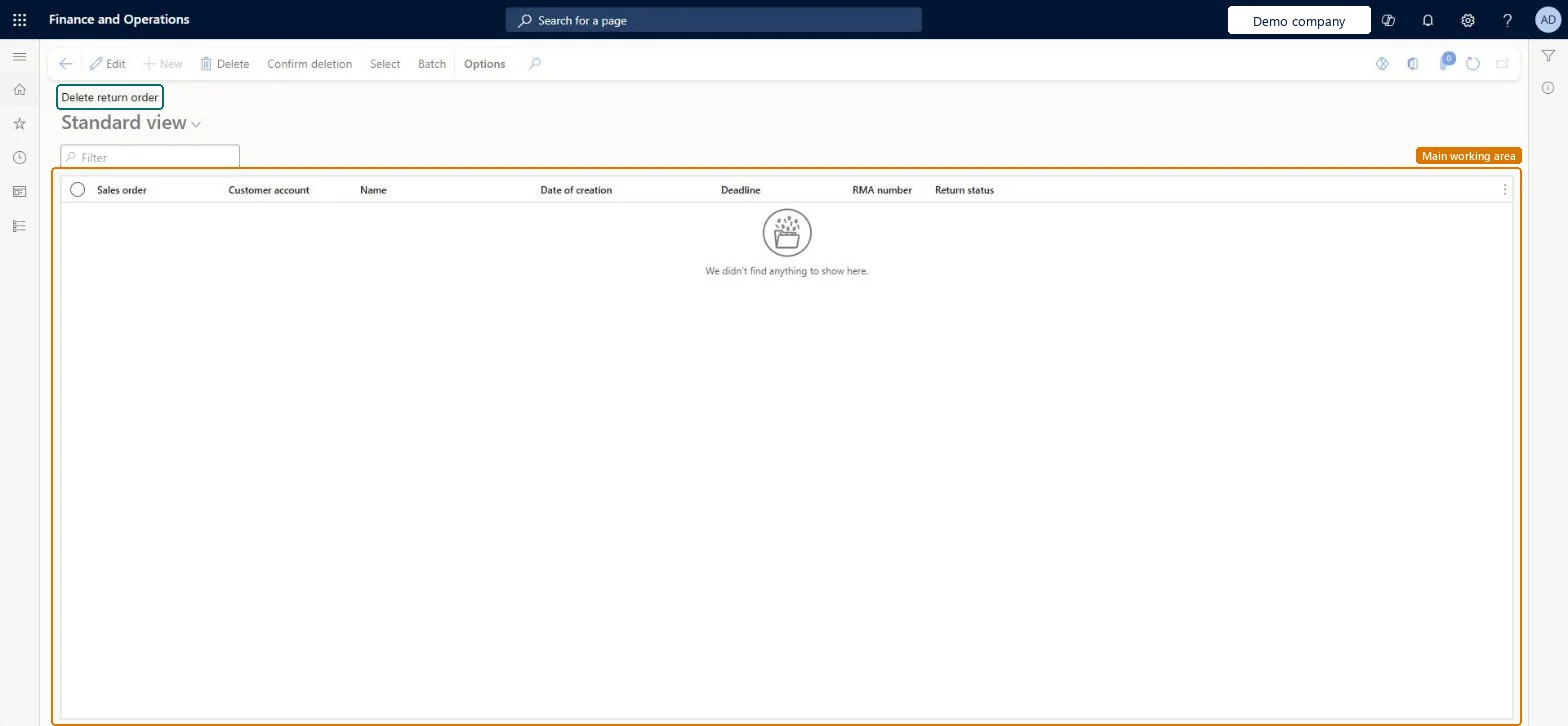
Delete return orders page in Dynamics 365
The page in Dynamics 365. page title tab to open what to set or check
Functional consultant · Solution architect

2Where it fits

Business processManage sales orders
Menu pathRetail and Commerce › Retail and Commerce IT › Clean up › Delete return orders
Related pagesDelete sales orders Microsoft Learn Delete quotations Microsoft Learn
End user · Functional consultant

3How to do it

About the examples: Examples and screenshots in this guide use BEAT, a demo company in a Dynamics 365 test environment. Use your own company's codes and values instead of copying them.

When to run it

When to run itWhen several return orders are no longer needed and you want to delete them in one go instead of one at a time.
How oftenOn demand, when a set of return orders has to be removed.
What the output showsThe selected return orders are deleted from the legal entity. A return order that is still listed afterwards didn't match the criteria or wasn't selected.

Source: Microsoft Learn

Steps from Microsoft

  1. Go to Retail and Commerce > Retail and Commerce IT > Clean up > Delete return orders.
  2. Select Select to open the Sales update page.
  3. Enter the criteria for the return orders, and confirm them. The return orders of the legal entity that match are listed.
  4. Select the return order lines to delete and confirm.
  5. Select Yes to delete the return orders, then check in All return orders that only the selected ones are gone.

Source: Microsoft Learn

Test checklist

  1. The selected return orders no longer appear in All return orders.
  2. Return orders outside the criteria are unchanged.

Source: Microsoft Learn

Solution architect

4Design impact

Shared or per companyPer company: each legal entity has its own records. Microsoft data model
Can it be undoneNo: Deleted return orders can't be restored. Check the selection before you select Yes. Microsoft Learn
If you change it laterDeletes the selected return orders in the current legal entity. Microsoft Learn
Technical architect

5Technical

Menu itemSalesDelete_Return Checked in Dynamics 365
FormSalesDeleteOrder Checked in Dynamics 365
TableSalesParmTableShown as “Sales order - update table” in Record infoKey field: SalesIdChecked in Dynamics 365
Who can open itPrivilegesProcess batch deletion of return orders SalesDelete_ReturnProcessDutiesMaintain sales return order ReturnSalesReturnOrderMaintain
4 security rolesRental coordinator agent RentalCoordinatorAgentRental manager RentalManagerCustomer service representative TradeCustomerServiceRepresentativeSales representative TradeSalesRepresentative
Checked in Dynamics 365
Roles to set it up and use itTo use itSales representative TradeSalesRepresentativeCustomer service representative TradeCustomerServiceRepresentativeRental manager RentalManagerRental coordinator agent RentalCoordinatorAgentGive people one of these roles. On this system, 4 roles can run this page.Checked in Dynamics 365
Actions on the pageOptions: Personalize, Page options, ShareChecked in Dynamics 365
Developer

6Developer

Open it by URLhttps://<your-environment>/?mi=SalesDelete_Return
Table definitionSalesParmTable columns and relations Microsoft data model
Everyone

7Sources