Retail and CommerceProducts and categoriesWarranty
RetailWarrantyProcessTransactionScheduler
Business process
Monitor product feedback
Menu item
RetailWarrantyProcessTransactionScheduler
Show what matters for
PAGE GUIDEWhat the page does and how to use it7 sections. Choose a role to highlight what matters to you.
Everyone
1What it is and why
What it is
A batch job page that processes posted cash-and-carry warranty sales for selected stores and creates the warranty policy records.
What you do here
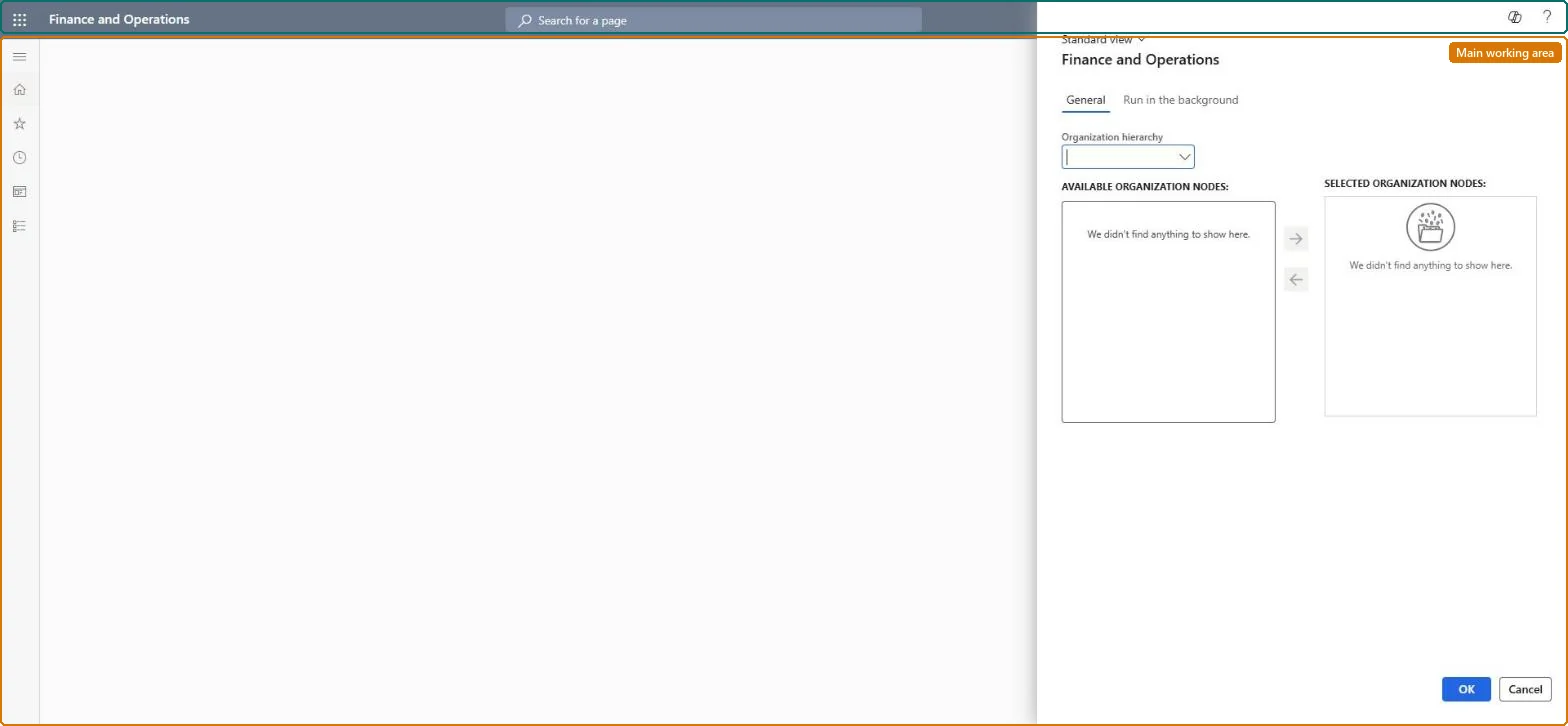
Use this page to run or schedule the job that turns posted warranty transactions into warranty policies, choosing the stores by organization hierarchy node and setting a recurrence.
Example
For example, schedule the job nightly for the whole retail hierarchy so that every warranty sold that day receives a policy number customers can be given.
The page in Dynamics 365. page title tab to open what to set or check
About the examples: Examples and screenshots in this guide use BEAT, a demo company in a Dynamics 365 test environment. Use your own company's codes and values instead of copying them.
When to run it
When to run it
After cash-and-carry transactions with warranty sales are posted in headquarters.
How often
As a recurring batch job after statement posting.
Batch settings
Recurring batch job per store group, after statements are posted.
What the output shows
Warranty policies, one per sold warranty, with policy number, warranted item and serial number, sales date, effective and expiration dates and status (Created, Voided, Effective or Expired). A sale without a policy usually means its transactions weren't posted yet, or the store isn't in the selected nodes.
Go to Retail and Commerce > Products and categories > Warranty > Process warranty transactions.
In the Choose organization nodes dialog box, select an Organizational hierarchy.
In Available organization nodes, select a store, or a node for a group of stores, and use the right arrow to move it to Selected organization nodes.
On the Run in the background tab, set Batch processing to Yes and select Recurrence; enter the start date and time and choose No end date, End after or End by.
Afterwards, look up the warranty policies for a recent warranty sale: each policy has a policy number, the warranted serial number, effective and expiration dates and a status.
No: Warranty policies are generated automatically and can't be edited by hand. Microsoft Learn
If you change it later
The policies this job creates are generated automatically and cannot be edited by hand, so the transactions and number sequence must be right before the job runs. Microsoft Learn
Technical architect
5Technical
Menu item
RetailWarrantyProcessTransactionSchedulerChecked in Dynamics 365
Form
RetailOperatingUnitPickerChecked in Dynamics 365
Roles to set it up and use it
To use itRetail service RetailServiceRetail operations manager RetailOperationsManagerGive people one of these roles. On this system, 2 roles can run this page.Checked in Dynamics 365