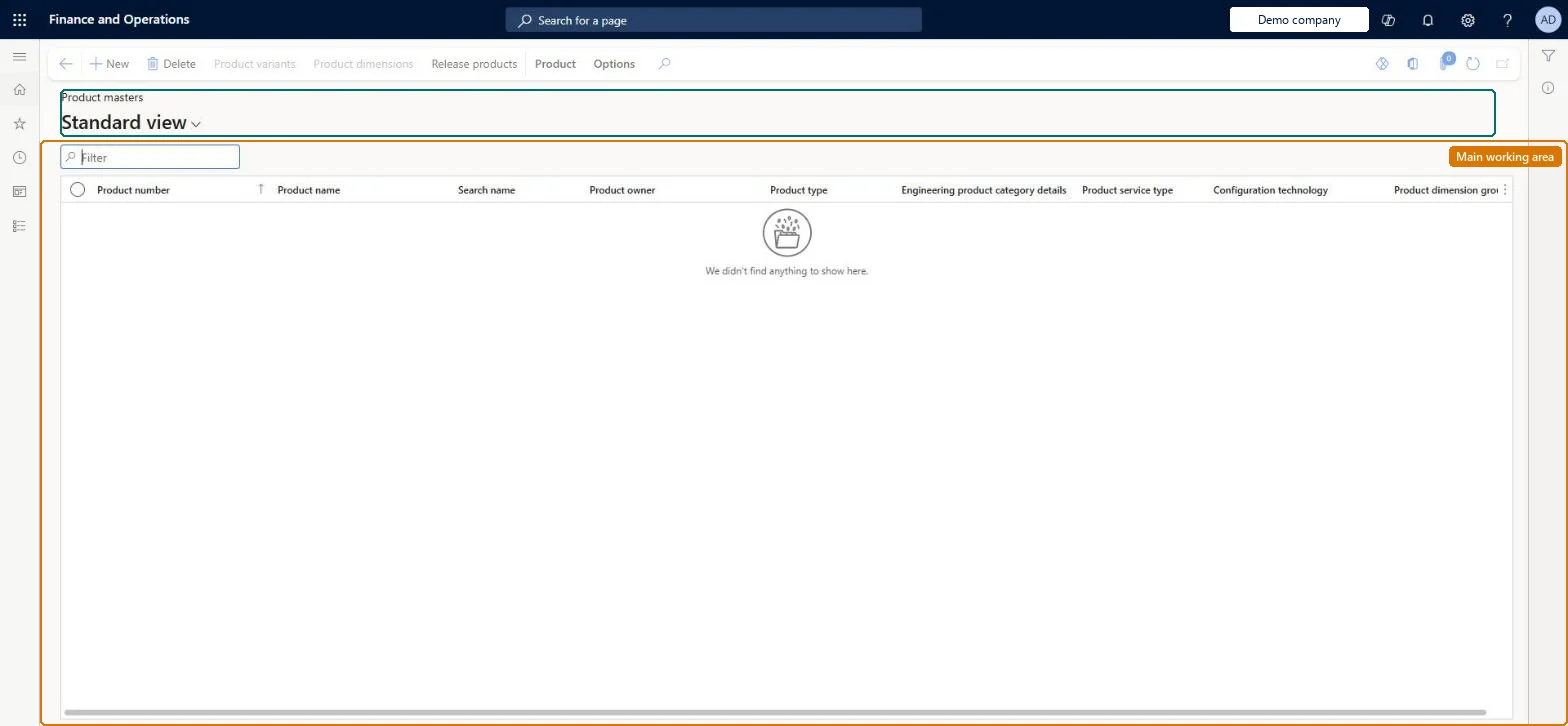
A list page of organisation-wide product masters flagged as product kits, where a kit is created and its components and component substitutes are configured and approved.
Purchasing agent, Purchasing Agent - Public Sector, Product designer and 6 more roles
Business process
Combine two or more products to create a bundle in Dynamics 365 Commerce
Menu item
RetailKitListPage
Main table
EcoResProduct
Data entity
EcoResProductV2Entity
Show what matters for
PAGE GUIDEWhat the page does and how to use it8 sections. Choose a role to highlight what matters to you.
Everyone
1What it is and why
What it is
A list page of organisation-wide product masters flagged as product kits, where a kit is created and its components and component substitutes are configured and approved.
What you do here
Use this page to create a new product designated as a kit, add products and product variants as kit components, add substitutes, set whether the kit can be disassembled at the register, approve the kit and release it to legal entities.
Example
For example, package a bicycle with a standard tyre set as one kit and offer a premium tyre set as a substitute with an extra charge.
The page in Dynamics 365. page title tab to open what to set or check
About the examples: Examples and screenshots in this guide use BEAT, a demo company in a Dynamics 365 test environment. Use your own company's codes and values instead of copying them.
Steps from Microsoft
Go to Retail and Commerce > Products and categories > Product kits.
Select New.
In the New product dialog box, set Product type to Item and enter a product number, product name and search name.
Select the Product dimension group that includes the Configuration dimension, then select OK.
Select the new kit, then on the Product kit tab select Configure, and select Edit.
On the Kit components FastTab, select Add in the Components grid to add the base products.
In the Substitution grid, select Add to add substitutes for selected components.
A kit must be approved before it can be released, priced or assembled; and kits can be sold through POS but not through online channels without customisation. Microsoft Learn
Technical architect
6Technical
Menu item
RetailKitListPageChecked in Dynamics 365
Form
EcoResProductListPageChecked in Dynamics 365
Table
EcoResProductShown as “PRODUCTS” in Record infoKey field: DisplayProductNumberChecked in Dynamics 365
PrivilegesView products EcoResProductListPageViewDutiesInquire into products definition master EcoResProductDefinitionMasterInquireMaintain products definition master EcoResProductDefinitionMasterMaintainMaintain release of products EcoResProductReleaseReview release of products process performance EcoResProductReleaseProcessPerformRevie9 security rolesProduct designer BOMProductDesignerProduct design manager BOMProductDesignManagerMaterials manager InventMaterialsManagerQuality control manager InventQualityControlManagerBuying agent TradeBuyingAgentPurchasing manager TradePurchasingManagerPurchasing agent VendPurchasingAgentPurchasing Agent - Public Sector VendPurchasingAgent_PSNWarehouse manager WMSWarehouseManagerChecked in Dynamics 365
Roles to set it up and use it
To use itProduct designer BOMProductDesignerMaterials manager InventMaterialsManagerWarehouse manager WMSWarehouseManagerQuality control manager InventQualityControlManagerBuying agent TradeBuyingAgentGive people one of these roles. On this system, 9 roles can open this page.Checked in Dynamics 365
Actions on the page
Product: Languages, Set up, Engineering change management, Product kit, Product change(Action Pane without tabs): Product variants, Product dimensions, Release productsChecked in Dynamics 365