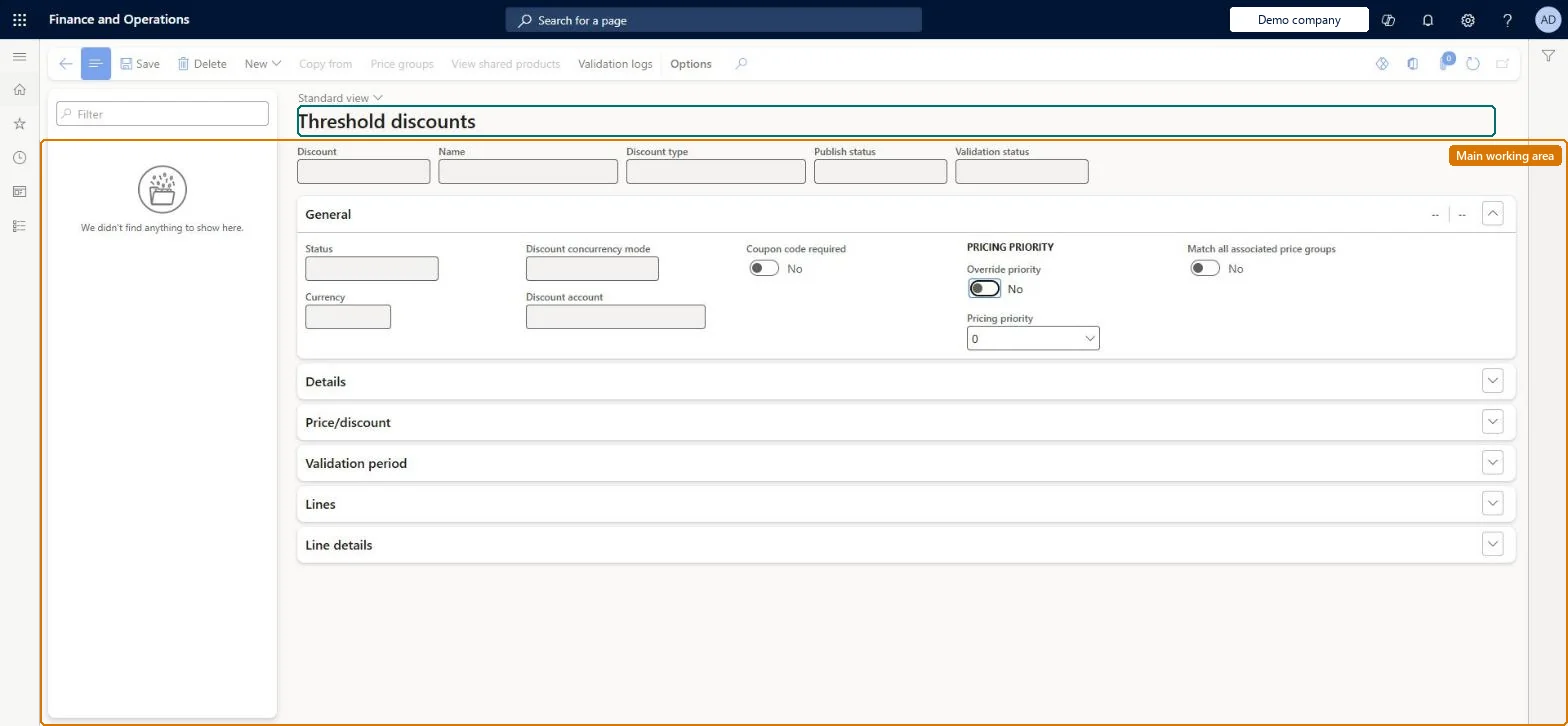
A setup page where you create and manage threshold discounts, which give a discount once the qualifying total of a transaction reaches one or more amount tiers.
Retail merchandising manager, Retail operations manager, Retail service and 1 more role
Business process
Create threshold discounts in Dynamics 365 Commerce
Menu item
RetailDiscountThreshold
Main table
RetailPeriodicDiscount
Data entity
RetailDiscountEntity
Show what matters for
PAGE GUIDEWhat the page does and how to use it8 sections. Choose a role to highlight what matters to you.
Everyone
1What it is and why
What it is
A setup page where you create and manage threshold discounts, which give a discount once the qualifying total of a transaction reaches one or more amount tiers.
What you do here
Use this page to define the amount tiers, the discount for each tier, the products that count towards the total, and optionally the products that receive the discount.
Example
For example, give 30 percent off a specific item once the total for items in the Fashion category reaches $100.
The page in Dynamics 365. page title tab to open what to set or check
About the examples: Examples and screenshots in this guide use BEAT, a demo company in a Dynamics 365 test environment. Use your own company's codes and values instead of copying them.
Steps from Microsoft
Go to Retail and Commerce > Pricing and discounts > Threshold discounts.
On the Action Pane, select New.
Enter the discount name, price groups, priority and validation period.
On the Threshold discount tiers FastTab, select Add and enter the Amount for the tier and its discount.
In the Calculation type field, choose how the discount is given (for example Discount lines).
On the Lines FastTab, add the products or categories that count towards the threshold.
If you chose Discount lines, add the products to discount on the Threshold discount lines FastTab.
The transaction amount that must be reached for the tier.Microsoft Learn
Discount method / Discount value
Whether the tier gives a percentage or an amount, and how much.Microsoft Learn
Calculation type
Selecting Discount lines lets you discount specific products rather than the qualifying lines.Microsoft Learn
Lines
The products or categories whose sales amount counts towards the threshold.Microsoft Learn
Threshold discount lines
The products that actually receive the discount when the threshold is met.Microsoft Learn
Count non-discountable products towards threshold
Lets items that cannot be discounted still count towards reaching the threshold.Microsoft Learn
Discount concurrency mode
Exclusive, Best price or Compounded; exclusive threshold discounts can be made to compete with other exclusive discounts via a parameter.Microsoft Learn
ConcurrencyMode
Test checklist
Create a threshold discount with two amount tiers, the second giving a larger discount, and add a price group.
Enable it and run the 1020 job.
Ring up a sale just above the first tier and check the first tier discount.
Ring up a sale above the second tier and check the larger discount.
With Count non-discountable products towards threshold on, include a product set to Prevent all discounts and check it counts towards the total but isn't discounted.
New records on this page take their Discount from the RetailOfferIdEx3 reference; BEAT uses number sequence Comm_79. Checked in Dynamics 365
Solution architect
5Design impact
Can it be undone
One-way: Warning: the Discount ID and Discount type are fixed once created. Tiers can be changed only while Disabled, and each tier must give at least the largest discount of the tier below or the discount can't be enabled. Microsoft Learn
If you change it later
Each higher tier must give at least as much discount as the tier below or the discount cannot be enabled; threshold discounts also feed the Prevent retail discounts product setting. Microsoft Learn
Technical architect
6Technical
Menu item
RetailDiscountThresholdChecked in Dynamics 365
Form
RetailPeriodicDiscountChecked in Dynamics 365
Table
RetailPeriodicDiscountShown as “PERIODIC DISCOUNT” in Record infoKey field: OfferIdChecked in Dynamics 365
To set it up or change itRetail service RetailServiceRetail merchandising manager RetailMerchandisingManagerTo use itRetail operations manager RetailOperationsManagerRetail store manager RetailStoreManagerGive people one of these roles. On this system, 4 roles can open this page.Checked in Dynamics 365
Actions on the page
(Action Pane without tabs): New, Copy from, Price groups, View shared products, Validation logsChecked in Dynamics 365