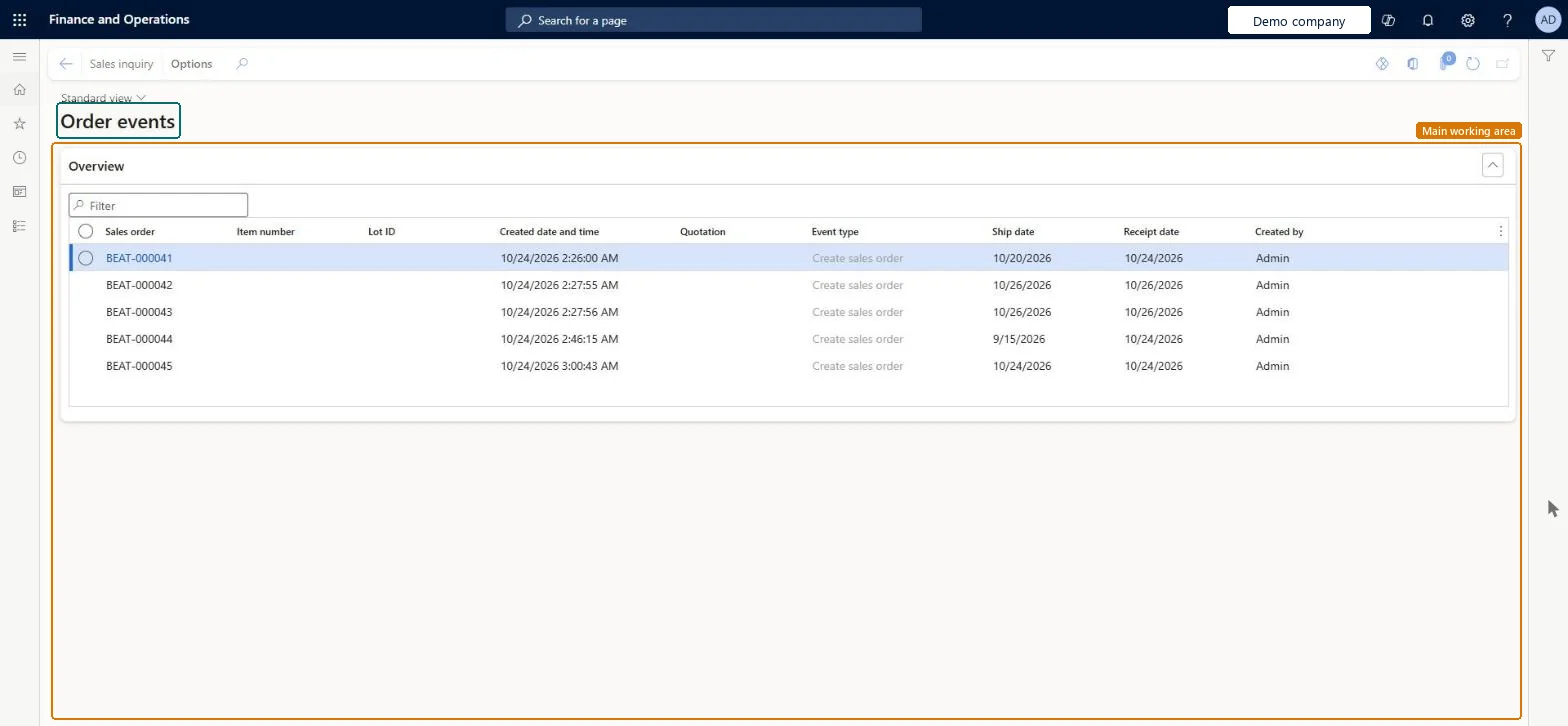
About the examples: Examples and screenshots in this guide use BEAT, a demo company in a Dynamics 365 test environment. Use your own company's codes and values instead of copying them.
How to use it
Go to Retail and Commerce > Inquiries and reports > Order events.
Use the Filter box in the Overview section to find an order.
Review the Sales order, Item number, Lot ID, Created date and time, Quotation, Event type, Ship date, Receipt date and Created by columns.
Select an event, then open the Details section to see Order holds, Price override, Direct delivery, Delivery date and Alternate item information.
MCROrderEventTableShown as “Order event” in Record infoChecked in Dynamics 365
Roles to set it up and use it
To set it up or change itRetail service RetailServiceSales manager TradeSalesManagerSales clerk TradeSalesClerkSales representative TradeSalesRepresentativeCustomer service representative TradeCustomerServiceRepresentativeTo use itRetail store manager RetailStoreManagerAccounts receivable manager CustInvoiceAccountsReceivableManagerRental purchasing manager RentalPurchasingManagerRental representative RentalRepresentativeAccounts receivable clerk CustInvoiceAccountsReceivableClerkGive people one of these roles. On this system, 19 roles can open this page.Checked in Dynamics 365
Actions on the page
Options: Personalize, Page options, ShareChecked in Dynamics 365