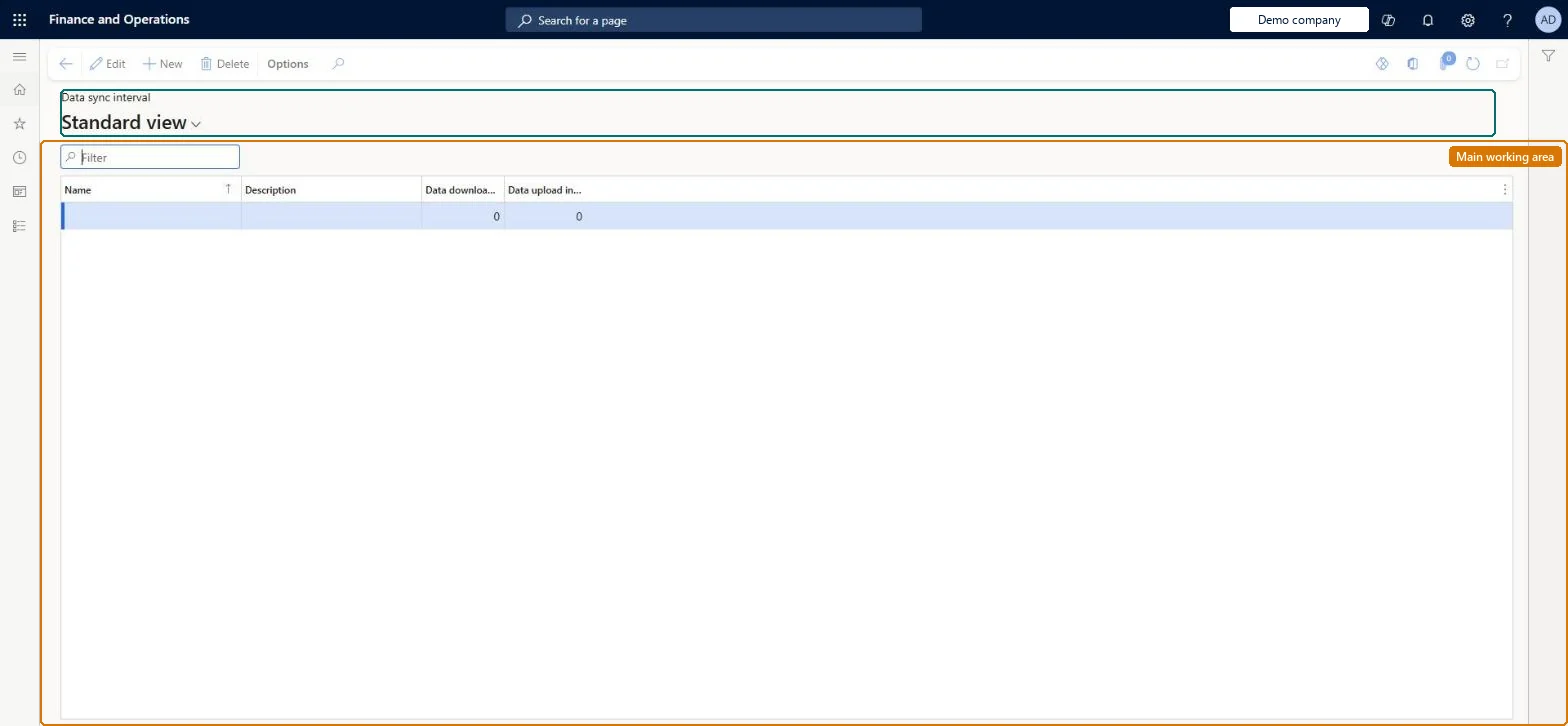
A setup page where named synchronization intervals (for example D60-U15 in the demo data) are defined so they can be selected in the Data sync interval field of a channel database, which sets how often that database synchronizes with headquarters.
Retail and CommerceHeadquarters setupCommerce scheduler
RetailCDXSchedulerInterval
Used by
Retail operations manager, Retail service, Retail store IT and 1 more role
Business process
Manage sales channels
Menu item
RetailCDXSchedulerInterval
Main table
RetailCDXSchedulerInterval
Setup steps
1 on this page
Show what matters for
PAGE GUIDEWhat the page does and how to use it8 sections. Choose a role to highlight what matters to you.
Everyone
1What it is and why
What it is
A setup page where named synchronization intervals (for example D60-U15 in the demo data) are defined so they can be selected in the Data sync interval field of a channel database, which sets how often that database synchronizes with headquarters.
What you do here
Use this page to define the interval records that override the Commerce Scale Unit's default three-minute synchronization for the channel databases that reference them.
Example
For example, in the demo data the interval D60-U15 gives a channel database a 15-minute synchronization interval.
The page in Dynamics 365. page title tab to open what to set or check
Async Server profile (Dynamics AX 2012 R3 predecessor) Microsoft Learn
End user · Functional consultant
3How to do it
About the examples: Examples and screenshots in this guide use BEAT, a demo company in a Dynamics 365 test environment. Use your own company's codes and values instead of copying them.
Setup steps on this page
Set up Data sync interval
Use this page to define the interval records that override the Commerce Scale Unit's default three-minute synchronization for the channel databases that reference them.
How to use it
Go to Retail and Commerce > Headquarters setup > Commerce scheduler > Data sync interval.
Use the Filter box to find an interval.
Select New and enter the Name and Description, then the Data download interval and Data upload interval in minutes.
Select Save; select Delete to remove a selected row.
Source: Checked in Dynamics 365
Test checklist
Create an interval record and select it in Data sync interval on a test channel database.
Make a change that a download job carries (for example a product price) and run the job.
On Channel database > Data synchronization, check Last connection updates at the expected frequency.
Clear the field and check synchronization returns to the default frequency.
Leave the channel database's Data sync interval blank unless a store needs a different frequencyIf no value is entered, the Commerce Scale Unit uses its default interval of three minutes. You select an interval record (for example D60-U15, a 15-minute interval in the demo data) only to override that.
Solution architect
5Design impact
Can it be undone
Reversible: Intervals can be changed, or the field on the channel database cleared to go back to the three-minute default. Microsoft Learn
Technical architect
6Technical
Menu item
RetailCDXSchedulerIntervalChecked in Dynamics 365
Form
RetailCDXSchedulerIntervalChecked in Dynamics 365
Table
RetailCDXSchedulerIntervalShown as “ASYNC SERVER PROFILE” in Record infoKey field: NameChecked in Dynamics 365
Who can open it
PrivilegesMaintain Retail Commerce Data Exchange RetailCDXMaintainDutiesManage Commerce Data Exchange: Synch Service RetailCDXMaintain4 security rolesRetail operations manager RetailOperationsManagerRetail service RetailServiceRetail store IT RetailStoreITRetail store manager RetailStoreManagerChecked in Dynamics 365
Roles to set it up and use it
To set it up or change itRetail service RetailServiceRetail operations manager RetailOperationsManagerRetail store manager RetailStoreManagerRetail store IT RetailStoreITGive people one of these roles. On this system, 4 roles can open this page.Checked in Dynamics 365