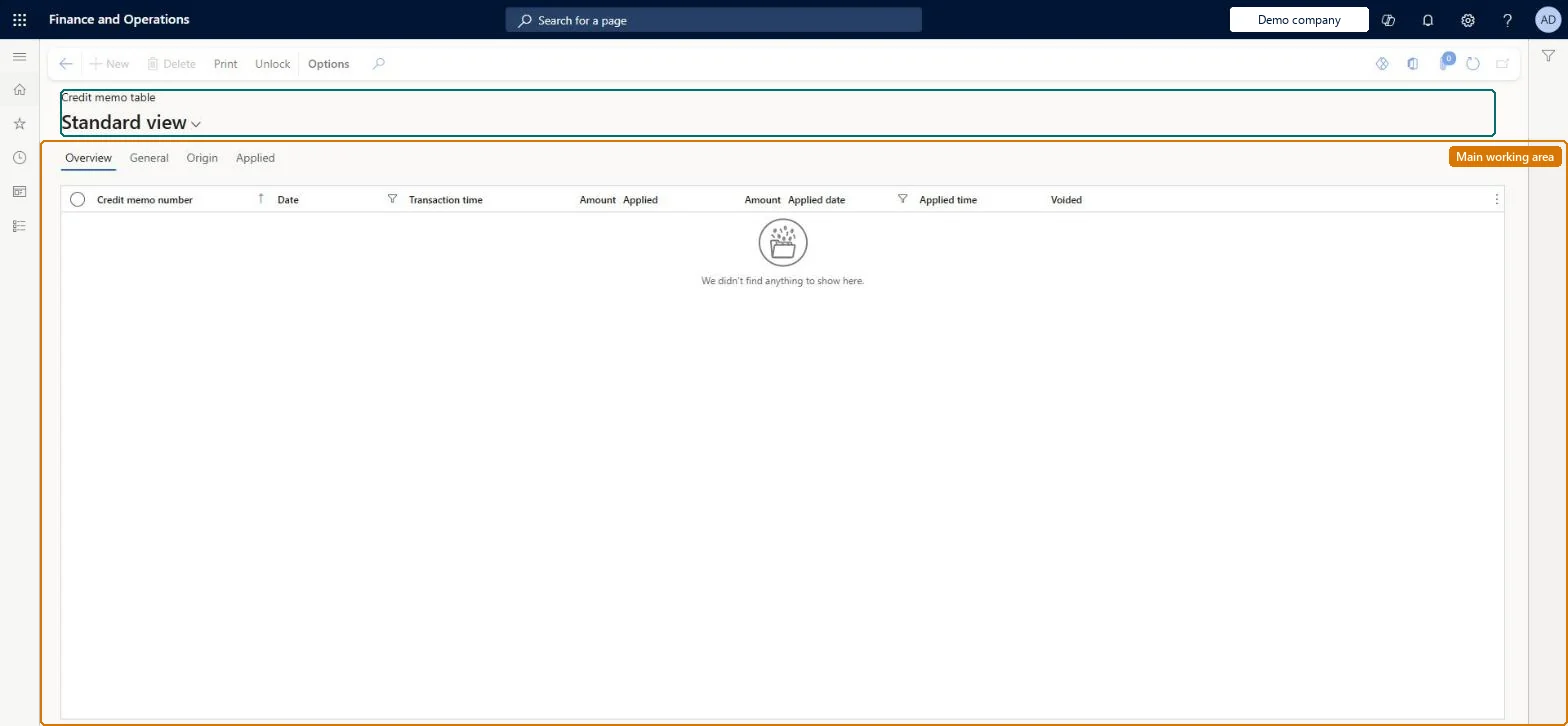
An inquiry page (the Credit memo table) that lists every retail credit memo issued at the point of sale, with its number, transaction date and time, value, and whether and when it was redeemed.
Retail merchandising manager, Retail operations manager, Retail service and 1 more role
Business process
Issue a credit memo at the Point of Sale (POS) in Dynamics 365 Commerce
Menu item
RetailCreditVoucherTable
Main table
RetailCreditVoucherTable
Data entity
RetailCreditMemoEntity
Show what matters for
PAGE GUIDEWhat the page does and how to use it7 sections. Choose a role to highlight what matters to you.
Everyone
1What it is and why
What it is
An inquiry page (the Credit memo table) that lists every retail credit memo issued at the point of sale, with its number, transaction date and time, value, and whether and when it was redeemed.
What you do here
Use this page to check whether a credit memo is still open or has been applied, to see its amount and the date it was used, and to print the list for audit.
Example
For example, when a customer presents a credit memo and the cashier is unsure it is valid, a store manager looks the number up here to confirm the Applied check box is clear.
The page in Dynamics 365. page title tab to open what to set or check
About the examples: Examples and screenshots in this guide use BEAT, a demo company in a Dynamics 365 test environment. Use your own company's codes and values instead of copying them.
Steps from Microsoft
Go to Retail and Commerce > Channels > Stores > Credit memos.
Review the list of issued credit memos and their amounts.
Filter by transaction date or applied date using the query groups.
Check the Applied check box and applied amount, date and time for a memo.
One-way: Warning: a credit memo can be used only one time. A partial redemption issues a new credit memo with a new number for the balance, and the table keeps a record of every number used. Microsoft Learn
Technical architect
5Technical
Menu item
RetailCreditVoucherTableChecked in Dynamics 365
Form
RetailCreditVoucherTableChecked in Dynamics 365
Table
RetailCreditVoucherTableShown as “CREDIT MEMO TABLE” in Record infoChecked in Dynamics 365
PrivilegesView retail credit voucher reports RetailCreditVoucherReportsViewDutiesInquire into retail sales reports RetailIntoSalesReportsInquireInquire into sales reports for retail trial. RetailTrialIntoSalesReportsInquire4 security rolesRetail merchandising manager RetailMerchandisingManagerRetail operations manager RetailOperationsManagerRetail service RetailServiceRetail store manager RetailStoreManagerChecked in Dynamics 365
Roles to set it up and use it
To use itRetail service RetailServiceRetail operations manager RetailOperationsManagerRetail store manager RetailStoreManagerRetail merchandising manager RetailMerchandisingManagerGive people one of these roles. On this system, 4 roles can open this page.Checked in Dynamics 365
Actions on the page
(Action Pane without tabs): Print, UnlockChecked in Dynamics 365