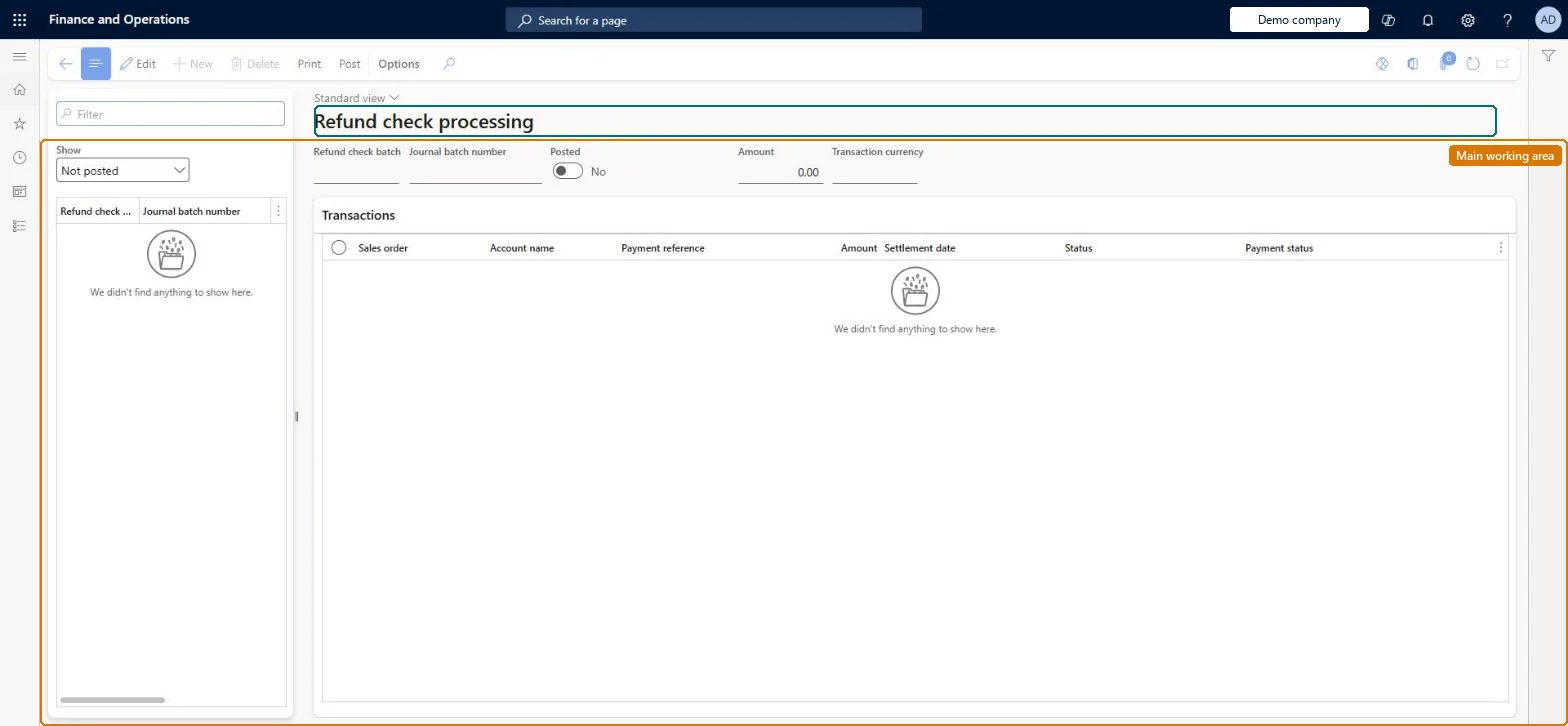
A processing page where approved check refunds from call center returns are gathered into a batch, posted as customer payment vouchers, and printed as refund checks, as an alternative to the Accounts receivable customer payment journal.
Retail and CommerceChannelsCall centersRefund check
MCRRefundCheckProcessing
Used by
Sales manager
Business process
Use refund checks to refund call center orders in Dynamics 365 Commerce
Menu item
MCRRefundCheckProcessing
Main table
MCRRCTransBatchTable
Show what matters for
PAGE GUIDEWhat the page does and how to use it7 sections. Choose a role to highlight what matters to you.
Everyone
1What it is and why
What it is
A processing page where approved check refunds from call center returns are gathered into a batch, posted as customer payment vouchers, and printed as refund checks, as an alternative to the Accounts receivable customer payment journal.
What you do here
Use this page to create a batch, choose which approved refund transactions to include, post the batch and print the refund checks to send to customers.
Example
For example, once a week an accounts clerk creates a batch here, selects all open approved refunds, posts them and prints the checks in one run.
The page in Dynamics 365. page title tab to open what to set or check
About the examples: Examples and screenshots in this guide use BEAT, a demo company in a Dynamics 365 test environment. Use your own company's codes and values instead of copying them.
Steps from Microsoft
Go to Retail and Commerce > Channels > Call centers > Refund check > Refund check processing.
Select New.
In the Show field, choose all, open or posted transactions.
On the Transactions FastTab, select the approved refunds to include in the batch.
Check the total in the Amount field.
Select Post, then Print to print the refund checks.
Posting the batch posts the refund payment vouchers against the customers' accounts and printing issues the physical checks, so the batch selection must be right before Post. Microsoft Learn
Technical architect
5Technical
Menu item
MCRRefundCheckProcessingChecked in Dynamics 365
Form
MCRRefundCheckProcessingChecked in Dynamics 365
Table
MCRRCTransBatchTableShown as “REFUND CHECK TRANSACTION BATCH” in Record infoChecked in Dynamics 365
To set it up or change itSales manager TradeSalesManagerGive people one of these roles. On this system, 1 role can open this page.Checked in Dynamics 365
Actions on the page
(Action Pane without tabs): Print, PostChecked in Dynamics 365