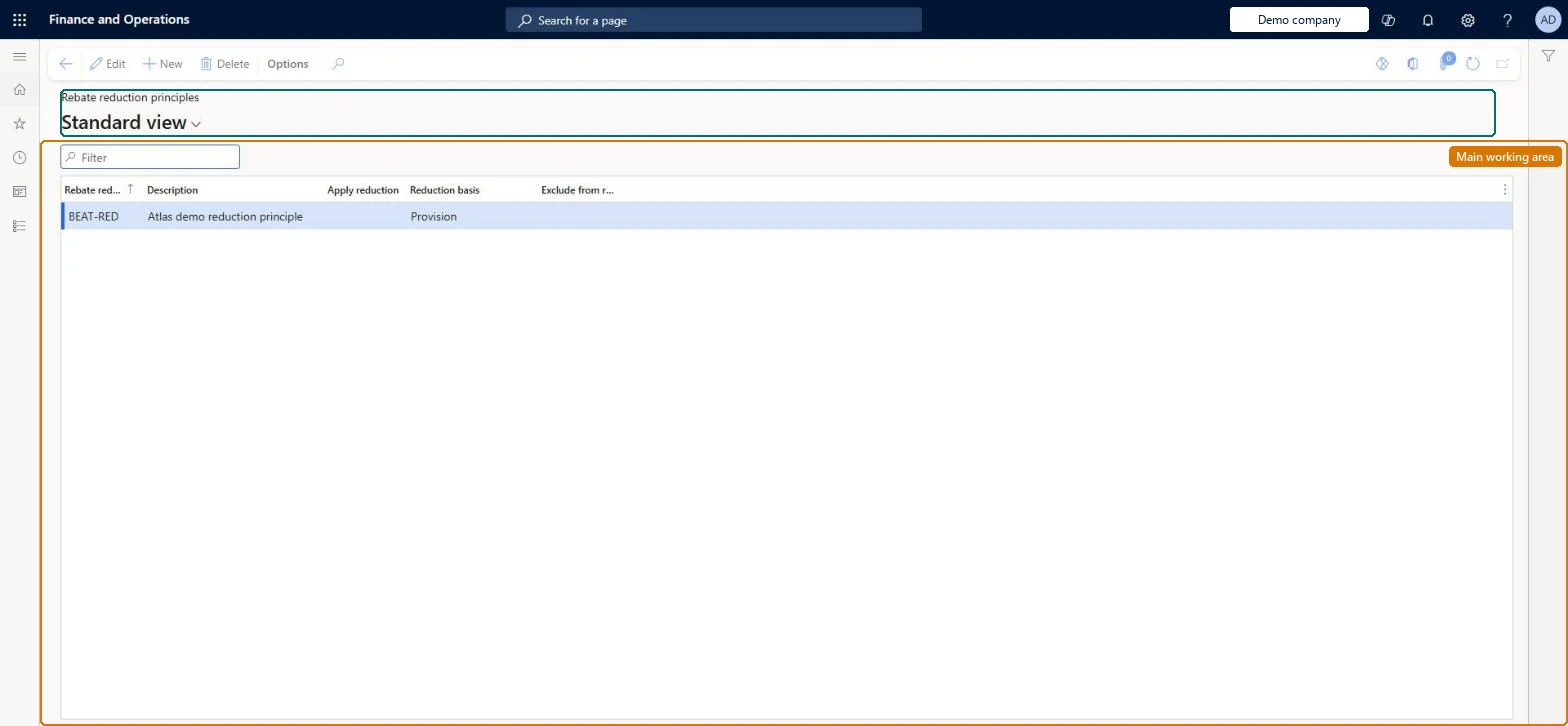
A setup page where you define reduction principles that group Rebate management deals so that, when deals overlap, one rebate can reduce other provisions on an item or reduce the result of other rebate calculations.
Accounts payable manager, Accounts receivable clerk, Accounts receivable manager and 2 more roles
Business process
Set product prices
Menu item
TAMRebateCategory
Main table
TAMRebateCategory
Data entity
TAMRebateCustomerRebateReductionPrincipleEntity
Setup steps
1 on this page
Show what matters for
PAGE GUIDEWhat the page does and how to use it8 sections. Choose a role to highlight what matters to you.
Everyone
1What it is and why
What it is
A setup page where you define reduction principles that group Rebate management deals so that, when deals overlap, one rebate can reduce other provisions on an item or reduce the result of other rebate calculations.
What you do here
Use this page to add and remove reduction principles and set, for each, whether a reduction is applied, what it is based on and whether the principle is excluded from later reductions; you can then assign the principles to deal lines as needed.
Example
For example, when four deals apply to the same $1,000 sales order line, the principles decide whether each deal's percentage is applied to the full $1,000 or to the amount left after earlier deals.
The page in Dynamics 365. page title tab to open what to set or check
Process, review, and post rebates Microsoft Learn Reduction transactions (on the Rebate management transactions page) Microsoft Learn
End user · Functional consultant
3How to do it
About the examples: Examples and screenshots in this guide use BEAT, a demo company in a Dynamics 365 test environment. Use your own company's codes and values instead of copying them.
Setup steps on this page
Set up Rebate reduction principles
Use this page to add and remove reduction principles and set, for each, whether a reduction is applied, what it is based on and whether the principle is excluded from later reductions; you can then assign the principles to deal lines as needed.
Steps from Microsoft
Go to Rebate management > Setup > Rebate reduction principles.
Select New on the Action Pane.
Enter a unique Rebate reduction principle name and a Description.
Select Apply reduction and choose the Reduction basis (Provision, Rebates or Both).
Select Exclude from reduction if this principle's provisions and rebates must not be reduced by later deals.
Save, then assign the principle to the relevant deal lines.
Whether rebates in this principle are reduced according to the reduction basis.Microsoft Learn
ApplyReduction
Reduction basis
What the reduction is based on (Provision, Rebates or Both); with Both, only the rebate is applied when both a provision and a rebate were posted for a previous deal.Microsoft Learn
ReductionBasis
Exclude from reduction
Whether this principle's provisions and rebates are left out of later reductions, regardless of the reduction basis.Microsoft Learn
ExcludeFromReduction
Test checklist
Create two principles: one with Apply reduction = No and one with Apply reduction = Yes and Reduction basis = Both.
Assign them to two overlapping deals on the same item and activate both.
Invoice a $1,000 sales line and process provisions in a fixed order.
Open Reduction transactions and check the second deal's provision is calculated on the reduced amount.
What should a reduction principle reduce?Ignoring processing order. Reductions apply only when deals overlap, and the order in which overlapping deals are processed changes the total provision (the Learn example gives $610 to $650 for the same four deals).
Solution architect
5Design impact
Can it be undone
Hard to reverse: Principles can be added and removed, but once assigned to lines of an active deal they can't be changed without deactivating the deal. Microsoft Learn
If you change it later
The principles only take effect when rebate deals overlap, and the order in which overlapping deals are processed changes the final provision and rebate totals. Microsoft Learn
Technical architect
6Technical
Menu item
TAMRebateCategoryChecked in Dynamics 365
Form
TAMRebateCategoryChecked in Dynamics 365
Table
TAMRebateCategoryShown as “REBATE REDUCTION PRINCIPLES” in Record infoKey field: CategoryChecked in Dynamics 365
Data entities
TAMRebateCustomerRebateReductionPrincipleEntityRebate management principles Checked in Dynamics 365
To set it up or change itAccounts payable manager VendInvoiceAccountsPayableManagerAccounts receivable clerk CustInvoiceAccountsReceivableClerkSales manager TradeSalesManagerTo use itAccounts receivable manager CustInvoiceAccountsReceivableManagerPurchasing manager TradePurchasingManagerGive people one of these roles. On this system, 5 roles can open this page.Checked in Dynamics 365
Developer
7Developer
Open it by URL
https://<your-environment>/?mi=TAMRebateCategory
Integrate with
TAMRebateCustomerRebateReductionPrincipleEntity data entity Checked in Dynamics 365