Project management and accountingPeriodicForecasts
action:ProjForecastBudgetDelete
Business process
Plan projects
Menu item
action:ProjForecastBudgetDelete
Setup steps
1 on this page
Show what matters for
PAGE GUIDEWhat the page does and how to use it8 sections. Choose a role to highlight what matters to you.
Everyone
1What it is and why
What it is
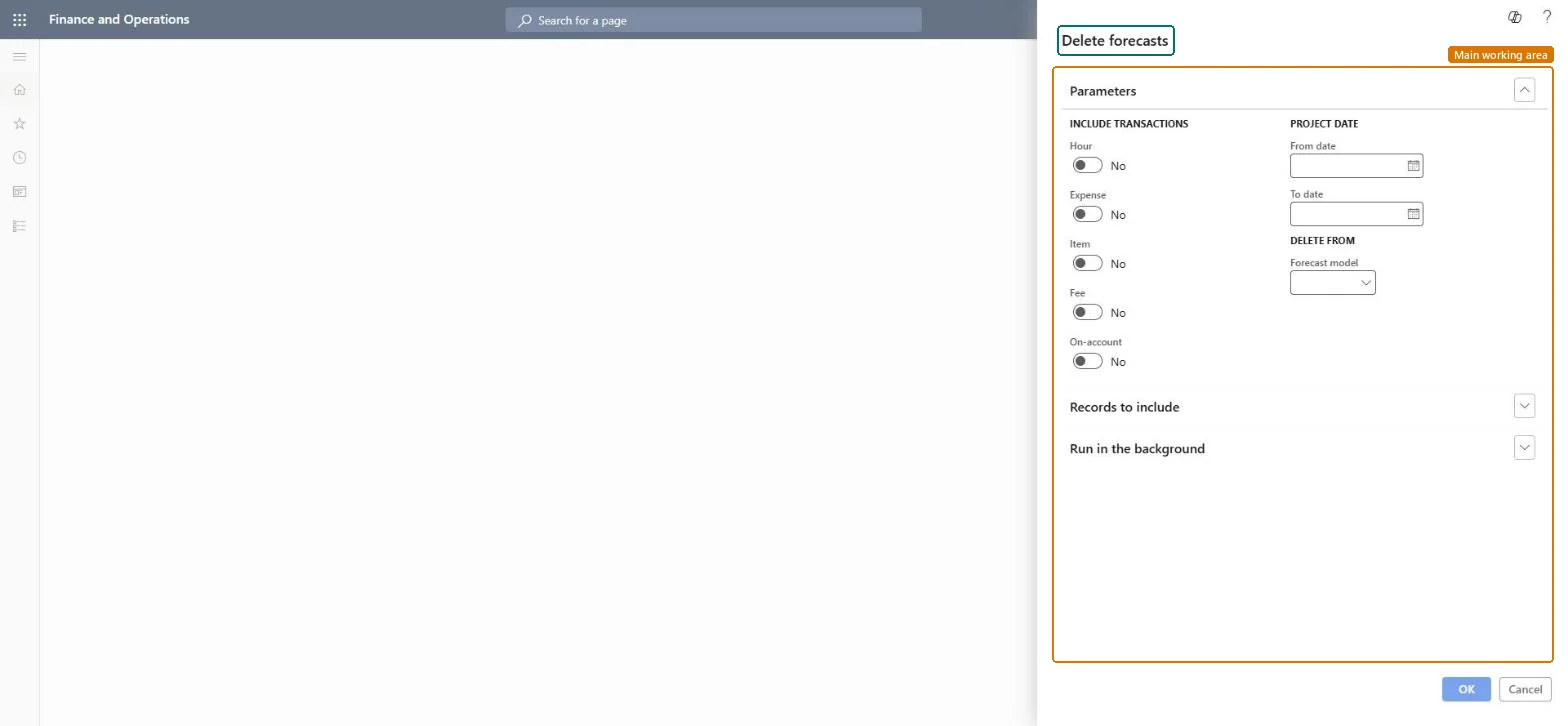
A periodic job that permanently deletes forecast transactions from a forecast model, limited to the transaction types and dates you choose.
What you do here
Use it to remove a forecast, or part of one, before you re-forecast. It can't be undone, so copy the model first if you may need the lines again.
Example
BEAT re-forecasts the second half of 2026. The project manager first copies FC-2026 to FC-2026-ARCH, then deletes the hour and expense forecast transactions dated 07/01/2026 to 12/31/2026 from FC-2026, removing 620.00 forecast hours on PRJ-0042.
The page in Dynamics 365. page title tab to open what to set or check
About the examples: Examples and screenshots in this guide use BEAT, a demo company in a Dynamics 365 test environment. Use your own company's codes and values instead of copying them.
When to run it
When to run it
When a forecast, or part of it, is no longer valid and must be removed before you re-forecast.
How often
On demand, when a forecast model is replaced or revised.
Batch settings
Run in the background only for large models; check the selection first.
What the output shows
The forecast transactions of the chosen types and dates are removed from the model. Lines outside the range or of other types stay.
The transaction types to delete from the forecast model.Microsoft Learn
Hour and Expense
From date
With To date, the date range of the forecast transactions to delete.Microsoft Learn
07/01/2026 to 12/31/2026
Forecast model
The forecast model that the transactions are deleted from.Microsoft Learn
FC-2026
Common errors and fixes
Message
What to do
Forecast lines outside the intended range or of other types are missing.
The dates or Include transactions were wider than intended. Load the lines back from the archive model with Copy forecasts; without an archive, they must be entered again. Microsoft Learn
Test checklist
Copy FC-2026 to FC-2026-ARCH.
Delete hours dated 07/01/2026 to 12/31/2026 from FC-2026.
Total the hour forecast of PRJ-0042 in FC-2026 for that range: 0.00.
Archive the model with Copy forecasts first, then delete by transaction type and date range.The delete can't be undone; the archive is the only way back.
On the live system, Project manager, Project accountant and Project assistant use this page.
Checked in Dynamics 365
Solution architect
5Design impact
Shared or per company
Per company: the job deletes forecast transactions of the legal entity you run it in. Microsoft data model
Can it be undone
No: Deleted forecast transactions can't be restored. Copy the model with Copy forecasts first if you may need them. Microsoft Learn
If you change it later
Deletes forecast transactions permanently. Reports, cost control and forecast reduction that use the model change at once, and amounts already transferred to a ledger budget aren't removed. Microsoft Learn
Technical architect
6Technical
Menu item
action:ProjForecastBudgetDeleteChecked in Dynamics 365
Form
DialogChecked in Dynamics 365
Roles to set it up and use it
To use itProject manager ProjProjectManagerProject accountant ProjProjectAccountantProject assistant ProjProjectClerkGive people one of these roles. On this system, 3 roles can run this page.Checked in Dynamics 365
Load order: Delete forecasts has no data entity in Data management: it is a periodic job and keeps no records of its own. Load forecasts with the forecast entities (for example ProjForecastEmplEntity) and clean them up in the target system.Load first: ProjForecastEmplEntityMicrosoft data model