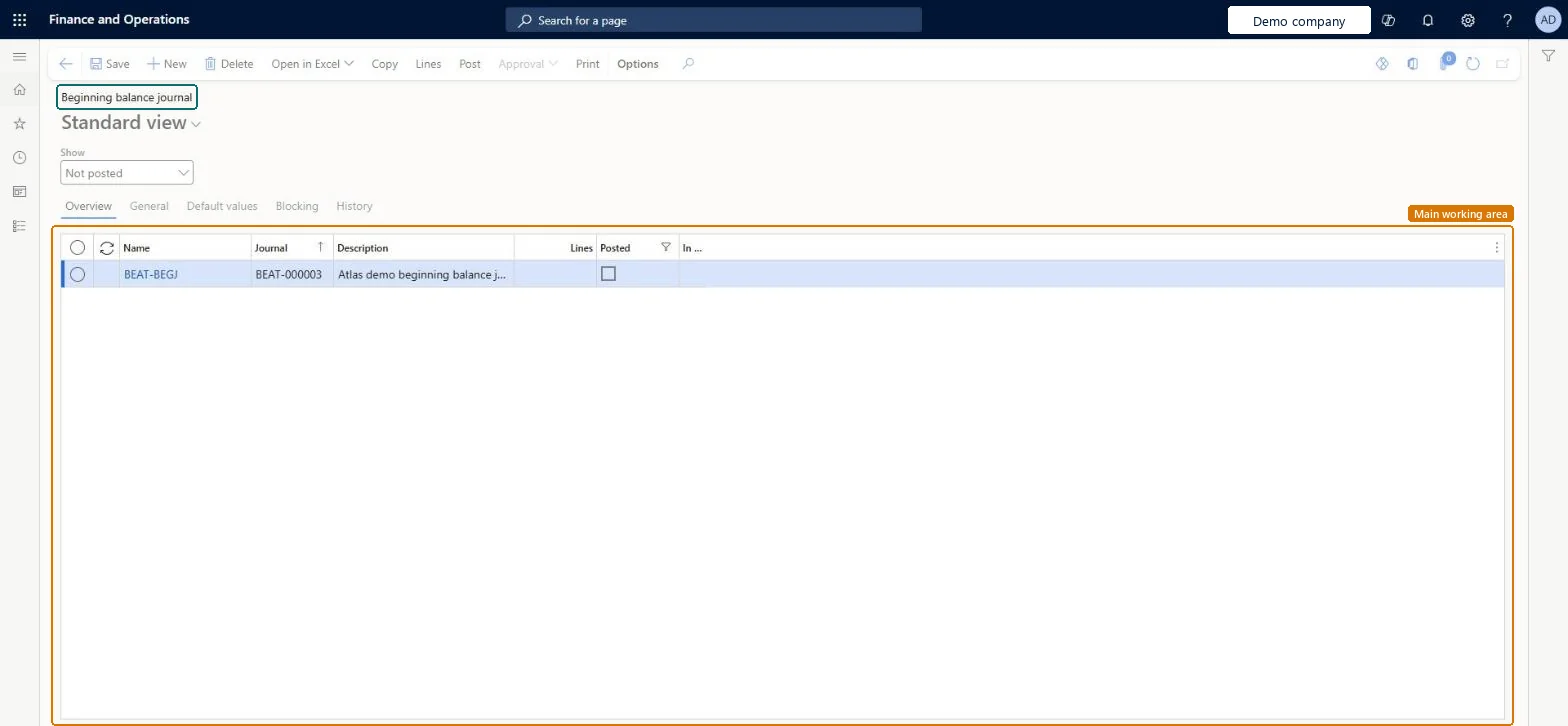
The beginning balance journal for Project Operations integrated with ERP: it holds the actuals dated on or before the cut-off date and, when posted, updates only the project subledger, not the general ledger.
Chief executive officer, Field Service Integration User, Project accountant and 3 more roles
Business process
Manage project financials
Menu item
ProjJournalTableBegBal
Main table
ProjJournalTable
Data entity
ProjJournalTableEntity
Setup steps
1 on this page
Show what matters for
PAGE GUIDEWhat the page does and how to use it8 sections. Choose a role to highlight what matters to you.
Everyone
1What it is and why
What it is
The beginning balance journal for Project Operations integrated with ERP: it holds the actuals dated on or before the cut-off date and, when posted, updates only the project subledger, not the general ledger.
What you do here
Use it at go-live to bring in the costs, revenue, WIP and billing of projects that were already under way, so revenue recognition and invoicing continue correctly.
Example
For example, BEAT goes live on 01/01/2027 with cut-off 31/12/2026; Import beginning balances creates a journal with 1,240.00 hours and 96,500.00 of unbilled sales for 18 running projects, which the accountant posts before the first revenue recognition run.
The page in Dynamics 365. page title tab to open what to set or check
About the examples: Examples and screenshots in this guide use BEAT, a demo company in a Dynamics 365 test environment. Use your own company's codes and values instead of copying them.
Setup steps on this page
Load project opening balances through Import beginning balances
Start running projects with correct subledger balances.
Steps from Microsoft
Go to Project management and accounting > Journals > Beginning balance.
If no journal is listed, set Create beginning balances, the As of date and the journal name on the parameters, then run Periodic > Project operations integration > Import beginning balances.
Select the journal created by the import, and then select Lines.
Check the lines cover the actuals dated on or before the cut-off date.
Select Post to post the journal.
Run revenue recognition for the beginning balances.
Parameter on the General tab that turns on beginning balance journals.Microsoft Learn
Yes
As of date
The cut-off date; actuals on or before it go to this journal, later ones to the integration journal. It can't be changed after the first posting.Microsoft Learn
31/12/2026
Beginning balance journal name
The journal name the import uses for the beginning balance journal.Microsoft Learn
PBEG
Transaction status
Set per contract line type; billed sales are created as Fully invoiced, costs and unbilled sales as Posted.Microsoft Learn
Posted
Common errors and fixes
Message
What to do
Billed milestones and retainers are missing from the beginning balances.
These aren't supported by the beginning balance feature; migrate fully invoiced billing milestones with the milestone cutover process. Microsoft Learn
Test checklist
On the parameters General tab select Create beginning balances, set the As of date and the journal name.
Run Import beginning balances and check a Beginning balance journal is created with actuals dated on or before the cut-off date.
Post the journal and check project transactions appear with no ledger voucher.
Check the As of date can no longer be edited.
Import an actual dated after the cut-off and check it goes to the integration journal instead.
Turn on the feature, set Create beginning balances, the As of date and the journal name, run Import beginning balances and post the journal before any revenue recognition.The cut-off date can't be changed after the first posting, and the journal updates only the project subledger, so the ledger balances must already be loaded separately.
Enable beginning balances in Project Operations Integrated with ERP (Must be on)
Licence or add-in
On the live system, Project accountant, Project assistant, Project manager and Project supervisor use this page. The page needs the feature Enable beginning balances in Project Operations Integrated with ERP and Dynamics 365 Finance 10.0.46 or later, for Project Operations integrated with ERP deployments.
One-way: Warning: the cut-off date (As of date) on the parameters becomes non-editable after the first Beginning balance journal transaction is posted. Posting creates project subledger entries only, with no general ledger entries. Microsoft Learn
If you change it later
The cut-off date can't be changed after the first beginning balance transaction is posted. Microsoft Learn
Technical architect
6Technical
Menu item
ProjJournalTableBegBalChecked in Dynamics 365
Form
ProjJournalTableChecked in Dynamics 365
Table
ProjJournalTableShown as “Project journal table” in Record infoKey field: JournalId, JournalType, JournalNameId, Description, TimesheetNbrChecked in Dynamics 365
PrivilegesMaintain beginning balance journals ProjJournalTableBegBalMaintainView beginning balance journals ProjJournalTableBegBalViewDutiesMaintain project transactions ProjProjectTransactionsMaintainMaintain project transactions ProjProjectTransactionsMaintainNoPostReview project transactions ProjProjectTransactionsReviewInquire into project transaction status ProjProjectTransactionStatusInquire6 security rolesChief executive officer CompanyChiefExecutiveOfficerField Service Integration User FieldServiceIntegrationUserProject accountant ProjProjectAccountantProject assistant ProjProjectClerkProject manager ProjProjectManagerProject supervisor ProjProjectSupervisorChecked in Dynamics 365
Roles to set it up and use it
To set it up or change itProject accountant ProjProjectAccountantProject assistant ProjProjectClerkTo use itProject manager ProjProjectManagerProject supervisor ProjProjectSupervisorChief executive officer CompanyChiefExecutiveOfficerField Service Integration User FieldServiceIntegrationUserGive people one of these roles. On this system, 6 roles can open this page.Checked in Dynamics 365
Actions on the page
Options: Personalize, Page options, Edit, ShareChecked in Dynamics 365
ProjJournalTableEntity (Project hour journals): backed by ProjJournalTable; the beginning balance lines themselves are created by Import beginning balances, not loaded.Load order: Bring the actuals into Project Operations journals first; Import beginning balances then creates this journal from the actuals on or before the As of date.Load first: Project Operations actuals dated on or before the cut-off date, Parameters: Create beginning balances, As of date, journal nameMicrosoft Learn