A periodic job that creates the period's revenue recognition records (formerly called estimates) for fixed price and investment projects attached to revenue recognition projects, for many projects at once.
Project management and accountingPeriodicRevenue recognition
action:ProjControlPeriod_PeriodicCreateV2
Business process
Manage project financials
Menu item
action:ProjControlPeriod_PeriodicCreateV2
Setup steps
1 on this page
Show what matters for
PAGE GUIDEWhat the page does and how to use it8 sections. Choose a role to highlight what matters to you.
Everyone
1What it is and why
What it is
A periodic job that creates the period's revenue recognition records (formerly called estimates) for fixed price and investment projects attached to revenue recognition projects, for many projects at once.
What you do here
Use it at each period end to start revenue recognition for all projects with the same period code, instead of one project at a time.
Example
At 10/31/2026 BEAT creates revenue recognition for its 14 fixed price projects with period code MONTH. PRJ-0042 (contract 240,000.00, cost to date 96,300.00 of 160,500.00 estimated) gets a record with 60.00 percent complete, and the estimate list shows one warning for a project above 100 percent.
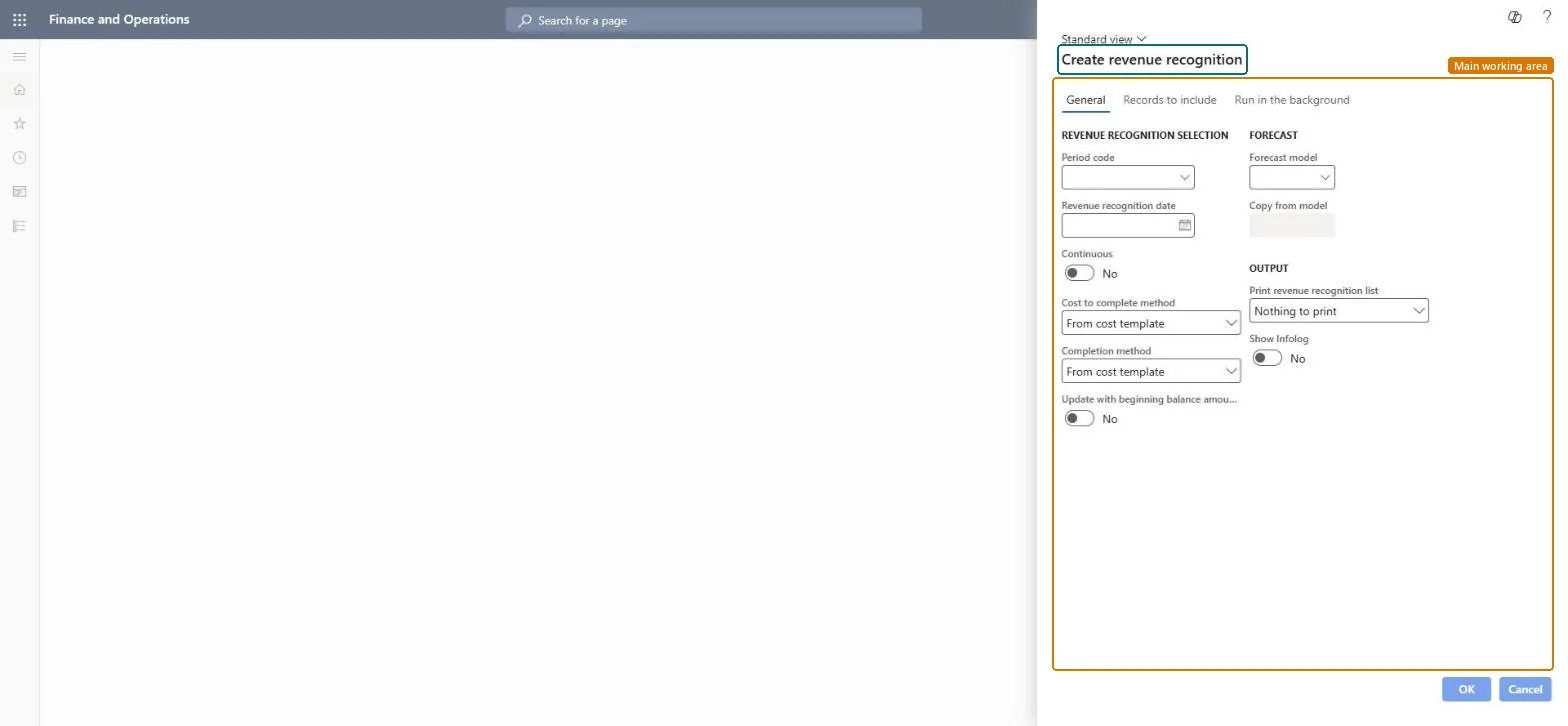
The page in Dynamics 365. page title tab to open what to set or check
About the examples: Examples and screenshots in this guide use BEAT, a demo company in a Dynamics 365 test environment. Use your own company's codes and values instead of copying them.
When to run it
When to run it
At each period end, after the period's costs are posted and forecasts are up to date.
How often
Once per revenue recognition period, as the period code sets (for example monthly).
Batch settings
Run in the background for all projects with the same period code, then review the estimate list.
What the output shows
One revenue recognition record with the status Created per project for the period, and an estimate list with warnings.
Start revenue recognition for all fixed price projects.
Steps from Microsoft
Go to Project management and accounting > Periodic > Revenue recognition > Create revenue recognition.
Select the Period code and set the Estimate date to the period end.
Turn on Continuous so records are only created when the previous period was posted.
Select the Cost to complete method, the Completion method and the Forecast model the remaining cost comes from.
Turn on Print estimate list and run the job; review warnings such as a completion above 100 percent or a missing contract amount before you calculate and post.
Creates a list that shows the status and any warnings.Microsoft Learn
Yes
Common errors and fixes
Message
What to do
The estimate list warns: completion percentage above 100 percent, negative To complete amount, or no contract amount.
Update the forecast model or cost template; for a project above 100 percent use the Set cost to complete to zero method to reach 100 percent. Microsoft Learn
Test checklist
Run for period code MONTH, 10/31/2026.
Count records created: one per fixed price project (for example 14).
Run with Continuous on and Print estimate list on, for the period end date.Continuous stops a period being created before the previous one is posted; the list shows warnings early.
Load order: Create revenue recognition has no data entity in Data management, and the revenue recognition period table (ProjControlPeriodTable) has none either. Migrate WIP and accrual balances, then create revenue recognition in the target system from the first open period.Microsoft data model