Project management and accountingInquiries and reportsRetention inquiries
PSAPwpInvoiceInquiry
Used by
Project accountant, Project manager
Business process
Manage project financials
Menu item
PSAPwpInvoiceInquiry
Main table
VendTrans
Data entity
VendPaymentBIVendTrans
Setup steps
1 on this page
Show what matters for
PAGE GUIDEWhat the page does and how to use it8 sections. Choose a role to highlight what matters to you.
Everyone
1What it is and why
What it is
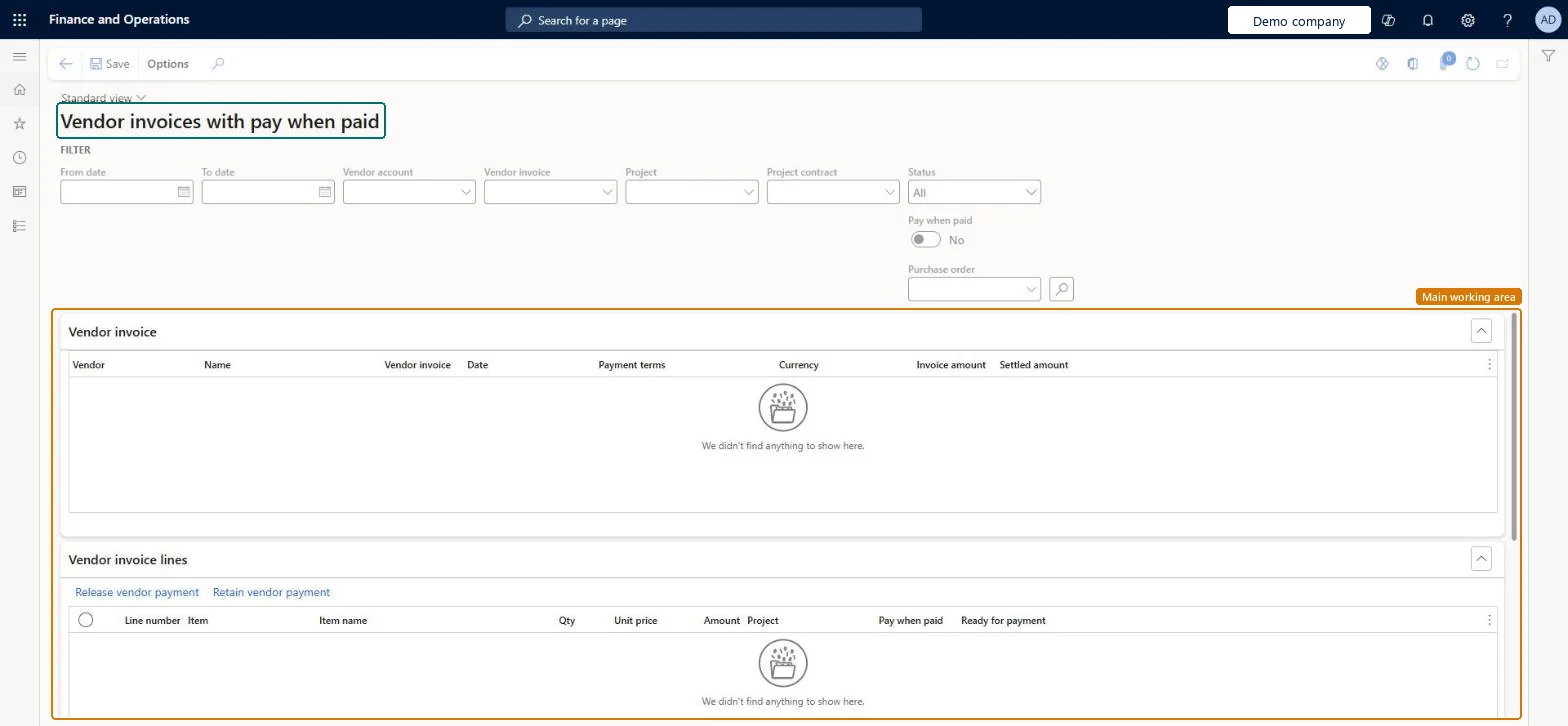
An inquiry page that lists vendor invoices under pay-when-paid terms, where you can release invoice lines for payment.
What you do here
Use this page to release vendor invoice lines for payment when the customer has paid, or to override the pay-when-paid terms.
Example
BEAT buys 20 laptops for 18,000.00 EUR from vendor V-3300 for customer project PRJ-0071 under pay-when-paid terms; when the customer pays its invoice, the project accountant finds the vendor invoice here and releases its lines, so Ready for payment changes to Yes.
The page in Dynamics 365. page title tab to open what to set or check
About the examples: Examples and screenshots in this guide use BEAT, a demo company in a Dynamics 365 test environment. Use your own company's codes and values instead of copying them.
Setup steps on this page
Release pay-when-paid vendor lines after the customer pays
Make vendor invoice lines payable once the customer's payment is received.
Steps from Microsoft
Go to Project management and accounting > Inquiries and reports > Retention inquiries > Vendor invoices with pay when paid.
Enter values in the search field to find the vendor invoice, and then select Search.
On the Vendor invoice lines FastTab, select the lines that you want to change.
If the pay-when-paid conditions are met for a line, select Release vendor payment.
Shows that the invoice line is held until the customer pays; it's cleared when you release the payment.Microsoft Learn
Yes
Ready for payment
Shows whether the invoice line can now be paid; it changes to Yes when you release the payment.Microsoft Learn
No
ReadyForPayment
Common errors and fixes
Message
What to do
The vendor invoice can't be paid although goods were received.
Under pay-when-paid terms the line is held until the customer pays; release it here, or override the terms if the vendor must be paid first. Microsoft Learn
Test checklist
Post a vendor invoice of 18,000.00 EUR under pay-when-paid terms on PRJ-0071.
Search it on this page and check Ready for payment is No.
Search the vendor invoice, select the lines whose customer invoice is paid, and select Release vendor payment.Pay-when-paid holds the vendor line until the customer pays; releasing early takes on the cash risk the terms were meant to avoid.
PrivilegesInvoice Inquiry for Pay When Paid PSAPwpInvoiceInquiryMaintain invoices for pay when paid PSAPwpInvoiceInquiryMaintainDutiesVendor invoices PSAPwpInvoiceInquiry2 security rolesProject accountant ProjProjectAccountantProject manager ProjProjectManagerChecked in Dynamics 365
Roles to set it up and use it
To set it up or change itProject manager ProjProjectManagerProject accountant ProjProjectAccountantGive people one of these roles. On this system, 2 roles can open this page.Checked in Dynamics 365
Actions on the page
Options: Personalize, Page options, Edit, ShareChecked in Dynamics 365
VendPaymentBIVendTrans Vendor transactions; read for analysis, not used to set pay-when-paid holds.Load order: Pay-when-paid holds come from vendor invoices posted under PWP terms; migrate open vendor invoices first, then set the project's PWP terms before new invoices are posted.Microsoft Learn