Project management and accountingInquiries and reportsPayroll allocation reports
output:ProjListProjPayRollEmplItem2ColumnPeriod
Business process
Analyze project performance
Menu item
output:ProjListProjPayRollEmplItem2ColumnPeriod
Setup steps
1 on this page
Show what matters for
PAGE GUIDEWhat the page does and how to use it8 sections. Choose a role to highlight what matters to you.
Everyone
1What it is and why
What it is
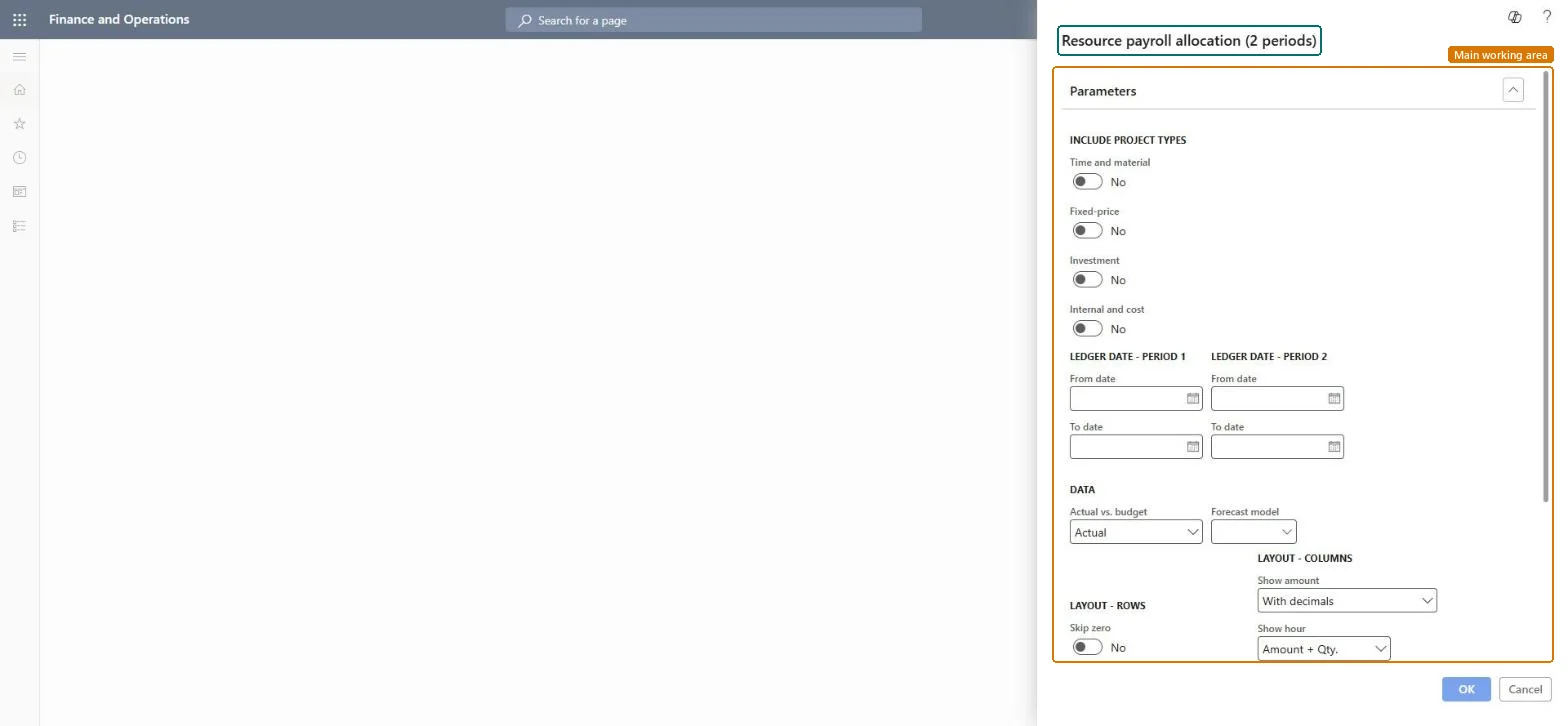
A report that shows payroll allocation per resource for two ledger date ranges side by side, so you can compare two periods.
What you do here
Use it to see how payroll cost per resource moved between two periods, for example month against month or quarter against quarter.
Example
BEAT compares the months before and after the 2026-10-01 cost price change: resource 000123 goes from 38.00 to 40.00 per hour, so 152.00 hours cost 6,080.00 instead of 5,776.00.
The page in Dynamics 365. page title tab to open what to set or check
About the examples: Examples and screenshots in this guide use BEAT, a demo company in a Dynamics 365 test environment. Use your own company's codes and values instead of copying them.
When to run it
When to run it
After a period is closed, when you compare each resource's payroll allocation with another period, for example before and after a cost price change.
How often
On demand, at period close or for a resource cost review.
What the output shows
One row per resource and item with a column per period. Unlike Resource payroll allocation, it shows two ledger periods side by side; a drop in one period usually means missing or unposted timesheets.
Choose how amounts are shown, such as with decimals, without decimals, or in thousands or millions.Microsoft Learn
Show hour
Choose whether to show the number of hours, the cost value of the hours, or both.Microsoft Learn
Common errors and fixes
Message
What to do
One column is much smaller than expected.
Hours of that period are probably not posted yet or carry a ledger date in the other period; post the remaining timesheets and check the ledger dates of late hour journals. Microsoft Learn
Enter two periods of the same length, for example two full months, under Ledger date - Period 1 and Period 2.The two columns are plain totals for each range, so periods of different length or overlapping dates distort the comparison.
On the live system, Project manager, Project supervisor, Chief executive officer and Chief financial officer can run this page.
Checked in Dynamics 365
Solution architect
5Design impact
Shared or per company
Per legal entity: the report reads only the project data of the company you are signed in to, so run it in each company you close. Checked in Dynamics 365
Can it be undone
Reversible: the report changes no data: The Resource payroll allocation (2 periods) report only reads posted payroll allocation data; it changes nothing. Microsoft Learn
If you change it later
The report reads posted hour transactions and, for budgets, forecast lines. A change to cost prices or to the project cost and revenue profile affects only hours posted afterwards; past hours change only through Adjust transactions, after which you rerun the report. Microsoft Learn
Technical architect
6Technical
Menu item
output:ProjListProjPayRollEmplItem2ColumnPeriodChecked in Dynamics 365
Form
SysOperationTemplateFormChecked in Dynamics 365
Roles to set it up and use it
To use itProject manager ProjProjectManagerProject supervisor ProjProjectSupervisorChief executive officer CompanyChiefExecutiveOfficerChief financial officer CompanyChiefFinancialOfficerGive people one of these roles. On this system, 4 roles can run this page.Checked in Dynamics 365
Load order: Resource payroll allocation (2 periods) has no data entity in Data management: the menu item ProjListProjPayRollEmplItem2ColumnPeriod opens a report that only reads posted project data. There is nothing to migrate for the report itself; load the project data it reads, for example opening balances through Journals > Beginning balance, then run the report in the new system and compare its totals with the old one.Checked in Dynamics 365