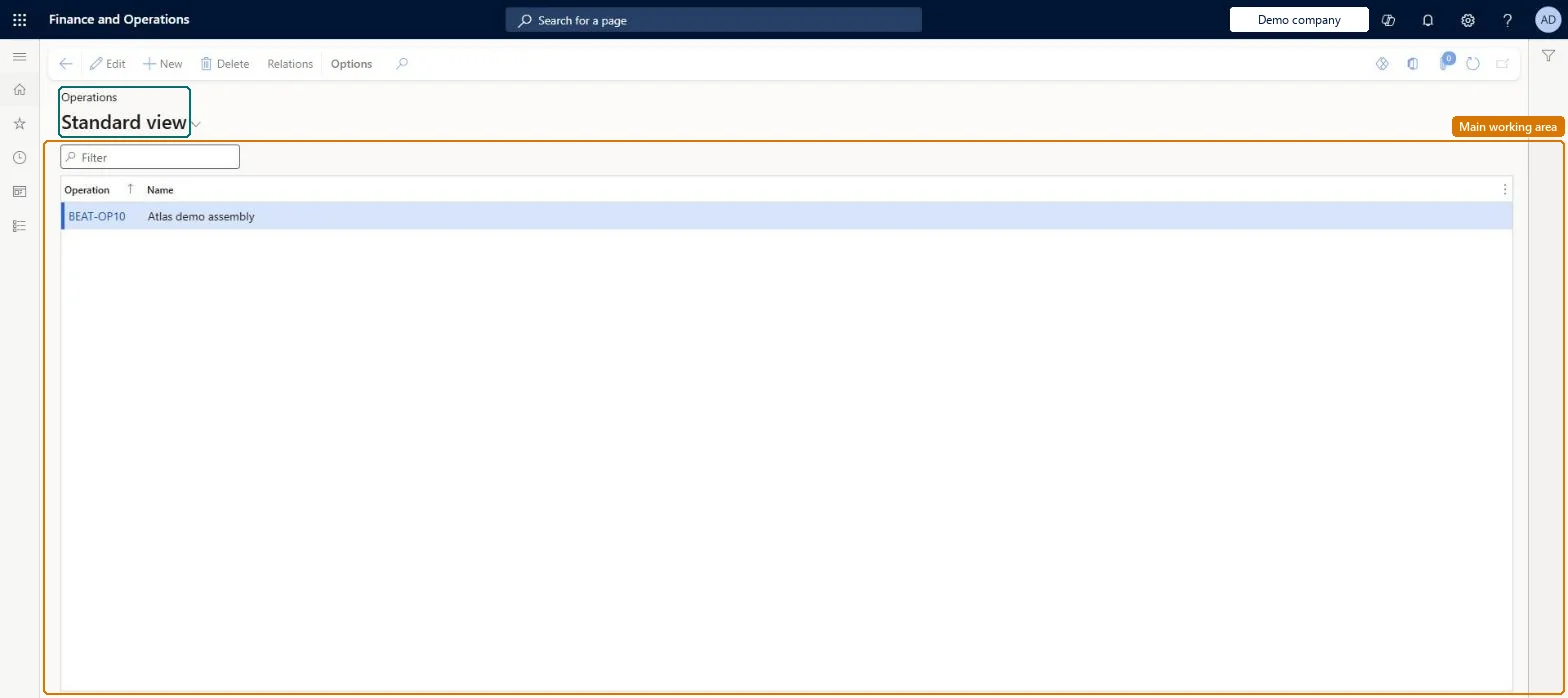
A setup page where you create operations: the named steps, such as assembly or inspection, that routes are built from, each with an ID and a short description.
Production manager, Production supervisor, Production planner and 2 more roles
Business process
Develop production processes
Menu item
RouteOprTable
Main table
RouteOprTable
Data entity
RouteOperationEntity
Setup steps
1 on this page
Show what matters for
PAGE GUIDEWhat the page does and how to use it8 sections. Choose a role to highlight what matters to you.
Everyone
1What it is and why
What it is
A setup page where you create operations: the named steps, such as assembly or inspection, that routes are built from, each with an ID and a short description.
What you do here
Use this page to maintain the operation IDs and names that are reused across routes, and to open the operation relations where setup and run times, cost categories, consumption and resource requirements are kept.
Example
For example, a machine shop defines operations such as PipeCut for pipe cutting, TIGweld for TIG welding and Inspection for quality inspection.
The page in Dynamics 365. page title tab to open what to set or check
About the examples: Examples and screenshots in this guide use BEAT, a demo company in a Dynamics 365 test environment. Use your own company's codes and values instead of copying them.
Setup steps on this page
Set up Operations
Use this page to maintain the operation IDs and names that are reused across routes, and to open the operation relations where setup and run times, cost categories, consumption and resource requirements are kept.
How to use it
Go to Production control > Setup > Routes > Operations.
Select New to add an operation, or select one in the list.
Enter the Operation ID and its Name.
Select Relations on the Action Pane to set the route group, cost categories, times and resource requirements of the operation for an item, route or site.
Select Edit to change an operation, or Delete to remove it.
Source: Checked in Dynamics 365
Fields on the page
Field
What it means
Table column
Operation
The unique identifier of the operation; it cannot contain spaces.Microsoft Learn
Standard operations with default operation relations (Item code All, Route code All) where times and resources are the same everywhere; a separate operation ID for each step that needs different times in the same routeLearn recommends default operation relations for standardized operations to reduce master data, and says all occurrences of an operation in one route share one relation, so two steps with different run times need two operations.
Adding a new operation from the product's Route page. The relation is created only for that released product, so other products using the route have no relation for it and can no longer use the route.
Reversible: You can edit operations and relations at any time. Properties are copied from the most specific relation to the production route when the order is created, so existing orders keep their values. Microsoft Learn
If you change it later
An operation's relation properties apply to every occurrence of that operation in a route, so two steps that need different run times must be created as separate operations. Microsoft Learn
Technical architect
6Technical
Menu item
RouteOprTableChecked in Dynamics 365
Form
RouteOprTableChecked in Dynamics 365
Table
RouteOprTableShown as “OPERATIONS” in Record infoChecked in Dynamics 365
PrivilegesMaintain operations RouteOprTableMaintainView operations RouteOprTableViewDutiesEnable route management process RouteRouteManagementProcessEnableInquire into route management reference data RouteRouteManagementReferenceDataInquirInquire into route master RouteRouteMasterInquireMaintain route master RouteRouteMasterMaintain5 security rolesProduction manager ProdProductionManagerProduction supervisor ProdProductionSupervisorProduction planner ReqProductionPlannerProcess engineer RouteProcessEngineerProcess engineering manager RouteProcessEngineeringManagerChecked in Dynamics 365
Roles to set it up and use it
To set it up or change itProcess engineer RouteProcessEngineerProcess engineering manager RouteProcessEngineeringManagerTo use itProduction supervisor ProdProductionSupervisorProduction manager ProdProductionManagerProduction planner ReqProductionPlannerGive people one of these roles. On this system, 5 roles can open this page.Checked in Dynamics 365
Actions on the page
(Action Pane without tabs): RelationsChecked in Dynamics 365
RouteOperationEntity (Operations): loaded for each company, in Microsoft's default template 410 - Production control.Load order: Microsoft's default template 410 - Production control loads Operations at execution unit 1, level 50, sequence 21. Lower levels load first, and entities at the same level load in sequence order.Load first: the default templates at lower levels (System setup to dependency bands 30 to 90)Microsoft Learn